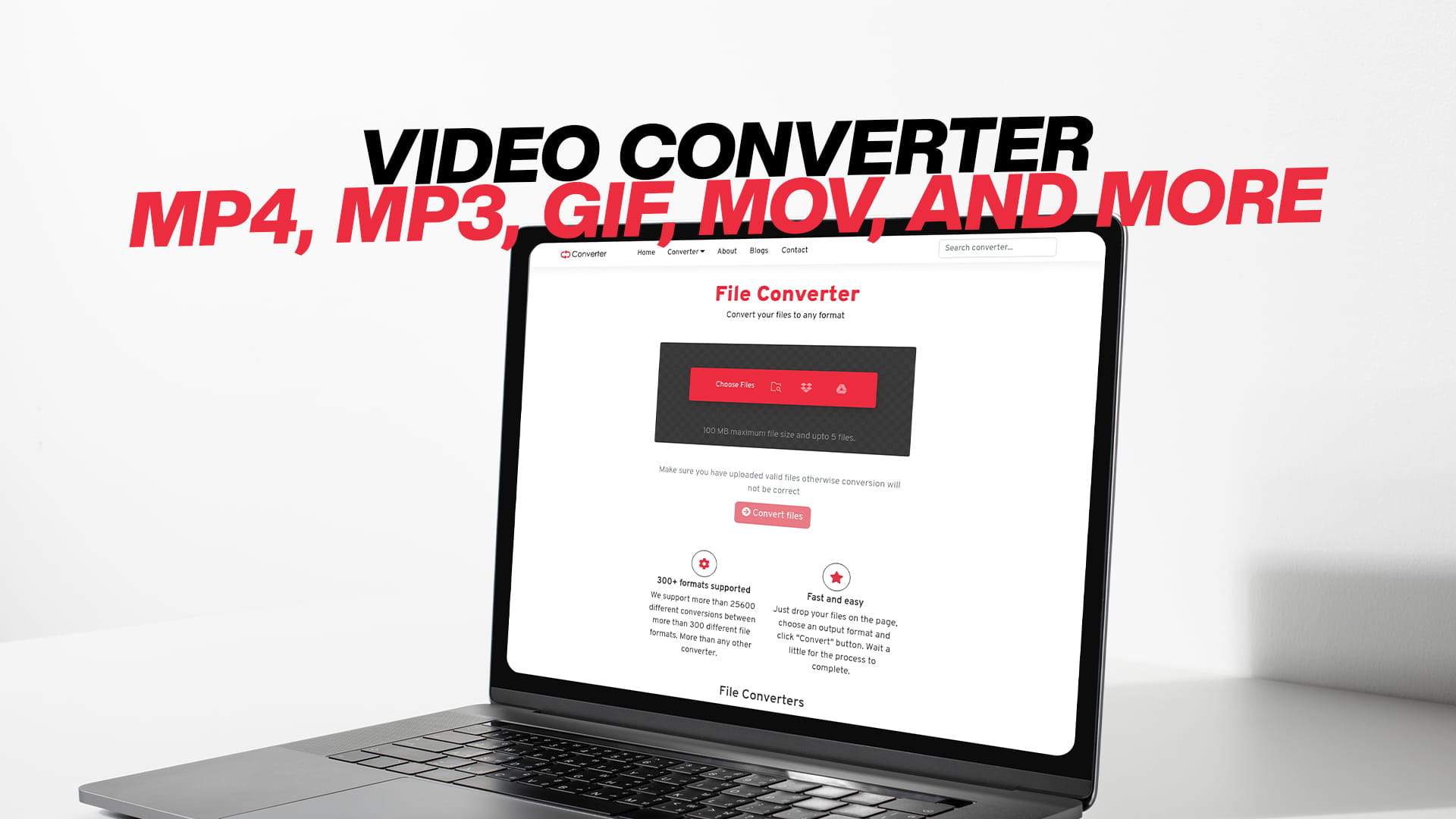
Video Converter: MP4, MP3, GIF, MOV, and More
Videos are everywhere. People record moments on their phones, create content for social media, download movies, share clips with friends, and store memories in video files. But here is something many people quickly discover — not every video file works on every device or platform. A video that plays perfectly on one device might not open at all on another. That is where video conversion becomes not just useful, but necessary.
Video conversion is the process of changing a video file from one format to another. Think of it like translating a language. The content stays the same, but the way it is packaged changes so that different devices, apps, and platforms can read and play it. Whether you are trying to play a video on an older device, upload it to a website that only accepts certain formats, or reduce the file size to save storage space, video conversion is the answer.
The good news is that video conversion does not have to be hard, expensive, or technical. With the right tool, anyone can convert video files quickly and easily. Convertio is one such tool — a free, online platform that makes converting videos (and many other file types) as simple as a few clicks. You do not need to install any software, have technical skills, or pay any money. Just visit Convertio and start converting right away.
This guide covers everything you need to know about video conversion, including the most popular formats like MP4, MP3, GIF, MOV, and many more. By the end, you will have a clear understanding of what each format does, why you might need to convert between them, and how to do it easily.
Why Video Formats Matter
Before diving into specific formats, it helps to understand why there are so many different video formats in the first place. The answer comes down to different needs, technologies, and purposes.
Some formats are designed to produce the smallest possible file size. Others are built for the highest possible quality. Some formats are created specifically for certain devices or operating systems. Others are designed for streaming over the internet. And some formats are built around a particular kind of content, like animation or short clips.
When a video is recorded or created, it gets saved in a specific format. That format determines how the video data is compressed, stored, and played back. If a device or app does not support that format, it cannot read the file.
For example, Apple devices tend to work best with MOV files, while Android devices often prefer MP4. Video editing software may output files in a professional format like AVI or MKV that a regular media player cannot handle. A website may only accept MP4 uploads. A messaging app might only send GIFs or short clips in a specific format.
This is exactly why a tool like Convertio is so valuable. Instead of being stuck with a file your device or platform cannot use, you simply convert it to the format you need.
Understanding MP4 — The Universal Video Format
MP4 is the most popular and widely used video format in the world today. It is supported by virtually every device, operating system, app, and online platform on the planet. Whether you are using a Windows computer, a Mac, an iPhone, an Android phone, a smart TV, or a gaming console, it almost certainly plays MP4 files.
The full name of MP4 is MPEG-4 Part 14. It was developed by the Moving Picture Experts Group (MPEG), the same organization responsible for many other important digital media standards. MP4 was designed to deliver high-quality video and audio at a relatively small file size, making it perfect for both storage and streaming.
One of the biggest reasons MP4 is so popular is its excellent compression. A video saved in MP4 format can be much smaller than the same video in other formats while still looking and sounding great. This makes MP4 ideal for sharing videos online, sending them via email, uploading them to social media, and storing them on devices with limited storage.
MP4 also supports multiple audio tracks, subtitles, still images, and even chapters — all within the same file. This versatility has made it the go-to format for everything from YouTube videos and Netflix content to home videos and business presentations.
If you receive a video in any other format and want to make sure it works everywhere, converting it to MP4 is almost always the right move. With Convertio, you can convert any video to MP4 in just a few steps, completely free.
Understanding MP3 — Audio Extracted from Video
MP3 might seem out of place in a discussion about video formats, but it is actually one of the most common conversions people need to make. MP3 is an audio format — it contains only sound, no video. So why is it listed alongside video formats? Because many people want to extract the audio from a video file and save it as an MP3.
Think about it. You have a music video you love, and you want to listen to the song on your phone without watching the video. Or you have a recorded lecture, podcast, or interview in video format, and you want to listen to it while driving or exercising. Or you have a live concert recording and want the audio on your music player. In all these cases, converting a video to MP3 is the perfect solution.
MP3, which stands for MPEG-1 Audio Layer III, is the most popular audio format in the world. Nearly every device and app that plays audio supports MP3. The files are compact, the quality is good, and they work everywhere.
Converting a video to MP3 strips out the video portion and keeps only the audio track, saving it in the compressed MP3 format. The result is a much smaller file that you can play on any music player, phone, or computer.
Convertio makes video-to-MP3 conversion incredibly easy. You simply upload your video file, choose MP3 as the output format, and download your audio file. The whole process takes just a minute or two, and it is completely free.
Understanding GIF — The Format That Keeps Moving
GIF stands for Graphics Interchange Format. Unlike MP4 or MOV, a GIF is not really a traditional video file — it is an animated image. But because it shows moving images, it functions very much like a short, silent video clip. And because of this, converting a video to GIF has become incredibly popular, especially for social media and messaging.
GIFs are everywhere online. They are used in chat conversations, social media posts, websites, blog articles, and email newsletters. They are short, looping animations that play automatically without sound. They are perfect for expressing reactions, sharing funny moments, creating simple demonstrations, or highlighting a brief clip from a video.
GIFs are particularly popular because they are supported by virtually every browser, app, and platform without any special software or settings. You do not need to press play or wait for a video to buffer. A GIF just plays on its own, over and over again.
The limitation of GIFs is that they do not support audio and are best kept short — usually a few seconds at most. They also tend to have a lower resolution and frame rate compared to regular video. But for their intended purpose, none of that matters. A well-made GIF communicates exactly what it needs to in just a few seconds.
Converting a video to GIF is a common task, whether you are creating content for social media, making a tutorial, or just sharing a fun moment with friends. With Convertio, you can upload any video clip, select GIF as the output format, and get your animated image ready in no time.
Understanding MOV — Apple's Video Standard
MOV is a video format developed by Apple for use with their QuickTime media player. It is the native video format for Apple devices and software, including iPhones, iPads, Macs, and Final Cut Pro. If you have ever recorded a video on an iPhone or used a Mac to edit a video, there is a good chance you have worked with MOV files.
MOV files are known for their high quality. They support multiple tracks, meaning a single MOV file can contain video, audio, effects, and other data all at once. This makes MOV especially popular in professional video production, where quality and flexibility are critical.
However, MOV files can be quite large, and they are not as universally supported as MP4. On Windows devices, MOV files may not play without additional software. Some online platforms and apps do not accept MOV uploads.
This is why converting MOV to MP4 is one of the most common video conversions people make. And going the other way — converting MP4 or other formats to MOV — is also frequently needed by Apple users and video editors working within the Apple ecosystem.
Convertio handles MOV conversions smoothly and efficiently. Whether you need to convert MOV to MP4, MP4 to MOV, or MOV to any other format, the process is fast, free, and requires no technical knowledge.
Other Popular Video Formats You Should Know
Beyond MP4, MP3, GIF, and MOV, there are many other video formats that you may encounter. Each has its own strengths, use cases, and limitations. Here is a look at some of the most common ones.
AVI
AVI stands for Audio Video Interleave. It is one of the oldest video formats and was developed by Microsoft in the early 1990s. AVI files tend to be large but support high-quality video. While not as popular as they once were, AVI files are still found in older video collections, some cameras, and Windows-based video software. Converting AVI to MP4 is a common task for anyone dealing with older video files.
MKV
MKV, or Matroska Video, is a flexible open-source video format that has grown in popularity over the years. It can contain multiple audio tracks, subtitles, and chapters within a single file, making it popular for storing movies and TV shows with multiple language options. MKV files tend to offer excellent quality, but they are not supported by all devices. Converting MKV to MP4 is a frequent need for those who want to play their video files on more devices.
WMV
WMV stands for Windows Media Video. It was developed by Microsoft and was once widely used for online video streaming and digital downloads on Windows systems. WMV files are compact and decent quality, but like AVI, they are not universally supported and are less common today. You may still encounter WMV files from older downloads or Windows software.
FLV
FLV, or Flash Video Format, was the dominant format for online video streaming in the 2000s. YouTube and many other video websites originally used FLV. However, with the decline of Adobe Flash, FLV has become largely obsolete. Converting FLV files to MP4 is important for anyone trying to play or preserve older video content.
WebM
WebM is an open-source video format specifically designed for the web. It was developed by Google and is supported by all major web browsers. WebM offers good quality at small file sizes and is commonly used for HTML5 video on websites. If you download a video from a website, there is a good chance it is in WebM format.
3GP
3GP was designed for mobile phones, particularly in the era of early smartphones and feature phones. It produces small files suitable for low-bandwidth connections. While largely replaced by MP4 for mobile video, 3GP files are still sometimes encountered, especially on older devices.
MPEG
MPEG files refer to a range of formats created by the Moving Picture Experts Group. MPEG-1, used for VCDs, and MPEG-2, used for DVDs and broadcast television, were both widely popular before MP4 (MPEG-4) became dominant. You may still find MPEG files from old recordings or DVDs.
All of these formats and more are supported by Convertio, which offers a comprehensive set of conversion options for all your video needs.
Why People Convert Videos — Real-World Scenarios
Understanding why someone would need to convert a video makes the whole concept more concrete. Here are some everyday situations where video conversion is the perfect solution.
You record a birthday party on your iPhone. The video is saved as a MOV file. You want to share it with your friend who uses a Windows laptop. The MOV file does not play properly on their computer. You convert it to MP4 using Convertio, and now it plays perfectly on any device.
You download a documentary from the internet. The file is in MKV format with multiple subtitle options. You want to watch it on your smart TV, but the TV does not support MKV. You convert it to MP4, and it plays without any problems.
You have a long recorded webinar in MP4 format. You want to listen to it during your commute, but you do not have data to stream video. You convert it to MP3 so you can download just the audio and listen offline.
You capture a funny ten-second moment from a video and want to share it on Twitter or in a group chat. You convert the short clip to a GIF so it plays automatically and looks great in any message or post.
You are creating a YouTube video and your editing software exports in AVI format. YouTube accepts MP4 best, so you convert your AVI to MP4 before uploading.
You have a collection of old VHS recordings converted to MPEG format. You want to back them up in a more modern, widely supported format. You convert them all to MP4 to future-proof your family memories.
These are just a few of the countless situations where video conversion is necessary. With Convertio, all of these tasks can be completed online for free, without downloading any software or having any technical knowledge.
What Makes a Great Video Converter
Not all video converters are equal. Some are complicated. Some are slow. Some charge money. Some require you to install software that takes up space on your computer. Some have hidden limitations or add watermarks to your videos. When choosing a video converter, there are several key qualities to look for.
Speed is important. Nobody wants to wait twenty minutes for a simple video conversion. A good converter processes files quickly so you can get your converted video and move on with your day.
Ease of use matters a great deal. Not everyone is tech-savvy. A great video converter should be so simple that anyone — regardless of their technical background — can use it without any instructions. The process should be as simple as uploading a file, choosing a format, and clicking convert.
Format support is critical. You want a converter that handles as many formats as possible, not just the most common ones. You never know what kind of file you might need to convert, so broad format support is a major advantage.
Quality preservation is essential. Converting a video should not noticeably reduce its quality. A good converter maintains the video and audio quality as much as possible throughout the conversion process.
No software required is a huge benefit. Installing software is time-consuming, takes up storage space, and sometimes introduces security risks. An online converter that works directly in your browser is far more convenient.
Being free is obviously important for most people. Professional video conversion software can be expensive. Free tools like Convertio remove this barrier and make video conversion accessible to everyone.
Convertio checks all of these boxes. It is fast, simple, supports a huge range of formats (not just video — also images, audio, documents, PDFs, eBooks, software files, compressed files, and more), preserves quality, works entirely online, and is completely free to use.
How to Convert a Video with Convertio
The process of converting a video with Convertio is designed to be as simple as possible. Here is how it works.
First, you visit Convertio in your web browser. No registration is needed, and no software needs to be installed. The tool works on any device — desktop, laptop, tablet, or smartphone — through your browser.
Next, you upload your video file. You can do this by clicking the upload button and selecting the file from your device, or by dragging and dropping the file directly onto the page. Convertio also supports uploading files from cloud storage services, which is useful if your file is stored online.
After uploading, you choose the output format. This is where you select what you want to convert your video to — MP4, MP3, GIF, MOV, AVI, MKV, or any of the many other supported formats. The interface is clear and easy to navigate, so finding the right format takes just a second.
Then you click the convert button. Convertio processes your file on its servers, which are fast and reliable. Depending on the size of your file, conversion may take anywhere from a few seconds to a couple of minutes.
Finally, you download your converted file. Once the conversion is complete, a download link appears. You click it, and your converted video is saved to your device. It is that simple.
The entire process from start to finish typically takes just a few minutes, even for large files. And because everything happens in the cloud, there is no strain on your computer's processor.
Video Conversion for Content Creators
If you create content for the internet — whether for YouTube, Instagram, TikTok, Facebook, LinkedIn, or any other platform — video conversion is a skill you use regularly, even if you have not thought of it that way.
Every platform has its preferred video format and specifications. YouTube works best with MP4 encoded with H.264. Instagram prefers MP4 as well but has specific size and aspect ratio requirements. TikTok accepts MP4 and MOV. Twitter (now X) supports MP4 and MOV. Facebook accepts a range of formats but recommends MP4.
When your footage comes out of your camera or editing software in a format that does not match these requirements, conversion is necessary. Content creators who work with multiple platforms often find themselves converting the same video to different specifications for different uploads.
Convertio is a valuable tool in any content creator's toolkit. It simplifies the process of getting your video into the right format for each platform, saving time and ensuring your content looks its best.
Beyond format conversion, content creators also frequently need to convert video to audio. Extracting background music, voiceovers, or interview audio from a video file is a common task, and converting video to MP3 is the fastest way to accomplish it.
GIF creation is another area where content creators benefit from video conversion. Many creators add GIFs to blog posts, newsletters, and social media previews. Converting a short video clip to a high-quality GIF is quick and easy with Convertio.
Video Conversion for Business Use
Businesses use video more than ever. Marketing videos, product demonstrations, training materials, webinars, presentations, and customer testimonials are all part of modern business communication. And in a business setting, video conversion needs arise constantly.
A company might record a training webinar in one format and need to distribute it to employees in a different format that works on their company-issued devices. A marketing team might receive raw footage from a videographer in a high-quality professional format and need to compress it into MP4 for website use. A sales team might want to extract audio from a product demo video to create a podcast episode or audio advertisement.
Businesses also frequently need to convert videos for presentations. A PowerPoint or Keynote presentation may embed video files, and those files often need to be in a specific format to work correctly. Converting to MP4 before embedding into a presentation prevents compatibility issues during important meetings.
Convertio is a reliable solution for all of these business needs. Because it is web-based and free, it requires no IT approval, no budget allocation, and no training time. Any team member can use it immediately to get the job done.
Preserving and Archiving Old Videos
Many people have collections of old videos stored on DVDs, old hard drives, or even VHS tapes that have been digitized. These older videos are often in formats like MPEG, AVI, VOB (from DVDs), or other legacy formats that are difficult to play on modern devices or store efficiently.
Converting these old videos to a modern format like MP4 is one of the best things you can do to preserve them. MP4 files are compact, high-quality, and supported by every modern device. They can be easily shared with family members, uploaded to cloud storage, or backed up on external drives.
Converting old video formats does not mean losing quality. With a good converter like Convertio, the quality is preserved as faithfully as possible throughout the conversion process. Your old home videos, family recordings, and archived footage can be brought into the modern era without sacrificing the memories they contain.
For anyone working on a digitization project — converting old tapes, DVDs, or archived recordings into modern digital formats — Convertio provides a free, easy, and reliable conversion solution.
Mobile Video Conversion
Smartphones have become the primary video recording device for billions of people. Whether you are recording a moment at a party, filming a how-to video, or capturing footage for a social media post, your phone is likely your camera.
But mobile videos come with their own format quirks. iPhones record in MOV or HEVC (High Efficiency Video Coding) format by default, especially on newer models. While these formats offer great quality, they may not be compatible with all devices and platforms. Android phones may record in MP4 or 3GP, depending on the model.
Converting mobile videos is often necessary when sharing across different devices and platforms. A video recorded on an iPhone may not play perfectly on an older Android device or a Windows computer without conversion. A video recorded in HEVC format may need to be converted to standard H.264 MP4 for broad compatibility.
Because Convertio is fully web-based, it works seamlessly on mobile devices. You can upload a video directly from your phone's camera roll, choose the output format, and download the converted file — all from your smartphone browser without installing any app.
Understanding Video Quality in Conversion
One concern many people have about video conversion is quality loss. It is a valid concern. Any time you compress or re-encode a video, there is potential for some reduction in quality. However, with a good converter and the right settings, quality loss is minimal and often not noticeable.
The key to maintaining quality is choosing the right output format and settings. MP4 with H.264 encoding, for example, delivers excellent quality at very manageable file sizes. If you are converting from a high-quality source file (like MOV or MKV), the resulting MP4 will still look and sound great.
Where quality can become an issue is when you convert an already-compressed file multiple times. Each conversion can introduce small quality losses that add up over time. This is why it is always best to convert from the original, highest-quality version of a file rather than a previously converted copy.
Convertio uses high-quality conversion algorithms that preserve as much of the original quality as possible. For most everyday conversions — sharing videos with family, posting to social media, watching on different devices — the results are excellent.
Beyond Video — Convertio for All Your File Conversion Needs
While this guide has focused on video conversion, it is worth noting that Convertio is not limited to video files. It is a comprehensive, all-in-one file conversion platform that handles virtually every type of digital file you might encounter.
Convertio provides free conversion to images, including formats like JPG, PNG, WEBP, SVG, TIFF, BMP, and more. Need to convert a PNG to a JPG? A TIFF to a PNG? A PDF page to an image? Convertio handles it all.
For audio, in addition to MP3, Convertio supports conversion to and from formats like WAV, AAC, FLAC, OGG, M4A, and many others. Whether you need a high-quality audio file for a professional project or a compact file for casual listening, Convertio has the conversion you need.
Document conversion is another major area of Convertio's capabilities. You can convert Word documents, Excel spreadsheets, PowerPoint presentations, PDFs, text files, HTML pages, and many other document types. If you need to convert a DOCX to a PDF, or a PDF to a Word document, Convertio makes it simple and free.
For eBooks, Convertio supports formats like EPUB, MOBI, AZW, PDF, and more. If you have an eBook in one format and your reader only accepts another, Convertio solves the problem instantly.
Convertio also handles software files, compressed archives like ZIP, RAR, and 7Z, and many other specialized file types. It truly is a one-stop solution for any file conversion need you might have.
This all-in-one capability makes Convertio exceptionally valuable. Instead of searching for a different tool for every type of conversion, you can rely on Convertio for everything — all for free.
Tips for Getting the Best Results from Video Conversion
To get the best results when converting videos, there are a few practical tips worth keeping in mind.
Always start with the highest quality source file available. If you have both a compressed and an uncompressed version of a video, use the uncompressed one as your source for conversion. This gives the converter the most information to work with and produces the best output.
Choose the right output format for your purpose. If you want broad compatibility, MP4 is almost always the right choice. If you want to extract audio, choose MP3. If you want a short looping animation for social media, choose GIF. If you are working within the Apple ecosystem, MOV may be the best choice.
Consider file size when choosing settings. If you need a compact file for sharing or uploading, make sure your output settings reflect that. Most converters, including Convertio, offer options to adjust quality, resolution, and bitrate to balance file size and quality.
Keep a copy of the original file. Before converting, make sure you have a backup of your original video. This is good practice whenever you are processing any important file. If the conversion does not turn out as expected, you still have your original to try again.
Be mindful of video length when creating GIFs. GIFs work best when they are short — usually no more than five to ten seconds. A very long GIF will result in a huge file size and may not play smoothly. Trim your video clip before converting to GIF for the best results.
Use a stable internet connection when uploading large files. Since Convertio is web-based, the upload speed of your internet connection affects how quickly your file is processed. A faster connection means faster uploads and overall quicker conversions.
The Future of Video Formats
The world of video formats continues to evolve. New formats are developed to take advantage of advances in compression technology, delivering better quality at smaller file sizes. Some of the most recent developments include HEVC (H.265), AV1, and VP9, which offer significantly better compression than older formats like H.264.
As these newer formats become more widely supported, they are gradually being adopted by cameras, streaming services, and devices. iPhones already record in HEVC by default. Streaming services use AV1 to deliver high-quality video with less bandwidth.
This ongoing evolution makes video conversion even more important. As new formats emerge and older ones fade, conversion tools like Convertio help bridge the gap, ensuring that your videos remain accessible and playable regardless of format.
Convertio continuously updates its supported formats and conversion capabilities to stay current with the latest developments in digital media. This commitment to staying up to date means you can always rely on Convertio for your conversion needs, no matter what formats you encounter.
Why Convertio Stands Out
With so many file conversion tools available online, what makes Convertio the right choice? The answer lies in its combination of simplicity, breadth, and reliability.
Convertio is genuinely easy to use. There is no steep learning curve, no confusing settings, and no technical jargon. Anyone who can upload a file and click a button can use Convertio successfully.
The range of supported formats is remarkable. Not just for video, but for every type of digital file. Images, audio, video, documents, PDFs, eBooks, software files, compressed files — Convertio covers them all in one place.
It is completely free. There is no paywall, no subscription, and no hidden charges for basic conversions. You can visit Convertio and start converting immediately at no cost.
It works on any device. Because Convertio is entirely web-based, it works on Windows, Mac, Linux, iPhone, Android, and any other device with a modern web browser. There is nothing to install and nothing to update.
The quality of conversions is consistently good. Convertio uses high-quality processing to ensure your converted files look and sound as good as possible, maintaining the quality of your original content.
For all of these reasons, Convertio has become a trusted and popular tool for millions of people around the world who need fast, free, and reliable file conversion.
Conclusion
Video conversion is a fundamental part of working with digital media in the modern world. With so many different formats, devices, platforms, and use cases, the need to convert videos from one format to another arises constantly — for casual users, content creators, businesses, and professionals alike.
Whether you need to convert a video to MP4 for broad compatibility, extract audio as an MP3, create an animated GIF for social media, or work with MOV files in the Apple ecosystem, having the right conversion tool makes all the difference. The same applies to the many other formats like AVI, MKV, WMV, FLV, WebM, and more that you might encounter in your digital life.
Convertio provides everything you need for video conversion and far beyond. It is free, fast, easy to use, works on any device, supports an enormous range of formats, and delivers high-quality results every time. You do not need any technical knowledge, any special software, or any budget. Just visit Convertio, upload your file, choose your output format, and download your converted file.
Whether you are converting a single video for personal use or handling dozens of files for a business or creative project, Convertio is ready to help — for free, any time, on any device. Start converting today and discover just how easy managing your digital files can be.