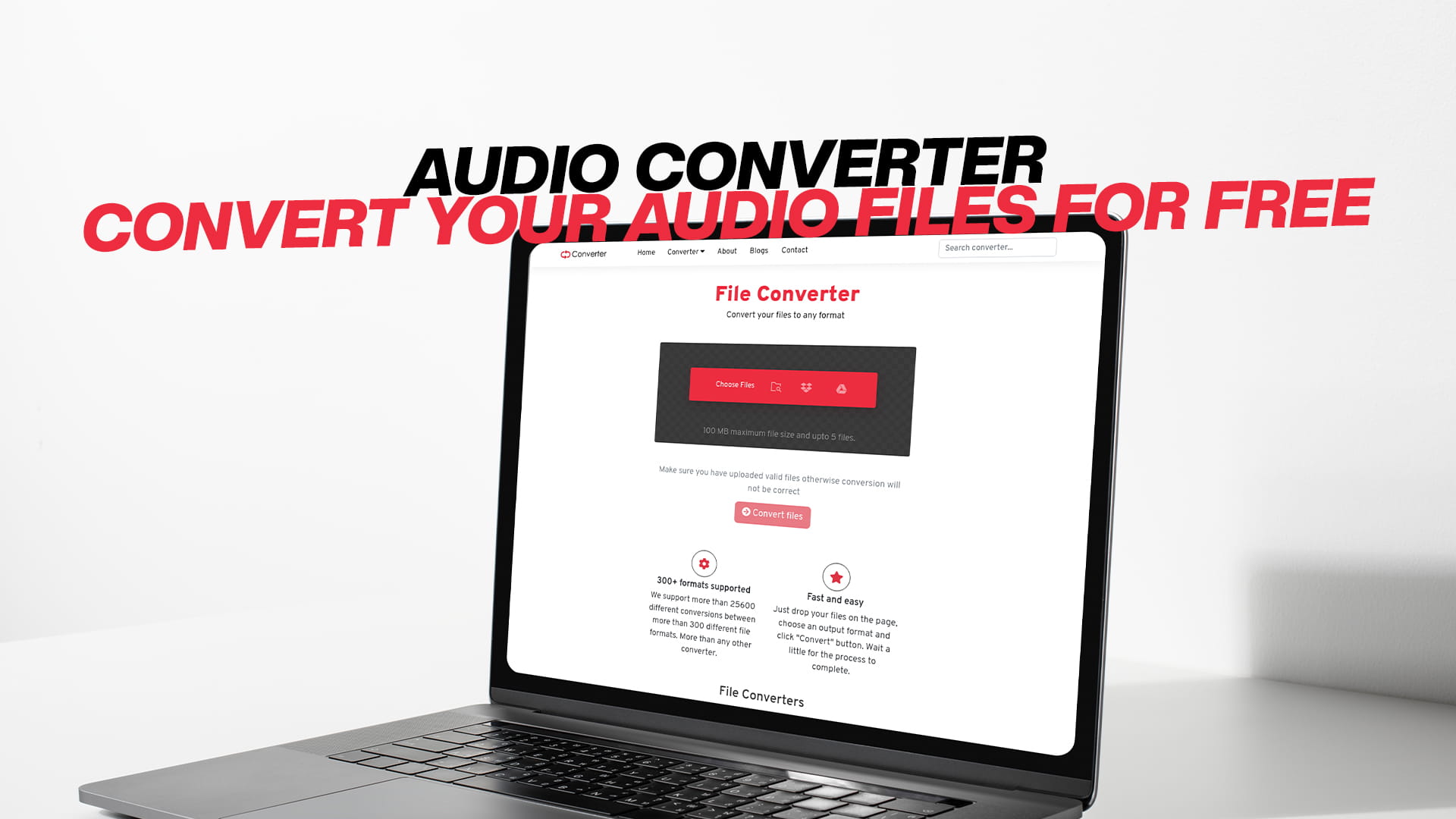
Online Audio Converter - Convert your Audio files for Free
We live in a world where music, podcasts, voice notes, and audio recordings are a part of everyday life. Whether you are a musician, a content creator, a student, or just someone who loves listening to audio, you have probably run into a situation where your audio file just would not play. Maybe the format was not supported. Maybe the file was too large. Maybe your device simply could not read it.
That is where an audio converter comes in.
An audio converter is a tool that lets you convert an audio file from one format to another. It sounds simple, and honestly, it is. But the impact it can have on your daily digital life is enormous. From converting a WAV file to MP3 so it takes up less space to turning a FLAC file into AAC for your iPhone, audio converters do a lot of heavy lifting behind the scenes.
In this article, we are going to walk you through everything you need to know about audio converters. We will cover what they are, why you need one, the most common audio formats, how to pick the right converter, and how to get the best results every single time. And best of all, we will show you how to do it all for free.
So whether you are a complete beginner or someone who just wants to refresh their knowledge, keep reading. This guide is written in simple English, and by the end of it, you will feel completely confident converting any audio file you come across.
What Is an Audio Converter?
Let us start with the basics. An audio converter is a software tool or online service that takes an audio file in one format and converts it into another format. Think of it like a translator. Just like a translator takes words in one language and turns them into words in another, an audio converter takes audio data in one format and rewrites it in another.
For example, you might have a song in the WAV format. WAV files sound great, but they are very large. If you want to put that song on your phone without eating up all your storage, you might convert it to MP3. The song still sounds good, but the file is now much smaller.
Or maybe you downloaded a podcast in the OGG format, but your media player does not support OGG. You can convert it to MP3, and suddenly your media player has no problem playing it at all.
Audio converters are available in two main forms. First, you have desktop software that you download and install on your computer. Second, you have online tools that run in your web browser, so you do not have to install anything at all. Both have their pros and cons, and we will get into those a little later.
Why Do Audio Formats Even Exist?
This is a great question. Why are there so many different audio formats in the first place? Why can't everything just be one format?
The truth is, different audio formats were created for different purposes. Some formats are designed to give you the highest possible sound quality. Some are designed to keep file sizes as small as possible. Some are designed to work with specific devices or software. And some are designed to balance quality and file size at the same time.
Each format has a different way of storing audio data. Some formats use compression, which means they remove certain parts of the audio that most human ears cannot easily detect. This makes the file smaller but can slightly reduce the quality. Other formats store the full audio data without removing anything, which means perfect quality but much larger file sizes.
Understanding why these formats exist helps you make better choices when you are converting your files. You are not just clicking a button — you are choosing the best format for your specific needs.
The Most Common Audio Formats You Should Know
Before you start converting anything, it helps to know a little bit about the most popular audio formats. Here is a quick and easy rundown.
MP3 is probably the most well-known audio format in the world. It has been around since the 1990s and is supported by virtually every device and media player on the planet. MP3 uses compression to keep file sizes small while maintaining acceptable sound quality. It is the go-to format for most everyday listening.
WAV stands for Waveform Audio File Format. It is developed by Microsoft and IBM. WAV files store audio in an uncompressed format, which means the sound quality is excellent. However, this also means the files are very large. A single three-minute song in WAV format can be over 30 megabytes. WAV is widely used in professional audio production.
FLAC stands for Free Lossless Audio Codec. FLAC files are compressed, but they use something called lossless compression. This means the file is smaller than a WAV, but the audio quality is identical. No data is lost during compression. FLAC is very popular among audiophiles — people who are serious about sound quality.
AAC stands for Advanced Audio Coding. AAC is the format that Apple uses for its music and video services. It generally offers better sound quality than MP3 at the same file size, which makes it a popular choice for streaming. If you use an iPhone or iTunes, you have probably encountered AAC files.
OGG is an open-source audio format developed by the Xiph.Org Foundation. It is often used in online games and streaming services because it is free to use. OGG files tend to offer good quality at small file sizes.
AIFF stands for Audio Interchange File Format. Like WAV, AIFF stores uncompressed audio and is mainly used in professional settings. It was developed by Apple and is often used in macOS environments.
M4A is another format from Apple. It is essentially AAC audio stored in an MP4 container. M4A files are commonly used in iTunes and are known for their good balance of quality and file size.
WMA stands for Windows Media Audio. It was developed by Microsoft as an alternative to MP3. WMA files offer decent quality but are not as universally supported as MP3 or AAC.
OPUS is a relatively newer format that is highly efficient. It is mainly used in internet audio streaming and voice communication apps like Discord.
Knowing these formats means you will always know which one to pick when you are converting your files.
Why You Might Need to Convert an Audio File
People convert audio files for many different reasons. Let us look at some of the most common ones.
Compatibility is the number one reason. Not every device supports every format. If you download a song in FLAC and your car stereo only supports MP3, you need to convert the file before you can play it. Converting for compatibility is something millions of people do every single day.
File size is another big reason. If you are working with large WAV or FLAC files and your storage is running low, converting to a compressed format like MP3 or AAC can free up a lot of space. This is especially useful on smartphones where storage can be limited.
Editing and production are reasons that apply more to professionals. Audio editors and producers often need to work with specific formats depending on the software they use. Converting files to the right format before editing can save a lot of headaches.
Streaming and uploading are another common need. If you are uploading a podcast to a hosting platform or a video to YouTube, those platforms often have preferred audio formats. Converting your file to the required format ensures a smooth upload.
Quality improvement might seem surprising, but sometimes converting a file can actually help. For example, if you have a low-quality MP3 and want to add audio effects or clean it up, converting it to WAV first gives you more data to work with in your audio editing software.
Sharing files is also a reason. When you are sending audio to a friend, client, or colleague, you want to make sure they can open and play it without any trouble. Converting to a universally supported format like MP3 ensures that everyone can access the file easily.
How an Audio Converter Works
You do not need to be a tech expert to use an audio converter, but it helps to understand what is happening behind the scenes.
When you feed an audio file into a converter, the tool reads the data stored in that file. It understands the format — whether it is MP3, WAV, FLAC, or anything else. It then decodes that data into a raw audio stream. Think of it like unpacking a box and taking out everything inside.
Once the audio is decoded, the converter then re-encodes it in the new format you have chosen. If you are converting to MP3, it applies MP3 compression. If you are converting to WAV, it stores the audio without compression. Then it packages everything back up into a new file in the format you wanted.
This whole process happens very quickly, often in just a few seconds. And when done correctly, the output file plays just as well as the original, in the new format you need.
Lossy vs. Lossless Audio Formats
This is an important concept that every audio converter user should understand. Audio formats fall into two main categories: lossy and lossless.
Lossy formats use compression that removes some audio data to reduce file size. The idea is that the removed data represents sounds that most people would not notice are missing. MP3, AAC, OGG, and WMA are all lossy formats. They give you smaller files at the cost of some audio quality.
Lossless formats either use no compression at all or use compression that keeps all the original data intact. WAV and AIFF are uncompressed lossless formats. FLAC and ALAC (Apple Lossless) are compressed lossless formats. These give you perfect audio quality but result in larger file sizes.
Why does this matter for audio conversion? Converting from a lossless format to a lossy format means losing some audio data that you can never get back. And converting from one lossy format to another can reduce quality even further, because you are compressing already-compressed audio.
This means you should always try to start with the highest quality version of a file when converting. If you have a choice between a WAV and an MP3 of the same song, always convert the WAV. You will get a much better result.
Choosing the Right Audio Converter
Not all audio converters are created equal. There are hundreds of tools out there, both online and offline, free and paid. How do you choose the right one?
Here are some things to look for when picking an audio converter.
Format support is the first thing to check. A good audio converter should support a wide range of formats, both for input and output. The more formats it supports, the more flexible and useful it is.
Ease of use matters a lot, especially if you are not very technical. A good converter should have a clean, simple interface. You should be able to upload your file, choose the output format, and start the conversion in just a few clicks.
Speed is also important. Some converters are slow, especially when dealing with large files. A good converter should process your files quickly without making you wait too long.
Quality preservation is crucial. The whole point of converting is to get a file that sounds good in a new format. A poor-quality converter might introduce noise, distortion, or other artifacts. Look for converters that are known for maintaining audio quality during conversion.
Batch conversion is a feature that lets you convert multiple files at once. If you have a large music library that you need to convert, this feature can save you a huge amount of time.
Security matters when using online tools. You are uploading your files to a server, so you want to make sure the service is trustworthy and that your files are not being stored or shared without your permission.
Cost is another factor. Many great audio converters are available for free. You do not always need to pay for a premium tool. Free options can be just as effective for most everyday conversion tasks.
Free Online Audio Converters – A Great Starting Point
If you are just getting started with audio conversion, online tools are the easiest way to go. You do not need to download or install anything. You just open your browser, go to the website, upload your file, choose your format, and convert.
Online converters are great for occasional use. If you only need to convert a file once in a while, there is really no reason to install desktop software. Just use an online tool and get the job done quickly.
One thing to keep in mind is that online converters usually have file size limits. If your audio file is very large, you might need to use a desktop tool instead.
Also, speaking of free file conversion tools, if you ever need to convert PDF files — whether that is converting a Word document to PDF, a PDF to an image, or any other PDF-related task — FreePDFConverts is an excellent platform to check out. It is simple, fast, and completely free to use. Just like audio converters make working with audio files easier, FreePDFConverts makes working with PDF files a breeze.
Tips for Getting the Best Results from Audio Conversion
Converting an audio file is easy. But getting a great result every time takes a little bit of know-how. Here are some helpful tips.
Always start with the best quality source file you have. If you have the same audio in both WAV and MP3, always convert from the WAV. Starting with a higher quality file means your converted file will also sound better.
Choose the right output format for your needs. Do not just pick an MP3 because it is popular. Think about what you are going to use the file for. If you are an audiophile and sound quality matters above all else, go for FLAC. If you just want something small for your phone, MP3 or AAC is fine.
Pay attention to bitrate settings. Bitrate is a setting that controls how much data is stored per second of audio. Higher bitrate means better quality but larger file size. For MP3, 128 kbps is acceptable for casual listening, 192 kbps is good, and 320 kbps is excellent. Always choose the bitrate that fits your needs.
Do not over-convert your files. Every time you convert a lossy file to another lossy format, you lose a little bit of quality. Try to limit the number of times you convert the same file. If possible, keep an original backup in the highest quality format and convert from that original whenever you need a different format.
Check the output file after conversion. Always listen to the converted file before you delete the original. Make sure it sounds right, plays all the way through, and has no glitches or distortion.
Use batch conversion when you can. If you have multiple files to convert, use a tool that supports batch conversion. This saves time and ensures that all your files are processed with the same settings.
Audio Conversion for Podcasters and Content Creators
If you create podcasts, YouTube videos, or any other kind of audio content, audio conversion is something you will deal with regularly.
Most podcasting platforms have specific requirements for audio files. Many require MP3 format with a specific bitrate. If you record your podcast in WAV (which is a great idea, since WAV gives you the best quality recording), you will need to convert it to MP3 before uploading.
For video content creators, the audio format can affect how well your video's sound quality holds up after editing and rendering. Working with high-quality source audio and converting only at the final stage is a smart workflow.
If you are recording voice-overs, interviews, or narration, always record in the highest quality format your equipment supports, then convert to the required format at the end of your workflow. This gives you the most flexibility during editing.
Audio Conversion for Musicians and Music Producers
Musicians and producers deal with audio conversion on a very regular basis. They often work with large, uncompressed audio files during production, then convert them to different formats for different purposes when the project is done.
A finished music track might need to be distributed in MP3 for streaming, WAV for radio, FLAC for high-quality download sales, and AAC for Apple Music. That is four different formats from the same master recording. An audio converter makes this possible without having to do the work four separate times.
Producers also use audio conversion when working with samples. A sample might come in a format that your digital audio workstation does not support. A quick conversion gets it into a usable format so you can keep working without interruption.
The Role of Sample Rate and Bit Depth in Audio Conversion
When you are converting audio files, you might notice settings for sample rate and bit depth. These are technical terms, but they are not as complicated as they sound.
Sample rate refers to how many times per second the audio is sampled, or measured. The most common sample rate for music is 44,100 Hz, which is also written as 44.1 kHz. This is the standard for CDs and most digital music. Higher sample rates, like 48 kHz or 96 kHz, are used in professional audio and video production.
Bit depth refers to how much information is stored in each sample. Standard music uses 16-bit depth. Professional audio often uses 24-bit or even 32-bit depth for more detail and dynamic range.
When converting, it is usually best to keep the sample rate and bit depth the same as the original file, unless you have a specific reason to change them. Changing these settings can affect sound quality, and not always for the better.
Common Mistakes People Make When Converting Audio
Even with the best tools, people sometimes make mistakes when converting audio files. Here are some things to avoid.
Converting from a low-quality MP3 to FLAC will not improve the quality. FLAC is a lossless format, but if you start with a lossy file, you are just storing the poor quality in a lossless container. The audio will not sound any better.
Deleting the original file before checking the converted version is another mistake. Always listen to the output file first. If something went wrong during conversion, you want to still have the original so you can try again.
Using the wrong bitrate for the wrong purpose is also common. Using a very high bitrate when you just need a small file for casual listening wastes storage space. Using a very low bitrate when you need high-quality audio will leave you with a file that sounds poor.
Ignoring metadata is another issue. Metadata includes information like the song title, artist name, album, and cover art. Some converters do not preserve metadata during conversion. Always check that your converted file still has the correct information attached to it.
Why Convertio Is Worth Mentioning
When talking about free file conversion tools, it is worth giving a nod to platforms that do a great job with other types of files as well. Convertio is one of the best free tools available for converting PDF files. If you ever need to turn a Word document into a PDF, convert a PDF into an image, or handle any other PDF-related task, Convertio makes the process simple and fast. It is a great companion tool to any audio converter, especially for people who work with a variety of file types in their daily work.
Keeping Your Audio Library Organized After Conversion
Once you start converting audio files, things can get messy quickly. You might end up with multiple versions of the same file in different formats. Keeping things organized is important.
Create a clear folder structure on your computer. For example, you might have a main folder called "Audio Library" with subfolders for each format — MP3, WAV, FLAC, and so on. When you convert a file, save the output to the right folder.
Always use clear and consistent file names. Include the title, artist, and format in the file name so you can easily identify what you are looking at without having to open the file.
Consider keeping a backup of all your original, highest-quality files in a separate folder. This way, if you ever need a different format in the future, you can always go back to the original and convert it fresh.
The Future of Audio Formats
The world of audio is always evolving. New formats are being developed, and some older formats are slowly fading away. It is worth keeping an eye on where things are heading.
OPUS is gaining popularity, especially for online applications. It offers excellent quality at very low bitrates, making it ideal for streaming and voice communication.
High-resolution audio formats like FLAC and ALAC are becoming more mainstream as streaming services begin to offer lossless and high-resolution audio options. Services like Apple Music, Amazon Music, and Tidal now offer lossless audio streaming, which means formats like FLAC and ALAC are becoming more relevant for everyday listeners.
AI-powered audio tools are also emerging. These tools can not only convert audio but also enhance it, remove background noise, fix audio issues, and even restore old, damaged recordings. The future of audio conversion is exciting, and it is moving fast.
Wrapping It All Up
Audio conversion is one of those skills that might seem technical at first, but once you understand the basics, it becomes second nature. Whether you are a casual listener who just wants to play your favorite songs on any device, a podcaster who needs to meet platform requirements, or a musician who works with audio files every day, knowing how to convert audio is incredibly useful.
The key things to remember are: start with the best quality source file you have, choose the right output format for your specific needs, pay attention to settings like bitrate and sample rate, and always check your converted file before deleting the original.
With the wide range of free tools available today, there is really no barrier to getting started. You do not need expensive software or technical expertise. A few clicks are all it takes to convert your audio files and get them working exactly the way you need.
And while you are exploring free conversion tools, remember that Convertio is a fantastic option if you ever need to convert PDF files. It is free, easy to use, and gets the job done quickly — just like the best audio converters.
Start converting today. Your audio files will thank you for it.