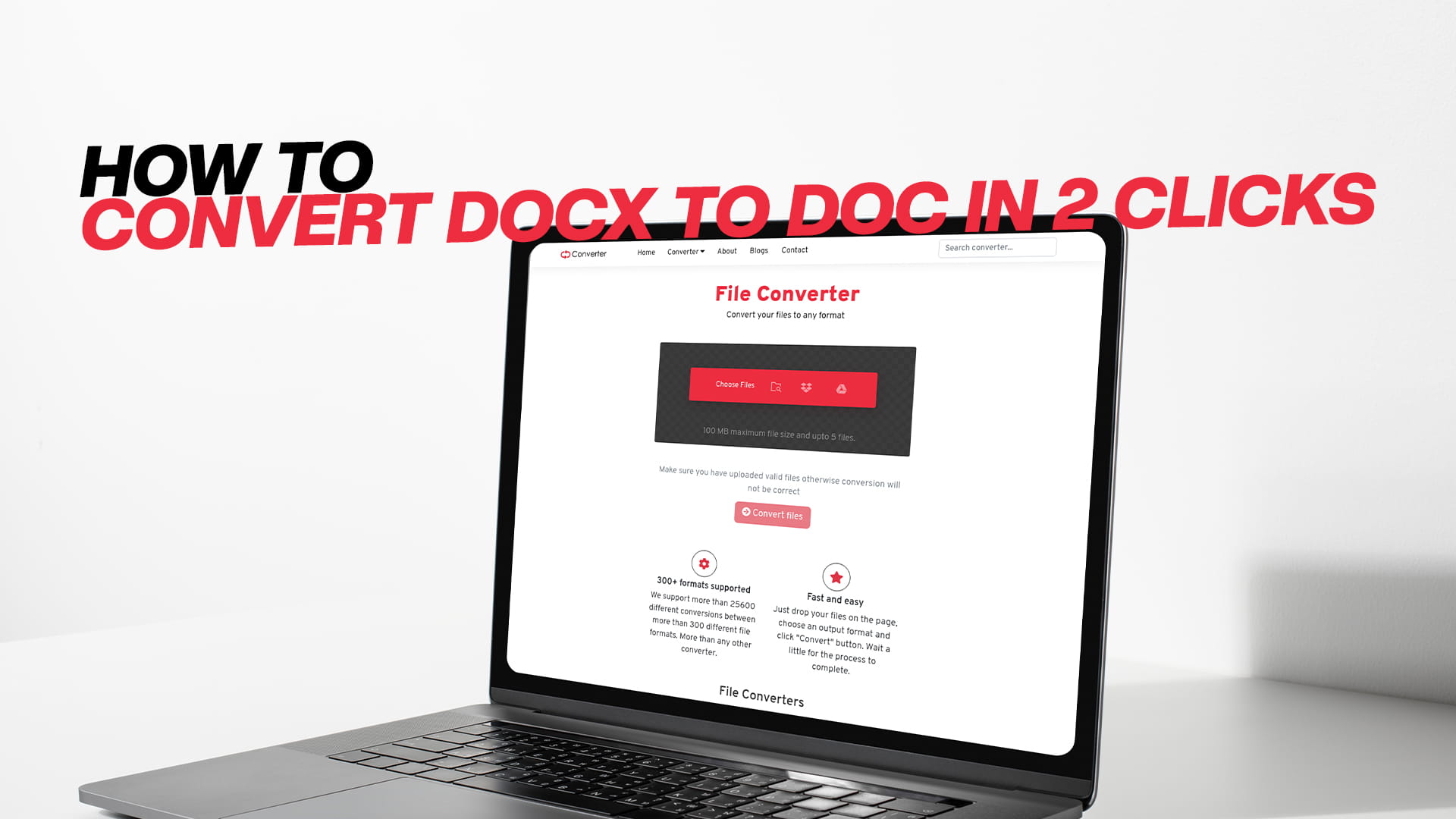
How to Convert DOCX to DOC in 2 Clicks
Have you ever finished writing an important document on your computer and then tried to open it on another machine, only to get a blank stare from the screen? A message pops up saying the file format is not supported or the document seems to be filled with strange symbols. You feel a pinch of panic. Maybe it is a job application, a school paper, or a contract that needs to be signed. It is a common problem, and it almost always comes down to one small detail. Your document is saved in the DOCX format, but the software you are trying to use only understands the older DOC format. You need to change it. The good news is that the solution is incredibly fast and simple. You can learn how to convert DOCX to DOC in just two clicks. And you can do it for free online without any technical skills. This guide will tell you everything you need to know about these two file types, why you might need to move between them, and the exact foolproof method to do so using a brilliant tool called Convertio.
The Simple Story Behind DOCX and DOC
To understand why we need to convert files, it helps to know a tiny bit of history. Imagine a huge family of computer programs. The most famous member of this family is Microsoft Word. It has been around for decades, helping people write letters, make reports, and create flyers. For a very long time, from the late 1990s all the way to the early 2000s, Microsoft Word saved files in the DOC format. You would write something, click save, and a file ending in .doc would land on your computer. This format became the king of the document world. Everyone had it. Every office used it. It was the standard.
But technology never stands still. In 2007, Microsoft made a big change. They introduced a new and improved way to save documents. This new format was called DOCX. Behind the scenes, the X stands for XML, which is a structured way of storing information. DOCX files are basically zipped-up packages that hold your text, your images, your formatting, and a lot of other data. The big advantages of DOCX are that it is more efficient at preserving complex formatting, it makes file sizes smaller, and it is less likely to get corrupted. If you buy a new computer today and install the latest Microsoft Word, any document you save will almost certainly be a DOCX file. The same is true for other modern word processors like Google Docs or Apple Pages when they export files. DOCX is now the default.
So, the world moved on to DOCX. But here is the catch. Many people and organizations did not, and could not, move on so quickly. Some offices still use ancient computers running very old versions of Word from the year 2003 or earlier. These programs do not understand the new DOCX language. They only speak DOC. Some governments, courts, and schools have very strict rules about which file formats they accept, and they have not updated their requirements in years. You might also have an older piece of software on your home computer, like a resume builder or a database, that can only read DOC files. When you try to feed a DOCX file into one of these systems, you get an error. It is like trying to play a Blu-ray disc in an old DVD player. The disc is better, but the machine just cannot read it.
This is where conversion comes in. Converting a DOCX file to a DOC file is like making a perfect copy of the disc but in the older DVD format. The content of your document stays the same. The words are there, the paragraphs are there, the pictures are there. The packaging just changes from the new style to the old style. Once it is in the old style, that old computer or that picky online submission system can finally open it and read it without any trouble.
Why You Would Want to Convert DOCX to DOC
There are many real-world situations where this conversion is needed. Picture a student who has just typed a brilliant essay on a brand-new laptop and needs to upload it to a school portal that was built ten years ago. The portal refuses the DOCX file. A quick conversion to DOC saves the day. Picture a business owner sending a proposal to a client who runs a very traditional office with older computers. Sending a DOC file is a mark of respect and compatibility that can make the process smoother. Picture someone applying for a job at a government agency that specifies on the application form, "Submit your cover letter in DOC format only." The applicant only has the latest software and can only save as DOCX. They feel stuck. The conversion breaks down the wall.
Another common reason is using a very old version of Microsoft Word, often called Word 97-2003, on a shared family computer or in a community center. If someone sends you a DOCX file, you cannot open it without a special compatibility pack, and installing that pack might not be possible due to computer permissions. Converting the DOCX file to DOC before putting it on a USB stick for that old computer is a simple act of preparation.
Some people simply prefer the DOC format because they have been using it for twenty years and trust it. They find DOC files easier to work with on their specific setup, or they know that a particular macro or old template they love works better with DOC. Whatever the personal or professional reason, the need to move from DOCX to DOC is very common. And nobody wants the process to be long or difficult.
The Traditional Way and Why It Is a Hassle
The most obvious way to do this conversion is to use Microsoft Word itself. If you have a paid copy of the latest Word, you can open a DOCX file, click "File," then "Save As," and then choose the "Word 97-2003 Document" option from the format drop-down menu. This works perfectly. But it assumes you own Word. Not everyone does. Microsoft Word requires a subscription or a one-time purchase that is not cheap. If you only need to do this conversion once or twice a year, buying Word just for that feels like a huge waste of money.
Other desktop office suites like LibreOffice or OpenOffice can also do the conversion. They are free, which is great. But you still have to download and install a large program on your computer. This takes time, it takes up space on your hard drive, and you have to learn a new piece of software just for one small task. For a quick, one-off conversion, this is overkill.
There are also the risks of downloading random conversion software from the web. Many websites promise a free DOCX to DOC converter, but when you download their program, it tries to install extra junk software, change your browser settings, or show you constant ads. Some are even worse and carry viruses. It can be hard to tell the safe programs from the dangerous ones. This is why so many people now prefer to use a trusted online converter that runs in the browser and requires no download at all.
The Magic of Online Conversion with Two Clicks
Online conversion tools have revolutionized the way we deal with file formats. The idea is wonderfully simple. Instead of buying and installing software, you just visit a safe website. The website does all the heavy lifting on its powerful servers. You hand over your DOCX file, the server transforms it, and it hands you back a perfect DOC file. All of this happens inside your web browser. You do not need to own any special programs. You do not need to install anything. You do not even need a powerful computer, because the server does the work. A cheap laptop, a Chromebook, or even a tablet or smartphone can do the job as long as it has a web browser.
The best of these online tools makes the process so elegant that it really can be done in just two clicks. Click one to upload your file and confirm the format. Click two to download the finished product. Of course, there are a few tiny steps in between, like selecting the output format, but it feels almost instantaneous. This is the promise of modern web apps, and when you find a good one, you feel a little burst of joy at how easy your life has become.
Introducing Convertio: The Tool That Delivers on the Promise
When you search for a way to convert DOCX to DOC online, you will find many search results. One platform that continually rises to the top for its simplicity, safety, and power is Convertio. This online file converter has built a loyal following of millions of users around the world. It is known for its clean interface and the incredible range of file types it can handle. While we are focusing on documents right now, it is worth knowing that Convertio is a true all-rounder. You can use it to convert images, audio, video, PDFs, eBooks, software files, and compressed archives. This means once you learn how it works for this simple DOCX to DOC task, you will have a new superpower for all your future file troubles.
Convertio operates entirely within your browser. You do not download an app. You do not install a plugin. You just go to the Convertio website, and you are ready to work. This reduces the risk of viruses or malware to almost zero. The service also takes your privacy seriously. The files you upload are protected by secure encryption. After the conversion is complete, your files are held on the server for a short while so you can download them, and then they are automatically deleted. Convertio does not go through your documents or keep copies for themselves. This peace of mind is very important when you might be converting personal resumes, contracts, or private letters.
The user experience has been carefully designed. The homepage is not cluttered with ads that jump around and confuse you. The buttons are big, clear, and brightly colored, so you always know exactly where to click. The designers have removed all the unnecessary friction. The goal is to get you from a DOCX file to a DOC file as smoothly as possible. And they have succeeded. Let us now walk through the beautifully simple process.
A Step-by-Step Guide: How to Convert DOCX to DOC in 2 Clicks
This section is the heart of the guide. I will take you through every tiny step as if we were sitting together and doing it for the first time. Once you read this, you will see that the phrase "2 clicks" is not an exaggeration. It really is that fast.
Step 1: Get Ready and Open Your Browser
Before you do anything, make sure you know where your DOCX file is saved on your computer. It might be on your Desktop, in your Documents folder, or in your Downloads folder. Just know its location so you can find it quickly. Now, open whatever web browser you normally use to surf the internet. This could be Chrome, Firefox, Edge, Safari, or any other. Make sure you have a stable internet connection.
Step 2: Go to Convertio
Click on the address bar at the top of your browser and type in the web address for Convertio. Hit the enter key. The clean, welcoming homepage of Convertio will load. You will see a big button that usually says "Choose Files." There may also be a drop zone area on the page. The visual design is very intuitive. You feel guided without being told what to do.
Your First Click: Upload the File
Now, click on that "Choose Files" button. This is your first major click. A file explorer window will pop up, showing you the folders on your computer. Navigate to the place where your DOCX file lives. Click on the file once to select it, so it is highlighted. Then click the "Open" button in that window.
An alternative method, which is even slicker, is to simply find your file on your computer and drag it with your mouse directly onto the Convertio webpage. Let it fall into the marked drop zone. This also counts as your first click or action. Another option is to use the small arrow next to the upload button to connect to Google Drive or Dropbox. If your file is stored in the cloud, you can pull it directly from there without downloading it to your computer first. This is a fantastic feature for people who work mostly online.
Within moments, you will see your file appear in a list on the Convertio page. The name of the file will be displayed proudly. Next to it, you will see the current format, which says DOCX. Everything is looking good.
Setting the Output Format
Now, your eyes should move to the right of the file name. There is a drop-down menu or a button that probably says "to" and then has a format listed. By default, it might show a common format like PDF. Since we want a DOC file, we need to tell Convertio our target. Click on this area. A large panel of format choices will open. They are sorted by type. Look for the "Document" section. There you will see DOC among a list of other formats. Click on the DOC option. This is not a separate click in our "2-click" count because it is part of the setup, but it is a simple selection. If you want, you can ignore the little gear icon that appears for advanced settings. The default settings will produce a perfectly good DOC file.
Your Second Click: Start the Conversion
With the input and output formats selected, look at the far right end of the row where your file is listed. You will see a big, friendly red button that says "Convert." This is your second major click. Go ahead and press it.
The magic begins. Convertio uploads your file to its cloud server. The server unpacks the DOCX container, reads all the text, formatting, images, and layout, and then carefully rewrites everything into the older DOC structure. A progress bar or a spinning animation will show you that work is happening. This usually takes just a few seconds for a typical document. If your file is extremely long, like a full-length novel with hundreds of images, it might take a little longer, but it will still be surprisingly fast.
Downloading Your Brand-New DOC File
The moment the progress bar reaches the end, the interface changes subtly. The "Convert" button is replaced by a new button that says "Download." This happens automatically. You do not need to refresh the page. Simply click the "Download" button, and your new DOC file will be saved to your computer. Your browser may automatically put it in your Downloads folder, or it might ask you where you want to save it, depending on your browser settings.
And that is the whole process. The first click was uploading your file. The second click was hitting the Convert button. The downloading happens almost as an automatic reward. You have successfully learned how to convert DOCX to DOC in 2 clicks using Convertio. You can now open that DOC file on any old version of Word or any system that demands that classic format. The text, the bold headings, the bullet points, and the embedded pictures will all be there, faithfully preserved.
What Happens Behind the Scenes and Common Worries
It is natural to wonder what happens inside the converter and whether you should worry about your document's formatting. The technology that Convertio uses is very mature. The core conversion libraries have been developed and tested on millions of documents. Simple formatting is seldom a problem. Your font choices, font sizes, bold and italic text, alignment, and basic tables all convert smoothly. Page margins, headers, and footers are usually kept intact as well.
However, you should be aware of the very rare edge cases. DOCX is a more advanced format than DOC. Some newer features that were added in modern Word might not exist in the old DOC standard. For example, certain fancy text effects, embedded online videos, or some modern chart types might not translate perfectly because the old format simply does not have a way to store them. In most cases, Convertio will do the best possible job of making the element look close to the original. It might flatten a fancy text effect into a simple bold format, or turn a modern chart into a static image. For the vast majority of everyday documents like letters, resumes, essays, and reports, you will notice no difference at all.
If you are working with a highly complex and visually rich document, it is always a good idea to do a quick check after downloading the DOC file. Open it up and scroll through the pages. Make sure everything looks right before you send it off to the important recipient. If something is off, you still have the original DOCX safe and sound, and you can try to simplify the tricky elements and convert again. But honestly, for ninety-nine out of a hundred documents, the result will be flawless and ready to use.
Why Convertio Is Your Long-Term Partner for Digital Files
While you came here just wanting to change a DOCX to a DOC, you have now been introduced to a platform that can make your digital life so much easier. It is worth spending a moment to appreciate the breadth of what Convertio can do, because this will likely not be the last format problem you ever encounter.
In the image department, you can convert a photo from WEBP to JPG so it can be opened on your grandmother's old computer. You can change a transparent PNG logo into a flat JPG for a website. You can even shrink a huge TIFF file from a scanner down into a much smaller PDF. In the audio department, you can convert a song from FLAC to MP3 to save space on your phone. You can change a WAV voice recording into an MP3 to send it in a chat app. You can even extract the audio from a video file, which is very handy. In the video department, you can convert a high-resolution MOV file from an iPhone into a universally playable MP4. You can reduce the size and resolution so it is small enough to attach to an email.
For documents beyond just the DOCX to DOC conversion we covered, you can convert Word files to PDF. This is probably the most needed conversion in the professional world. You can also convert PDFs back into editable Word files. You can handle PowerPoint presentations and Excel spreadsheets, converting between their old and new formats or turning them into PDFs. For eBook lovers, you can convert between EPUB for most readers and MOBI for old Kindles. If you have a scanned document that is just a big image of text, Convertio has a powerful Optical Character Recognition engine that can read the text and give you a real, editable Word file. This is like magic and it is included for free within reasonable limits.
All of these conversions use the same simple interface you just learned. You upload, you choose the target, and you convert. You do not need to learn a new workflow for each type of file. This consistency is a huge benefit. Your brain can go on autopilot, and you can solve format problems quickly, without stress. You become the person in your family or friend group who can fix any file issue.
Staying Safe Online While Converting Documents
We touched on safety earlier, but it is such a crucial topic that it deserves its own focus. The internet is full of helpful tools, but also some that are not so kind. When you upload a document to any online service, you are placing trust in that service. Convertio has built a reputation based on transparency and respect. Your connection to the site is encrypted, meaning no one can spy on the file as it travels through the internet. The file is processed on secure servers. After conversion, the files are scheduled for automatic deletion. The company’s business model is built around subscriptions for heavy users and light advertising on the free tier, not on mining or selling user data. This aligns their interests with yours.
You can also do your part to stay safe. Avoid uploading documents that contain extremely sensitive information like bank account numbers and passwords, just out of principle. While Convertio is safe, it is a good general habit not to put your most critical secrets onto any third-party server. For normal resumes, school essays, business letters, and creative writing, the risk level is negligible. Also, make sure you are always on the real Convertio website and not a poorly designed copy. Look for the secure padlock icon in your browser. Type the address yourself rather than clicking on strange advertisements. With these small habits, your online conversion experience will be secure and worry-free.
The Joy of Mastering Your Digital Domain
There is a profound and satisfying feeling that comes from solving your own computer problems without having to ask for help. For many people, technology feels like a constant source of low-level anxiety. Files that refuse to open, unknown formats, confusing error messages. It can make you feel powerless. But when you learn a simple, elegant solution like converting DOCX to DOC in two clicks, you take back some of that power. You no longer panic when the online job portal rejects your resume. You simply open your browser, visit Convertio, apply your two-click magic, and resubmit the correct format. You smile and move on with your day.
This knowledge builds upon itself. Today you learned to convert a document. Tomorrow you will confidently convert a video or an image. You will start to see file formats not as scary barriers but as small puzzles you know how to solve. And you will realize that the tools you need are always there in your pocket or on your laptop, waiting for you. No expensive software required. No IT degree needed. Just a calm mind, a web browser, and a great online tool.
Practical Scenarios to Solidify Your Understanding
To make this guide feel as real as possible, let us run through a few quick life stories where this two-click conversion is the hero.
First, imagine Maria. Maria is a university student. It is 11 PM, and her final paper is due at midnight. She has written it beautifully on Google Docs and downloaded it to submit. The submission system is old and demands DOC files. It has rejected her DOCX twice. She is starting to tear up. A quick search leads her to this guide. She visits Convertio, uploads her paper, clicks convert, downloads the DOC, and uploads it to the system with seconds to spare. She exhales. Crisis averted.
Second, imagine David. David runs a small cleaning business. He has designed a professional contract for new clients, made on his new laptop. One of his oldest and most loyal clients, a retirement home, still uses a donated computer from 2004. They cannot open his new contract. David feels embarrassed, like his business is not professional. He finds Convertio, converts his contract to DOC with two clicks, and puts it on a USB stick. He visits the client, and the file opens perfectly. The contract is signed, and the relationship is saved.
Third, imagine a grandmother named Sue. Sue has been writing her memoirs in an old version of Word on an ancient desktop. The computer finally dies, but her grandson saves the DOC files to a cloud drive. Her grandson buys her a new laptop with modern software. The new software saves everything as DOCX. Sue sends her new chapters to her editor, but the editor uses the same old software Sue used to have. The DOCX files bounce back. Sue is frustrated. Her grandson shows her how to use Convertio. Now, every time she finishes a chapter, she spends thirty seconds creating a DOC copy. The editor is happy. Sue continues writing, feeling connected to the modern world without losing her old connections.
These stories highlight a universal truth. File format problems are not about you being "bad with computers." They are about a world in transition, where old and new must coexist. Tools like Convertio are bridges between these two worlds. They allow people to move forward with new technology while still reaching back to support older systems and cherished relationships.
Final Words of Encouragement
You now have every piece of knowledge needed to convert DOCX to DOC effortlessly. You understand the history of the formats and why this need arises. You know that traditional solutions involve costs or downloads, and you know that the modern, elegant solution is a free online tool like Convertio. You have walked through the process step by step and seen how it truly can be done in just two main clicks. You are aware of the rare formatting issues and how to check your work. And you have seen how this tiny skill fits into a larger, empowering toolkit for all your digital document needs.
The next time you face that stubborn file error, take a deep breath. Do not let frustration win. Remember this guide. Open your browser, type in the address for Convertio, and apply your new two-click skill. Watch the problem disappear before your eyes. The convenience is almost addictive. You might find yourself looking for other old files to convert and organize, just for the satisfying feeling of control it gives you.
The world of digital documents does not have to be a source of stress. With the right tools and a little knowledge, it becomes a landscape you can navigate with confidence. Go ahead and give it a try right now. Find a stray DOCX file on your computer. Convert it to DOC just for practice. See how quick and painless it is. You will be ready for that crucial moment when it truly matters. And you might just become the go-to tech hero in your family or circle of friends. A hero who saves the day, two clicks at a time.