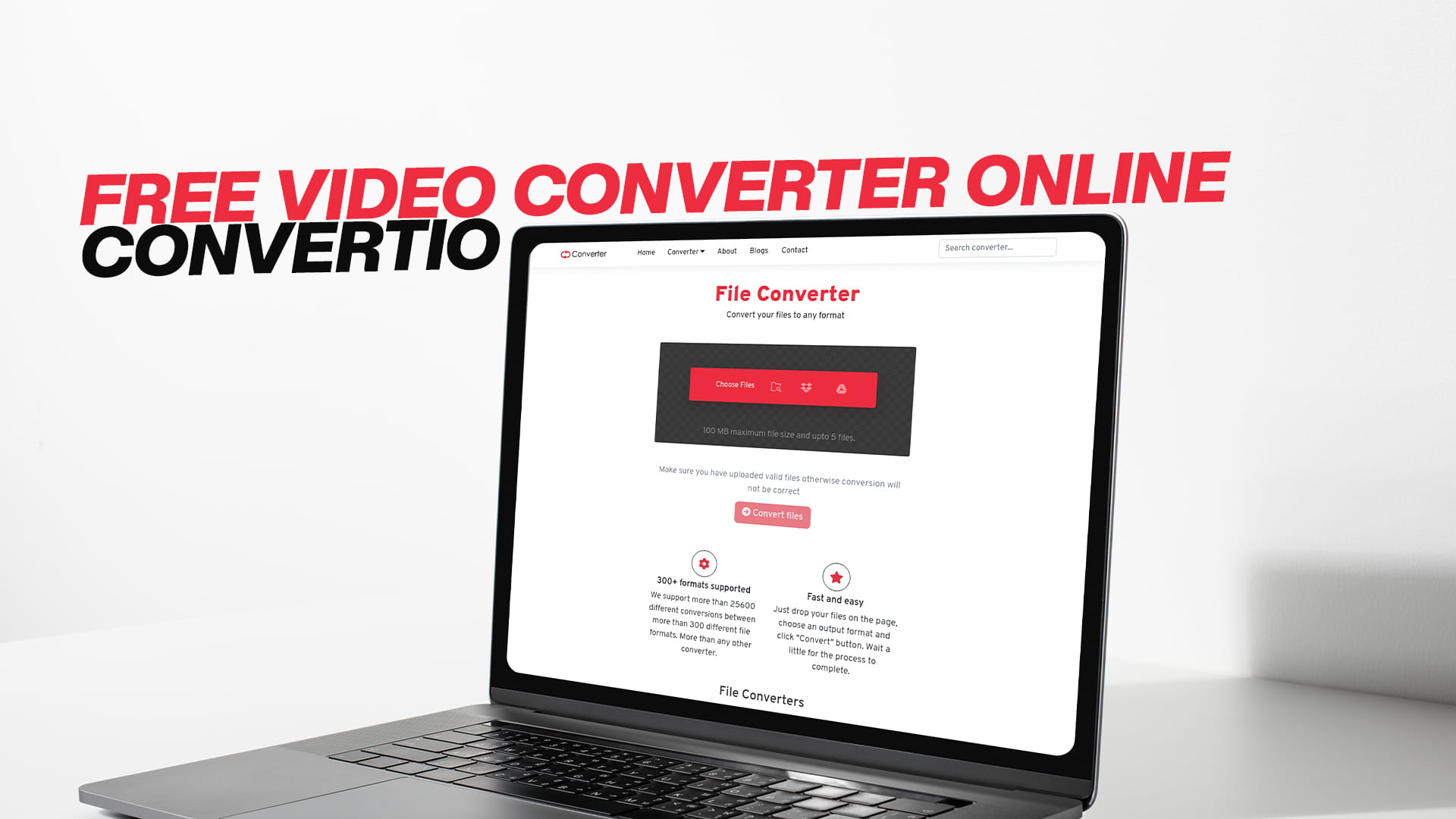
Free Video Converter Online | Convertio
Video files come in many different formats. Some work perfectly on one device but refuse to play on another. You might have a video that plays fine on your computer but will not open on your phone. Or maybe you downloaded a movie in a format that your TV does not support. Perhaps you recorded a video on your camera and now need to convert it before you can edit or share it. These are situations that millions of people face every day around the world.
The good news is that solving this problem does not require any technical knowledge, expensive software, or complicated steps. All you need is a reliable free online video converter, and Convertio is exactly that. It is a powerful, easy-to-use, and completely free platform that lets you convert videos and many other types of files right from your browser without installing anything.
In this article, we are going to cover everything you need to know about converting videos online for free. We will explain what video conversion is, why it matters, which formats are most commonly used, how Convertio works, and much more. Whether you are a complete beginner or someone who has dealt with video files before, this guide will give you all the information you need to get started with confidence.
What Is a Video Converter and Why Do You Need One?
A video converter is a tool that changes a video file from one format to another. For example, it can take a video saved as an AVI file and turn it into an MP4 file. The content of the video stays the same, but the format changes so that it becomes compatible with whatever device, platform, or software you are using.
You might be wondering why video files come in so many different formats in the first place. The reason is that different companies, devices, and platforms were developed over the years with their own preferred file types. Apple devices tend to work best with MOV files. Android phones and most smart TVs prefer MP4. Some older cameras record in AVI or WMV. Video editing software sometimes requires specific formats to work efficiently. Streaming platforms have their own requirements too.
Because there is no single universal format that works everywhere, video converters have become an essential tool for anyone who regularly works with video files. Without a converter, you can find yourself stuck with a file you simply cannot use.
A free video converter online solves this problem instantly. You do not need to understand the technical details of codecs, bitrates, or container formats. You just upload your video, choose the format you want, and download the converted file. It is that simple, and Convertio makes the whole experience smooth and effortless.
Understanding Video File Formats
Before we go deeper into how to use an online video converter, it helps to understand the most common video formats and what they are used for. This knowledge will help you choose the right output format for your needs.
MP4 is by far the most popular video format in the world today. It works on almost every device, operating system, and platform. Whether you are using a Windows PC, a Mac, an iPhone, an Android phone, a smart TV, or uploading to YouTube, MP4 is almost always a safe choice. It offers a good balance between video quality and file size.
AVI stands for Audio Video Interleave and is one of the oldest video formats around. It was developed by Microsoft and was once the standard format for video on Windows computers. AVI files tend to be large in size, but they maintain high video quality. Many older video recordings and DVDs are saved in AVI format.
MOV is Apple's video format and was developed for use with QuickTime. It works very well on Apple devices and Mac computers. MOV files can be quite large, but they offer excellent quality, which is why they are popular for professional video editing and filmmaking.
MKV, or Matroska Video, is a flexible format that can hold multiple video tracks, audio tracks, and subtitle tracks all in one file. It is very popular for high-definition movies and TV shows. However, not all devices and media players support MKV out of the box, which is why converting MKV to MP4 is one of the most common video conversion requests.
WMV stands for Windows Media Video and was developed by Microsoft. It was widely used in the early days of internet video because of its small file size. While WMV is less common today, you may still come across WMV files, especially from older recordings or downloads.
FLV, or Flash Video, was once the dominant format for web video before HTML5 became the standard. Many old online videos were saved in FLV format. Since Flash technology has been discontinued, FLV files can no longer be played natively in most modern browsers, making it necessary to convert them to a more current format.
WEBM is a newer format designed specifically for web use. It was developed by Google and is optimized for fast loading and streaming online. YouTube uses WebM as one of its supported formats. WEBM files are efficient in terms of size and quality, but they are not as universally supported as MP4.
3GP is a format designed for mobile phones, especially for sending videos over mobile networks. It compresses video heavily to reduce file size, which makes it suitable for older phones with limited storage. However, 3GP quality is generally lower than other formats.
Understanding these formats helps you make the right choice when converting your videos. Most of the time, converting to MP4 will be the best option because of its universal compatibility. But depending on your specific needs, other formats may be more appropriate.
Why Use a Free Video Converter Online?
When it comes to converting video files, you have two main options. You can use desktop software that you install on your computer, or you can use an online tool that works directly in your browser. Both approaches have their place, but for most people, an online video converter offers far more advantages.
Desktop video conversion software can be expensive. Professional programs can cost anywhere from a few dollars to hundreds of dollars. Even if you find a free desktop program, it often comes loaded with advertisements, limited features, or hidden costs that become apparent over time. Some free desktop programs even come bundled with unwanted software that can slow down your computer.
Installation itself can be a hassle. Not everyone has the technical confidence to install and configure software, and not every computer is powerful enough to run heavy video processing programs smoothly. Some programs are only available for Windows or only for Mac, which limits their usefulness.
Online video converters eliminate all of these concerns. Because everything happens in the browser, there is nothing to install, nothing to configure, and no compatibility issues to worry about. You just open the website and start converting. If you switch from a Windows laptop to a Mac desktop or from a desktop to a mobile phone, the online tool works exactly the same on all of them.
The fact that Convertio is completely free makes it even more attractive. You do not need to pay for a subscription or purchase a license. You just visit Convertio.info and start converting for free right away. There are no surprise charges, no trial periods, and no watermarks added to your converted videos.
Introducing Convertio: The Best Free Video Converter Online
Convertio is a comprehensive online file conversion platform that handles a wide variety of file types. While it excels as a video converter, it is important to know that Convertio is much more than just a video tool. It supports conversion for images, audio files, videos, documents, PDFs, eBooks, software files, compressed archives, and many more file categories. Whatever file conversion task you have, Convertio is likely to have the tool you need.
What makes Convertio stand out is the combination of simplicity and power. The interface is clean, intuitive, and straightforward. You do not need to be a tech expert to figure out how to use it. At the same time, it supports an impressive range of formats and delivers reliable conversion results every single time.
Convertio is also designed with accessibility in mind. It works on any device with a browser and an internet connection. Whether you are at home on your desktop, sitting in a coffee shop with your laptop, or commuting with your smartphone, Convertio is always available. There is no need to be at a specific computer or have a particular operating system.
The platform is fast. Video files can be large, but Convertio processes them efficiently, so you do not have to wait around for a long time. Most conversions are completed quickly, allowing you to get back to what you were doing without a long interruption.
And of course, there is the privacy aspect. Convertio handles your files securely, and uploaded files are removed from the servers after a short period. This means your personal videos and documents are not stored permanently on the platform.
To experience everything Convertio offers, simply visit Convertio.info and start converting for free. It takes just a few moments to get started, and you will quickly see why so many people rely on it for their file conversion needs.
How to Convert a Video Online For Free Using Convertio
Converting a video with Convertio is a smooth and simple process. Even if you have never used an online video converter before, you will find the steps easy to follow. Here is how it works from start to finish.
The first thing you need to do is open your web browser. It does not matter which browser you prefer. Google Chrome, Mozilla Firefox, Safari, Microsoft Edge, and Opera all work perfectly well with Convertio. Once your browser is open, go to Convertio.info to access the platform.
When you arrive at the website, you will see a clean and simple interface. Look for the video conversion section. Convertio organizes its tools by file type, so finding the video converter is quick and easy. You can either browse the categories or use the search function to find the specific conversion you need, such as AVI to MP4 or MKV to MP4.
Once you have found the right conversion tool, it is time to upload your video file. Convertio gives you several options for uploading. You can select a file directly from your device, which means browsing your computer or phone storage to find the video you want to convert. You can also upload from a URL if the video is hosted online somewhere. Additionally, Convertio supports uploading from cloud storage services like Google Drive and Dropbox, which is very convenient if your video is already stored in the cloud.
After your file has been uploaded, you will need to select the output format. This is the format you want your video to be converted into. Convertio displays the available formats clearly, so you can easily choose the one that suits your needs. If you are not sure which format to choose, MP4 is almost always a great option because it works on virtually every device and platform.
Some users may want to adjust specific settings before converting. Convertio allows you to tweak things like video resolution, frame rate, video codec, audio quality, and more. These optional settings are useful for people who have specific technical requirements. However, if you are a casual user who just wants a working video in a different format, you can skip these settings entirely and go straight to conversion with the default options.
Once you are satisfied with your selections, click the convert button. Convertio will begin processing your file. You will see a progress indicator so you know the conversion is happening. Depending on the size of your video and the format you are converting to, the process may take anywhere from a few seconds to a couple of minutes.
When the conversion is complete, a download button will appear. Click it to save the converted video to your device. You can then use it however you like, whether that means playing it on a different device, uploading it to a platform, editing it, or sharing it with someone else.
What Types of Video Conversions Does Convertio Support?
Convertio supports a very wide range of video format conversions. This versatility is one of the reasons it is considered one of the best free video converters online. Here is a look at some of the most popular conversions that people use Convertio for every day.
Converting MP4 to AVI is a common request from people who need to work with older video editing software or devices that do not support MP4. While AVI is an older format, it is still used widely in certain workflows and environments.
Converting AVI to MP4 is perhaps one of the most frequently requested conversions. Many people have old video files saved in AVI format and want to convert them to the more modern and universally compatible MP4 format so they can play them on modern devices.
Converting MKV to MP4 is another very popular conversion. MKV is a great format for high-quality movies and TV shows, but many devices do not support it natively. Converting MKV files to MP4 makes them playable on virtually any device without needing additional software.
Converting MOV to MP4 is frequently needed by users who have recorded videos on Apple devices or professional cameras. MOV files are large and not always compatible with non-Apple platforms. Converting them to MP4 makes them much more versatile.
Converting WMV to MP4 is a common task for people dealing with older Windows recordings or files downloaded from older sources. WMV files work well on Windows computers but can be problematic on other platforms.
Converting FLV to MP4 is important for preserving older online videos. Since Flash is no longer supported, FLV files cannot be played in modern browsers. Converting them to MP4 is the best way to keep these videos accessible.
Converting WebM to MP4 allows web-optimized videos to be used more broadly. While WebM is efficient for online streaming, it is not always the best choice for offline use or sharing on platforms that do not support it.
Beyond these common conversions, Convertio supports many more video formats and combinations, making it a truly comprehensive solution for all video conversion needs.
Convertio Supports More Than Just Video Files
One of the most impressive things about Convertio is that its capabilities go far beyond video conversion. It is a true all-in-one file conversion platform that can handle virtually any type of file you throw at it.
When it comes to images, Convertio can convert between all major formats including JPG, PNG, GIF, BMP, TIFF, WebP, SVG, and many others. Whether you need to convert a PNG to a JPG for a website, turn a BMP into a GIF, or transform a TIFF into a more web-friendly format, Convertio handles it with ease.
For audio files, Convertio supports MP3, AAC, WAV, FLAC, OGG, WMA, M4A, and many more. If you have a music file or voice recording in a format that your device or software does not support, Convertio can convert it quickly and for free. This is particularly useful for people who work with audio on different devices and platforms.
Document conversion is another strong area for Convertio. You can convert Word documents to PDF, PDF to Word, Excel files to CSV, PowerPoint presentations to PDF, and much more. This is incredibly useful for office professionals, students, and anyone who regularly works with documents in different formats.
PDF conversion and optimization is supported as well. Convertio can convert various file types into PDF format, and it can also convert PDFs into other formats like Word, Excel, or image files. This makes it a valuable tool for anyone who regularly deals with PDF documents.
For eBooks, Convertio supports formats like EPUB, MOBI, AZW, FB2, and others. If you have an eBook in one format and need it in another to work on your specific e-reader, Convertio can take care of that conversion in no time.
Compressed file handling is also available. Convertio can work with ZIP, RAR, 7Z, TAR, and other archive formats, making it easy to compress or extract files as needed.
Software file conversion, including formats like APK, EXE, and others, rounds out Convertio's impressive list of capabilities. No matter what kind of file you are dealing with, Convertio is likely to have a solution for you.
Benefits of Using Convertio for Video Conversion
By now, it should be clear that Convertio is an exceptional tool for converting video files online for free. But let us take a moment to summarize the key benefits that make it the right choice for so many users.
The most obvious benefit is that it is completely free. There are no hidden fees, no subscription plans required for basic conversion, and no watermarks placed on your converted files. You get the full conversion experience without spending a single cent.
The ease of use is another major benefit. The entire process, from uploading a file to downloading the converted version, is designed to be as simple as possible. You do not need to read a manual or take a tutorial to figure out how to use Convertio. The interface guides you naturally through each step.
The breadth of supported formats is impressive. Whether you are working with video, audio, images, documents, PDFs, eBooks, software files, or compressed archives, Convertio has you covered. This means you can use one platform for all your file conversion needs instead of bouncing between multiple tools.
Speed is another key advantage. Convertio processes files quickly and efficiently, so you are not left waiting for long periods. Even larger video files are typically converted in a reasonable amount of time.
Cross-device compatibility is a major benefit for people who work on multiple devices. Since Convertio is entirely browser-based, it works the same way on a Windows PC, a Mac, a Linux computer, an Android phone, or an iPhone. You always have access to it no matter what device you are using.
The security of your files is handled responsibly. Uploaded files are not stored permanently on Convertio's servers, which means your personal videos, documents, and other files are not sitting on a server indefinitely. After the conversion is done and the file has been downloaded, it is removed from the system.
Who Can Benefit From Using a Free Online Video Converter?
The reality is that a free online video converter is useful for a very wide range of people. Let us look at some specific groups who find tools like Convertio particularly valuable.
Students who create video projects, presentations, or assignments often run into format compatibility issues. A teacher may require videos to be submitted in a specific format, or a learning management system may only accept certain file types. Convertio allows students to quickly convert their videos into whatever format is needed.
Content creators and YouTubers frequently need to convert videos into formats that meet the technical requirements of various platforms. Every streaming platform has its own preferred formats and specifications. Being able to quickly convert a video ensures that uploads go smoothly.
Business professionals who need to share video recordings of meetings, presentations, or training sessions may need to convert files to formats that are compatible with the software used by their colleagues or clients. Convertio makes this easy and fast.
Photographers and videographers who work with footage from cameras that record in specialized formats often need to convert their files before editing or sharing them. Professional cameras sometimes use formats that standard media players cannot read, and converting these files is a necessary step in the workflow.
Teachers and educators who create instructional videos or record lectures may need to convert these files for use on different platforms, learning management systems, or devices. Having a reliable free converter ensures that their content can reach students on any device.
Everyday users who simply want to watch a downloaded movie on their TV, transfer a video to their phone, or share a clip with a friend can all benefit from Convertio. The situations where a video converter comes in handy are practically endless.
Parents who want to preserve old home videos recorded on camcorders in outdated formats can use Convertio to convert these precious memories into modern formats that will be playable for years to come.
How Convertio Protects Your Privacy
Privacy is a legitimate concern whenever you upload files to an online service. People want to know that their personal documents, private videos, and sensitive information are being handled responsibly. Convertio takes this concern seriously.
Files uploaded to Convertio are used solely for the purpose of performing the conversion. They are not shared with third parties, used for advertising, or analyzed for any other purpose. The platform is focused entirely on providing a conversion service, not on collecting or exploiting user data.
Uploaded files are stored on Convertio's servers only for a limited time. Once the conversion is complete and the file is available for download, it is deleted from the server after a short window. This ensures that your files do not remain on external servers indefinitely.
Because Convertio does not require you to create an account or provide personal information to use its basic services, your identity is not tied to the files you upload. This adds an extra layer of privacy protection compared to services that require registration.
For everyday file conversions involving non-sensitive content like movies, music, and public documents, the security measures in place at Convertio are more than sufficient. For highly sensitive documents, it is always a good general practice to be cautious with any online service, but for typical video conversions, Convertio is a trustworthy and safe choice.
Common Mistakes to Avoid When Converting Videos Online
Even though video conversion is straightforward, there are a few common mistakes that people sometimes make. Being aware of them can save you time and frustration.
One of the most frequent mistakes is choosing the wrong output format. Before converting, think about where you will be using the video. If you are unsure, MP4 is almost always the safest and most compatible choice. If you are converting for a specific device or platform, check what formats that device or platform supports before starting the conversion.
Another mistake is ignoring the quality settings. The default settings in Convertio work well for most purposes, but if you have specific quality requirements, it is worth spending a moment to review and adjust the available options. Choosing a very low quality setting to reduce file size might result in a video that looks blurry or pixelated.
Forgetting to download the converted file in time is also something to be mindful of. Converted files are available for download for a limited period before they are removed from the server. Make sure you download your file promptly after the conversion is done.
Not keeping the original file is a mistake that can cause regret later. Before converting, make sure you have a backup of the original video somewhere safe. If the converted version has issues or does not meet your expectations, you will want the original to try again.
Trying to convert very large files on a slow internet connection can also lead to frustration. Uploading a large video file requires a stable and reasonably fast connection. If your connection is slow or unstable, consider compressing or trimming the video first before uploading.
Tips for Getting the Best Results From Your Video Conversions
To make the most of Convertio and ensure that your converted videos come out exactly the way you want them, keep these helpful tips in mind.
Always choose MP4 as your output format if you are not sure which format to pick. MP4 is universally compatible and works on virtually every device, platform, and media player. It offers a great balance between quality and file size.
If you want to keep file sizes manageable without sacrificing too much quality, pay attention to the resolution and bitrate settings when they are available. A 1080p video at a moderate bitrate will look great and still be a reasonable size. You do not always need to keep the maximum quality setting if the video is just for casual viewing.
For videos that you plan to upload to social media or video platforms, check the recommended specifications for that platform before converting. Each platform has its own ideal format, resolution, and bitrate. Converting your video to match these specifications will give you the best results after upload.
If you are working with long videos, make sure your internet connection is stable before you start uploading. A dropped connection halfway through an upload will require you to start over. It is worth being patient and ensuring everything is working well before you begin.
Always preview the converted video before deleting the original. Play through at least a portion of the converted file to make sure the quality looks good, the audio is in sync, and the video plays smoothly. If anything is off, you can go back and try different settings.
Why Convertio Is the Right Choice for Everyone
Whether you are a student, a professional, a creative, or simply someone who wants to watch a video on a different device, Convertio offers a solution that is fast, free, and easy to use. The platform removes all the barriers that typically come with file conversion, including cost, complexity, and compatibility issues.
With support for video, audio, images, documents, PDFs, eBooks, software files, compressed archives, and more, Convertio truly is an all-in-one conversion tool that you can rely on for virtually any task. There is no need to search for separate tools for different file types when Convertio handles them all under one roof.
The fact that it works on any device, in any browser, without requiring installation or registration makes it accessible to absolutely everyone. You do not need to be tech-savvy. You do not need to own an expensive computer. You do not need to pay for software. All you need is a browser and an internet connection.
Convertio has built a reputation as a trustworthy and reliable platform, and that reputation is well deserved. Millions of people around the world use it for their conversion needs, and it continues to deliver excellent results consistently.
Final Thoughts
The world of video files can be confusing, with so many different formats, codecs, and compatibility issues to navigate. But it does not have to be overwhelming. With a free video converter online like Convertio, the entire process becomes simple, fast, and accessible to anyone.
Whether you need to convert an old AVI file to MP4, transform a large MKV movie into a more compatible format, change a MOV file from your camera into something you can share easily, or handle any other video conversion task, Convertio is the platform that gets the job done without any cost or complication.
And remember, Convertio is not just for videos. It is a powerful all-in-one platform for converting images, audio files, documents, PDFs, eBooks, software files, compressed archives, and much more. Whatever your file conversion needs may be, Convertio has a tool that can help.
So the next time you find yourself dealing with a video that will not play where you need it to, do not get frustrated. Simply visit Convertio.info and start converting for free. The solution is just a few clicks away, and within minutes, you will have your video in exactly the format you need.