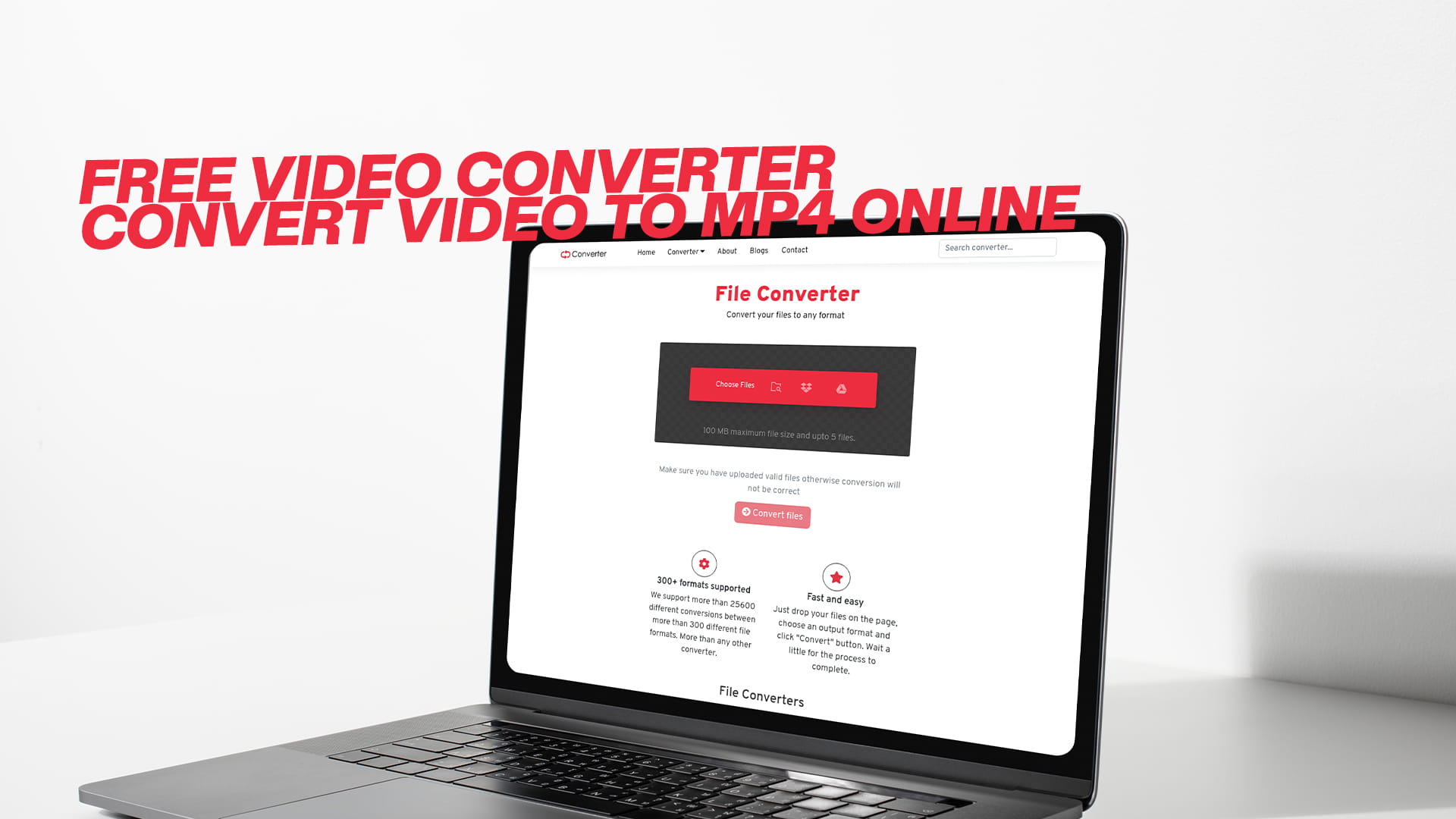
Free Video Converter | Convert Video to MP4 Online
Video files come in many formats, each with its own characteristics, advantages, and purposes. When you record a video on your phone, download a clip from the internet, or receive a video file from someone else, it might be in any number of formats. You might encounter files ending in AVI, MOV, MKV, WMV, FLV, WEBM, and dozens of other extensions. This variety exists because different formats were created at different times, for different purposes, and by different companies.
The MP4 format stands out as the most universally compatible and widely used video format in the modern digital world. MP4, which technically stands for MPEG-4 Part 14, has become the standard format for sharing, storing, and playing videos across virtually all devices and platforms. Whether you are using a smartphone, tablet, computer, smart television, or gaming console, MP4 files play smoothly and reliably.
Several factors contribute to MP4's dominance in the video world. First, MP4 offers excellent compression, which means it creates smaller file sizes without drastically sacrificing video quality. This compression efficiency makes MP4 files practical for uploading to websites, sharing through email or messaging apps, and storing on devices with limited space. A video that might consume several gigabytes in another format can often be compressed to a fraction of that size as an MP4 while remaining perfectly watchable.
Second, MP4 supports high-quality video and audio. Despite creating smaller files, MP4 can maintain impressive visual clarity and sound quality. Modern MP4 files can even support 4K and higher resolutions, making the format suitable for everything from quick social media clips to professional video projects.
Third, MP4 works everywhere. Unlike some video formats that only play on specific devices or require special software, MP4 has achieved near-universal compatibility. Apple devices play MP4 files natively. Android phones and tablets handle MP4 without issues. Windows computers, Mac computers, and Linux systems all support MP4 playback. Web browsers can stream MP4 videos directly. Social media platforms, video sharing sites, and streaming services all embrace MP4 as a primary format.
This universal compatibility eliminates the frustration of sending someone a video only to hear they cannot open it. It removes the annoyance of recording a precious memory on one device but being unable to play it on another. MP4 has essentially become the common language of video files, understood by virtually every modern device and platform.
Beyond these practical advantages, MP4 also supports useful features like subtitles, chapter markers, and metadata. You can embed information about the video directly into the file, making organization and cataloging easier. The format supports multiple audio tracks, which is valuable for videos with alternate language options or commentary tracks.
Given all these advantages, converting videos to the MP4 format makes tremendous practical sense. Whether you have old videos in outdated formats, files that won't play on your devices, or videos too large to share conveniently, converting to MP4 solves these problems elegantly and efficiently.
Why You Need an Online Video Converter
The traditional approach to video conversion involved downloading and installing specialized software on your computer. While desktop video conversion software still exists and serves certain purposes, online video converters have revolutionized how most people handle video format conversion. Understanding the advantages of online conversion helps explain why this approach has become so popular.
Accessibility represents perhaps the most significant advantage of online video converters. With a web-based tool, you can convert videos from absolutely anywhere with an internet connection. You might be at home on your personal computer, at work during a lunch break, at a coffee shop using public wifi, or even traveling internationally. As long as you can access the internet, you can convert your videos. This flexibility proves invaluable in our increasingly mobile and connected world.
No installation requirements save considerable time and computer resources. Traditional video conversion software can be quite large, consuming hundreds of megabytes or even gigabytes of hard drive space. The installation process takes time, and the software remains on your computer permanently, taking up space even when you are not actively using it. Some video software also runs background processes that consume system resources and slow down your computer. Online converters eliminate all these concerns entirely. You simply visit the website and start converting immediately.
Cross-platform compatibility ensures online video converters work regardless of your operating system. Whether you use Windows, macOS, Linux, Chrome OS, or any other system, the online converter functions identically. This is particularly valuable if you work across multiple devices or if you collaborate with others who use different operating systems. The conversion process remains consistent regardless of the device you happen to be using at the moment.
Cost savings make online video converters especially attractive. Professional video conversion software can be expensive, with some programs costing hundreds of dollars for a license. Even consumer-grade software often requires payment or comes with limitations that push users toward paid versions. Free online converters like Convertio provide powerful conversion capabilities without any financial investment. This democratizes video conversion, making it accessible to students, hobbyists, small businesses, and anyone else who needs occasional video conversion without the budget for expensive software.
Automatic updates ensure you always have access to the latest conversion technology and format support. When you use desktop software, you must manually download and install updates to benefit from improvements and new features. Sometimes these updates themselves require payment. With online converters, all updates happen behind the scenes on the service's servers. You automatically benefit from enhanced conversion algorithms, support for new video formats, and improved processing speed without doing anything.
No learning curve makes online video converters user-friendly for everyone. Professional video software often comes with complex interfaces filled with technical settings and options that can overwhelm casual users. Online converters are designed for simplicity and ease of use. Most people can figure out how to convert a video within seconds of visiting the website, with no instruction manual or tutorial required.
Storage flexibility allows you to work with videos stored in various locations. Many online converters support uploading videos from your computer, importing files from cloud storage services like Google Drive or Dropbox, or even converting videos directly from URLs. This versatility accommodates different workflows and storage preferences.
Processing power represents another advantage of online conversion. Video conversion can be computationally intensive, especially for large files or high-resolution videos. This processing can slow down older or less powerful computers significantly, sometimes making the computer nearly unusable while conversion happens. Online converters perform the heavy lifting on their own servers, leaving your device free to continue other tasks. Your computer simply uploads the file, waits while the conversion happens remotely, and then downloads the result.
Security has improved dramatically with modern online converters. Reputable services use encrypted connections to protect your files during upload and download. They also implement automatic file deletion policies, removing uploaded videos from their servers after a short period. This ensures your content does not remain accessible on servers you do not control.
Batch conversion capabilities allow efficient processing of multiple videos. If you have several videos that need conversion, many online tools let you upload and convert them all in one session. This saves enormous time compared to converting files one at a time, especially if you are converting an entire library of videos to a new format.
How Online Video Conversion Works
Understanding the technical process behind online video conversion helps you appreciate what happens to your files and why the process takes the time it does. While the user experience is simple, the underlying mechanics involve sophisticated technology working behind the scenes.
The conversion process begins when you upload your video file to the converter's servers. This upload happens through your web browser using standard internet protocols. The speed of this upload depends on your internet connection speed and the size of the video file. Smaller files upload quickly, while very large videos might take several minutes to fully upload, especially on slower internet connections.
Once the upload completes, the converter's servers receive your video file and prepare it for processing. The system examines the original file to understand its format, resolution, frame rate, audio properties, and other technical characteristics. This analysis helps the converter determine exactly how to handle the transformation to MP4 format.
The actual conversion process involves decoding the original video file and re-encoding it in MP4 format. Decoding means the converter reads the original file and extracts the raw video and audio data. Different video formats store and compress this data in different ways, so the decoder must understand the specific format of your original file to correctly extract the content.
After decoding, the converter re-encodes the video and audio data using MP4 compression standards. This encoding process applies compression algorithms that reduce file size while preserving quality as much as possible. The encoder makes countless decisions about how to represent the video data efficiently. It analyzes the images frame by frame, identifying areas that stay the same between frames, areas that change gradually, and areas with rapid motion or detail that require more careful encoding.
Audio encoding happens simultaneously with video encoding. The audio track is compressed using audio codecs compatible with the MP4 format, typically AAC or MP3. These audio codecs provide good sound quality while keeping file sizes manageable.
The converter combines the encoded video and audio into a single MP4 file, along with any metadata, subtitles, or other elements that should be preserved. This process is called multiplexing, and it ensures all components of your video are properly synchronized and packaged together.
Quality settings influence the conversion process significantly. Most converters offer options to adjust the output quality, resolution, and file size. Higher quality settings preserve more visual detail but create larger files and take longer to process. Lower quality settings work faster and create smaller files, but may reduce visual clarity. The converter applies these settings during the encoding phase, adjusting compression parameters accordingly.
After conversion completes, the MP4 file is stored temporarily on the converter's servers and made available for you to download. You receive a download link, and clicking it transfers the converted file from the server back to your device. The download speed again depends on your internet connection and the size of the converted file.
Finally, reputable converters automatically delete both the original uploaded file and the converted file from their servers after a set period, typically a few hours. This automatic deletion protects your privacy by ensuring videos do not remain on external servers indefinitely.
The entire process, from upload through download, usually takes just minutes for typical video files. Very large videos or high-resolution content might take longer, but the process remains automated and requires no intervention from you once initiated.
Benefits of Converting Videos to MP4 Format
Converting your videos to MP4 format provides numerous practical advantages that improve how you store, share, and enjoy your video content. Understanding these benefits helps you appreciate why MP4 conversion is worth the effort.
Universal playback compatibility tops the list of MP4 advantages. When you convert videos to MP4, you eliminate playback problems across different devices and platforms. That video recorded on your old camera in an obscure format becomes playable on your new smartphone. The file your colleague sent in a format your computer does not recognize becomes instantly accessible. MP4 removes the barriers between different technologies and ensures your videos play smoothly wherever you need them.
Reduced file sizes make video management much more practical. Storage space, whether on your phone, computer, or cloud storage account, is valuable and often limited. MP4's efficient compression can reduce file sizes dramatically compared to older or less optimized formats. A video that consumed a gigabyte in its original format might shrink to a few hundred megabytes as an MP4 without noticeable quality loss. This space savings adds up quickly across a video library, allowing you to keep more videos without constantly running out of storage.
Easier sharing through email and messaging becomes possible with smaller MP4 files. Many email services limit attachment sizes to 25 megabytes or less. Messaging apps often have even stricter restrictions. Large video files cannot be shared through these channels, forcing you to use file-sharing services or physical media. Converting to MP4 often reduces file sizes enough to fit within these limits, enabling simple sharing through familiar communication channels.
Faster uploading to websites and social media saves time and frustration. When you upload videos to platforms like YouTube, Facebook, Instagram, or professional sites, smaller files upload significantly faster. This speed advantage becomes especially noticeable on slower internet connections or when uploading multiple videos. The time saved can be substantial, turning a tedious waiting process into a quick task.
Improved streaming performance benefits both you and anyone you share videos with. Smaller, well-optimized MP4 files stream more smoothly over the internet. They start playing faster, buffer less frequently, and provide a better viewing experience even on limited bandwidth connections. This improvement matters whether you are hosting videos on your own website or sharing them through video platforms.
Better mobile device compatibility ensures your videos work perfectly on smartphones and tablets. Mobile devices have become the primary way many people consume video content. MP4's universal support across iOS, Android, and other mobile platforms means your converted videos play flawlessly on these devices without requiring special apps or workarounds.
Simplified video editing becomes possible with standardized MP4 files. If you want to edit your videos, many editing programs work best with the MP4 format. Converting videos to MP4 before editing can prevent compatibility issues and ensure smooth editing workflows. Even simple editing tasks like trimming or combining clips become easier when all your source videos are in the same reliable format.
Long-term accessibility protects your video content for the future. Technology changes constantly, and video formats that work today might not be supported by future devices and software. MP4's widespread adoption and continued development suggest it will remain supported for many years. Converting important videos to MP4 helps ensure you will still be able to play them years from now, preserving memories and important content.
Professional presentation becomes easier with universally compatible files. If you need to show videos in presentations, at events, or in professional settings, MP4 format ensures compatibility with presentation software, projection systems, and playback devices. You avoid the embarrassment and technical difficulties of discovering your video will not play when you need it most.
Organized video libraries benefit from format standardization. When all your videos are in MP4 format, managing your video collection becomes simpler. You do not need to remember which player works with which format or keep multiple video programs installed. Every video opens the same way, creating a more streamlined and less confusing experience.
Using Convertio for Video Conversion
Convertio provides a straightforward and powerful solution for converting videos to MP4 format. The platform is designed with user experience as a priority, making the conversion process accessible to everyone regardless of technical expertise.
Getting started requires no registration or account creation for basic use. You can visit the platform and immediately begin converting videos. This approach eliminates barriers and saves time, particularly valuable if you need to convert a video quickly without creating yet another online account.
The interface presents a clean and intuitive design that makes the conversion process immediately understandable. When you access the video conversion tool, clear instructions guide you through each step. The layout avoids overwhelming users with technical jargon or unnecessary options, focusing instead on helping you accomplish your task efficiently.
Uploading your video file offers multiple convenient options. You can drag and drop video files directly onto the webpage, which provides the quickest method for most users. Alternatively, you can click to browse your computer's files and select videos the traditional way. The platform also supports importing videos from cloud storage services like Google Drive and Dropbox, which proves useful if your videos are already stored in the cloud. Some converters even allow you to provide a URL to convert videos directly from web sources without downloading them to your device first.
File size limits are reasonable for a free service. While extremely large video files might require premium features, the free tier accommodates most common video conversion needs. Typical video files from phones, cameras, and computers convert without issues, making the free service genuinely useful rather than just a limited teaser for paid options.
Format selection is straightforward. After uploading your video, you simply choose MP4 as your desired output format. The interface typically provides a clear dropdown menu or selection buttons that make this choice obvious. Some converters also offer preset options for specific devices or use cases, like optimizing for iPhone, Android, or web streaming, which automatically configure settings appropriately.
Advanced settings are available for users who want more control. While the default settings work well for most situations, you can typically adjust parameters like video resolution, quality level, frame rate, and audio settings. These options allow you to balance file size against quality based on your specific needs. For instance, if you are converting a video for social media, you might choose settings that prioritize a smaller file size. For preserving important footage, you might prioritize maximum quality.
Processing speed impresses users consistently. Once you initiate conversion, the platform's servers work quickly to transform your video. The actual time required depends on several factors, including the original file size, length of the video, and selected quality settings. Short videos often convert in under a minute, while longer or higher-resolution videos might take several minutes. During processing, you typically see a progress indicator that shows how the conversion is proceeding.
Batch conversion capabilities allow you to convert multiple videos simultaneously. If you have several videos that need conversion to MP4 format, you can upload them all together and convert them in one session. This feature saves enormous time compared to converting videos individually, especially when converting an entire folder of videos or a collection from an event.
Download options provide flexibility for saving your converted videos. After the conversion completes, you can download the MP4 file directly to your device. The platform typically also offers options to save converted files directly to cloud storage services, allowing you to store the results without first downloading them to your computer. This cloud integration creates efficient workflows where files move directly from one cloud location to another.
Security measures protect your privacy throughout the conversion process. Convertio uses encrypted HTTPS connections to ensure your video files remain secure during upload and download. The platform implements automatic file deletion, removing both original and converted videos from its servers after 24 hours. This policy ensures your content does not remain accessible on external servers indefinitely, addressing privacy concerns that come with using online services.
Additional conversion capabilities extend beyond video. Convertio supports converting images, audio files, documents, PDFs, eBooks, software files, and compressed archives. This versatility makes the platform a valuable bookmark for various file conversion needs beyond just video. You can convert image formats, transform audio between different types, work with document formats, and handle other conversion tasks all from the same familiar interface.
Mobile compatibility ensures you can convert videos even when away from your computer. The platform works through mobile web browsers, allowing you to convert videos directly from your smartphone or tablet. This capability proves valuable when you need to quickly convert and share a video while on the go.
Common Video Conversion Scenarios
Understanding typical situations where video conversion proves necessary helps you recognize opportunities to use these tools effectively in your own life.
Smartphone video sharing represents one of the most common conversion needs. Different phone manufacturers and operating systems sometimes record video in different formats. Android phones might create files that do not play optimally on iPhones, or vice versa. Converting these videos to MP4 ensures they play smoothly regardless of the recipient's device, eliminating the frustration of sharing videos that others cannot watch properly.
Social media uploading often requires specific video formats or file sizes. Different platforms have varying requirements and recommendations for uploaded videos. Instagram might prefer certain specifications while YouTube recommends others. Converting your videos to optimized MP4 files ensures they meet platform requirements and upload without errors. The resulting videos also stream more smoothly for viewers, improving engagement with your content.
Email attachment limitations frequently necessitate video conversion. Most email services restrict attachment sizes severely, often to 25 megabytes or less. Raw video files from cameras and phones typically far exceed this limit. Converting to compressed MP4 format often reduces file sizes enough to fit within email restrictions, enabling simple sharing through familiar email channels rather than requiring file-sharing services.
Website integration demands efficient video formats. If you manage a website and want to embed videos, MP4 provides the best combination of quality, file size, and browser compatibility. Converting your videos to MP4 before uploading to your web host ensures fast loading times and smooth playback across all browsers and devices that visit your site.
Digital archiving and preservation benefit from format standardization. If you are organizing old family videos, footage from events, or content from various sources, you probably have videos in many different formats. Converting everything to MP4 creates a standardized library that is easier to manage, back up, and access. You eliminate the need to maintain multiple video players or worry about outdated formats becoming unplayable as technology advances.
Professional presentations require reliable video playback. Business presentations, academic lectures, and conference presentations often incorporate video content. Converting these videos to MP4 format ensures they play correctly on presentation computers and projection systems. The last thing you want during an important presentation is technical difficulties with video playback.
Video editing projects work more smoothly with consistent formats. When you want to combine clips from different sources into a single edited video, format inconsistencies can cause problems. Converting all source videos to MP4 before editing ensures compatibility with your editing software and creates a smoother workflow. The editing process becomes faster and less prone to technical issues.
Learning and training content benefits from efficient video formats. Educational videos, training materials, and tutorial content need to balance quality with accessibility. Converting these videos to MP4 ensures students and trainees can access them easily across different devices while keeping file sizes manageable for storage and distribution.
Memory preservation from old media deserves special attention. If you have videos from old cameras, camcorders, or other devices that used now-obsolete formats, converting them to MP4 protects those memories for the future. As old video formats become increasingly unsupported by modern devices, conversion ensures precious footage remains accessible.
Marketing and promotional videos require optimization for various platforms. Businesses creating video content for marketing need videos that work across websites, social media, email campaigns, and other channels. Converting to optimized MP4 format creates versatile files suitable for all these uses, maximizing the value of video production efforts.
Technical Considerations for Video Conversion
While online converters handle technical details automatically, understanding some basic concepts helps you make informed decisions about conversion settings and expectations.
Resolution determines the video's image dimensions and impacts both visual quality and file size. Common resolutions include 720p, 1080p, and 4K. Higher resolutions look sharper and more detailed but create larger files. When converting to MP4, consider the intended use of the video. For social media or web viewing, 720p or 1080p usually suffices. For archiving important footage or professional use, maintaining the original resolution makes sense. Many converters allow you to downsample resolution during conversion, which reduces file size significantly if you do not need the highest quality.
Bitrate affects video quality and file size substantially. Bitrate measures how much data the video uses per second of playback. Higher bitrates preserve more detail and quality but create larger files. Lower bitrates reduce file size but may introduce compression artifacts like blockiness or blurriness, especially in scenes with lots of movement or detail. Good converters choose appropriate bitrates automatically based on your quality settings, but understanding this concept helps you appreciate the balance between quality and file size.
Frame rate determines how many individual frames comprise each second of video. Common frame rates include 24, 30, and 60 frames per second. Higher frame rates create smoother motion but require more data. Most standard videos use 30 frames per second, which provides smooth playback for typical content. Maintaining the original frame rate during conversion usually works best, though you can reduce frame rate to save file size if needed.
Audio quality settings work similarly to video settings. Audio bitrate determines sound quality and file size contribution. The audio portion typically represents a small fraction of total file size compared to video, so aggressive audio compression rarely provides significant space savings. Maintaining reasonable audio quality, typically 128 or 192 kbps for stereo audio, ensures your converted videos sound good without adding much to file size.
Codec selection, while often handled automatically, influences the final result. MP4 is technically a container format that can use different video codecs for the actual compression. H.264 remains the most common and compatible codec for MP4 files, offering excellent quality and universal support. H.265 provides better compression but with less universal compatibility. Most converters default to H.264 for MP4 conversion, ensuring maximum compatibility.
Aspect ratio preservation maintains the original proportions of your video. Common aspect ratios include 16:9 for widescreen content and 4:3 for older, squarer videos. Good converters preserve the original aspect ratio by default, preventing distortion. However, you can sometimes change aspect ratio if needed, such as converting old 4:3 videos to 16:9 by adding letterboxing.
Metadata preservation retains information embedded in the video file. This metadata might include creation date, camera settings, location information, and other details. Some converters preserve this metadata during conversion while others strip it out. For personal videos where you want to maintain this information, check whether your converter preserves metadata.
Subtitle and caption handling matters if your videos include text overlays or accessibility features. Some video formats support embedded subtitles, and proper conversion should preserve these. If subtitles are important, verify that your converter maintains them during the transformation to MP4.
Optimizing Your Videos Before Conversion
Taking certain steps before converting videos can improve results and create more efficient MP4 files. These preparation techniques help you achieve better outcomes from the conversion process.
Trimming unnecessary footage reduces file size significantly without any quality loss. Before converting, review your video and identify sections that can be removed. Perhaps the video contains several seconds of blank recording at the beginning or end. Maybe there are long, uneventful segments that do not need to be kept. Trimming these portions before conversion means the resulting MP4 file will be smaller and more focused on the actual content you want to preserve or share.
Organizing videos by purpose allows you to apply appropriate conversion settings to different types of content. Videos meant for social media sharing can use more aggressive compression than videos being archived for long-term preservation. Videos intended for professional use might need higher quality settings than casual clips. Grouping videos by their intended purpose lets you batch convert them with optimal settings for each group.
Checking video orientation prevents awkward sideways or upside-down playback. Videos recorded on smartphones sometimes get saved with incorrect orientation metadata. Before converting, verify that videos display right-side-up and rotate them if necessary. Some converters include rotation tools, but handling this beforehand ensures the final MP4 file has the correct orientation.
Removing duplicate videos avoids wasting time and storage on redundant conversions. If you have multiple copies of the same video in different locations, identify and eliminate duplicates before starting conversion. This saves processing time and prevents cluttering your video library with multiple identical MP4 files.
Backing up original files before conversion provides insurance against unexpected problems. While video conversion is generally reliable, keeping the original file until you verify the converted version looks and sounds correct is wise. Storage is relatively inexpensive, so maintaining originals until you are satisfied with conversions costs little but provides valuable protection for irreplaceable content.
Cleaning up audio, if possible, improves the overall quality of your converted videos. If your original video has background noise, hissing, or other audio issues, addressing these problems before conversion results in a better final product. Some simple audio cleanup can often be done in basic video editing software before converting to MP4.
Stabilizing shaky footage creates a more professional and watchable result. If you have important videos that suffer from camera shake, applying stabilization before conversion improves the viewing experience. Many video editing programs include stabilization features, and using them before conversion ensures the final MP4 file contains the improved footage.
File Size Management Strategies
Understanding how to manage video file sizes helps you create MP4 files that balance quality with practical considerations like storage space and sharing capabilities.
Resolution reduction provides the most dramatic file size savings. If your original video is in 4K resolution but you only need 1080p or even 720p for your purposes, downscaling during conversion dramatically reduces file size. A 4K video might be several gigabytes while the same content at 1080p could be only a few hundred megabytes. For videos that will only be viewed on phones or computer screens, high resolutions above 1080p often provide minimal noticeable improvement.
Quality settings adjustment allows fine-tuning of the file size and visual quality balance. Most converters offer quality presets like low, medium, high, or very high. Lower quality settings compress more aggressively, creating smaller files but potentially reducing visual clarity. Higher quality settings preserve more detail but create larger files. For most purposes, medium to high quality settings provide excellent results with reasonable file sizes.
Length considerations impact file size linearly. A 10-minute video at given settings will be roughly twice the size of a 5-minute video with identical settings. If you have long videos, consider whether they need to be kept in their entirety or if breaking them into smaller segments makes more sense. Multiple shorter videos are often easier to manage and share than single long files.
Audio settings provide modest file size opportunities. While audio typically contributes less to total file size than video, reducing audio bitrate or converting to mono audio instead of stereo can provide some savings. However, be cautious with audio quality reduction as poor audio can ruin the viewing experience even if video quality remains good.
Compression level adjustment, when available, influences how aggressively the converter compresses your video. Some converters offer specific compression level controls beyond basic quality settings. Experimenting with these settings helps you find the sweet spot for your specific needs.
Multiple conversion passes sometimes help optimize results. If your first conversion does not achieve the file size you need, trying different settings and converting again lets you explore various options. Comparing results from different settings helps you understand the tradeoffs and choose the best option.
Future-Proofing Your Video Content
Converting videos to the MP4 format helps protect your content for long-term accessibility and ensures compatibility with future technology.
Format longevity matters when preserving important videos. Some video formats become obsolete as technology advances, leaving old videos unplayable on modern devices. MP4's widespread adoption and ongoing development suggest it will remain supported for many years. Converting videos to MP4 provides reasonable assurance that you will still be able to play them on future devices.
Standardization simplifies long-term management. When all your videos are in the same format, managing your video library becomes much easier over time. You do not need to track which videos are in which formats or maintain multiple playback solutions. As you acquire new devices and computers in the future, MP4 compatibility ensures your entire video library remains accessible.
Cloud storage compatibility ensures your videos work with modern storage solutions. Cloud storage and backup services universally support the MP4 format, making it easy to back up and protect your videos. Converting to MP4 ensures your videos integrate smoothly with current and future cloud storage options.
Streaming compatibility positions your videos for modern consumption patterns. As streaming becomes increasingly dominant, MP4's optimization for streaming ensures your videos work well with current and future streaming technologies and platforms.
Conclusion
Converting videos to MP4 format has become an essential skill in our digital world. Whether you are sharing memories with family, creating content for social media, preparing professional presentations, or simply organizing your personal video library, the ability to convert videos to universally compatible MP4 files proves invaluable time and again.
Convertio provides a powerful, accessible, and free solution for video conversion. The platform eliminates the need for expensive software, complicated installations, or technical expertise. With just a few clicks, you can transform videos from any format into MP4 files that play smoothly across all your devices and share easily through any channel.
The advantages of the MP4 format extend beyond simple compatibility. Efficient compression reduces file sizes, making videos easier to store and share. Universal support ensures your videos play on smartphones, tablets, computers, smart TVs, and virtually any modern device. Optimized streaming performance creates better viewing experiences for anyone watching your videos.
Online conversion through services like Convertio offers flexibility that traditional software cannot match. Convert videos from any device with internet access, whether you are at home, at work, or on the go. No installation means your computer stays fast and uncluttered. Automatic updates ensure you always have access to the latest conversion technology and format support.
Beyond video conversion, Convertio supports comprehensive file conversion across images, audio, documents, PDFs, and other file types. This versatility makes it a valuable tool for many file-handling needs beyond just video work. The platform's user-friendly design ensures anyone can convert files successfully, regardless of their technical background.
As video content continues to grow in importance for communication, entertainment, education, and business, tools that make video more accessible and manageable become increasingly valuable. Converting videos to MP4 format removes barriers to sharing information and helps you work more effectively in our connected digital world.
Take advantage of free conversion resources whenever you encounter video format challenges. Visit the platform, upload your videos, select MP4 as your output format, and within minutes, you will have converted files ready to use however you need. The process is straightforward, the results are reliable, and the capability it provides is genuinely valuable in countless everyday situations.