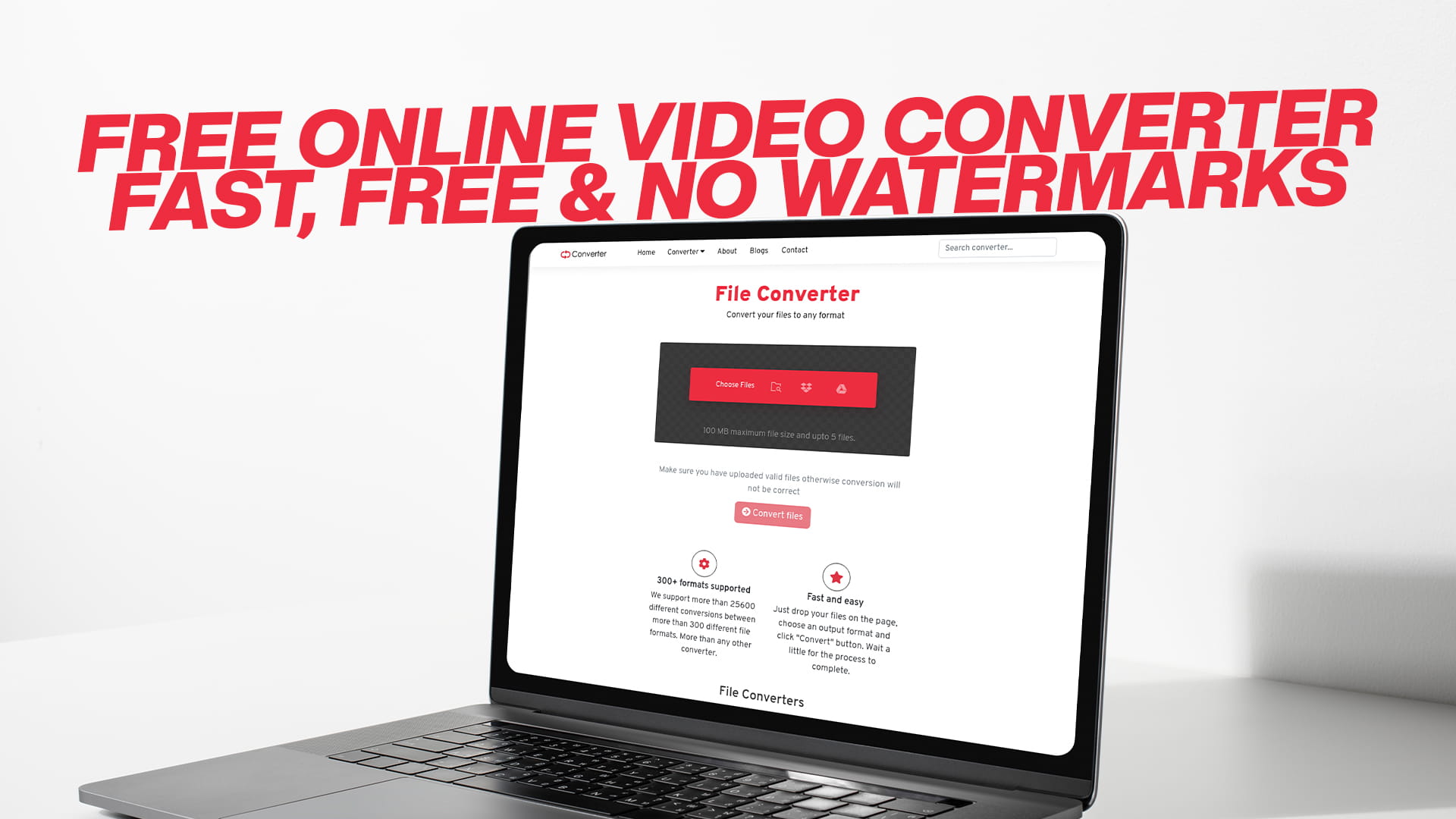
Free Online Video Converter – Fast, Free & No Watermarks
Videos have become one of the most important parts of our everyday digital lives. We record them on our phones, share them with friends and family, upload them to social media, and use them in professional projects. But here is the thing — not all video files are created equal. Different devices, platforms, and software programs require different video formats. And when you have a video in the wrong format, you are stuck.
That is where a free online video converter becomes your best friend. Instead of downloading heavy software, spending money on premium tools, or sitting through hours of confusing tutorials, you can simply visit a reliable online platform, upload your video, choose your desired format, and download a clean, watermark-free file within minutes.
This article is your complete guide to understanding online video converters, why you need one, how they work, what formats matter most, and why Convertio stands out as one of the best free video conversion tools on the internet today. Whether you are a casual user, a content creator, a student, or a business professional, there is something valuable here for you.
Why Video Formats Even Matter
Before we dive into the details of converters, it helps to understand why video formats exist in the first place and why they matter so much.
A video file is not just a recording of moving images. It contains a massive amount of data — video frames, audio tracks, subtitles, metadata, and more. A video format or container is essentially a package that holds all this data together. Different formats use different methods of compressing and organizing that data, which is why a video that plays perfectly on one device might refuse to play on another.
Think about it this way. You record a video on your iPhone, and it saves as an MOV file. You try to play it on your friend's Android TV, and it does not work. Or you download a video in MKV format and realize your video editing software only accepts MP4. These are real, everyday frustrations that millions of people face. The solution is not to buy a new device or new software. The solution is to convert the file into the right format.
That is precisely why a fast, reliable, and completely free online video converter is such a valuable tool to have at your fingertips.
The Most Common Video Formats You Will Encounter
There are dozens of video formats in use today, and each one serves a different purpose. Understanding the basics will help you make smarter decisions when converting your files.
MP4 is the most universally supported video format in the world. It works on virtually every device — smartphones, tablets, laptops, smart TVs, gaming consoles, and more. It delivers excellent video quality while keeping file sizes manageable. If you are ever unsure what format to choose, MP4 is almost always a safe bet.
AVI is one of the older formats, developed by Microsoft. It tends to produce larger file sizes but is still widely used, especially on Windows-based systems. Many older media players and devices rely on AVI files.
MOV is Apple's native video format used by iPhones, iPads, and Mac computers. It offers high quality but may not play natively on non-Apple devices, which is why converting MOV to MP4 is one of the most searched video conversions online.
MKV stands for Matroska Video. It is an open-source format that can hold an enormous amount of data, including multiple audio tracks and subtitles. It is very popular for storing high-definition movies and TV shows but is not supported on all devices by default.
WMV is Windows Media Video, developed by Microsoft. It was once very popular but has become less common over time. You will still encounter it in older files and Windows-based workflows.
FLV is the Flash Video format, once the standard for online video. Since Adobe Flash has been discontinued, FLV files are less common today, but many older web videos are still in this format.
WebM is an open-source format developed specifically for web use. It is widely supported by browsers like Chrome and Firefox and is becoming increasingly popular for streaming and web-based video content.
3GP is a format designed for mobile phones, especially older ones. It produces small file sizes but lower quality, making it ideal for basic video sharing over mobile networks.
MPEG or MPG files are one of the original digital video formats. They are still used in broadcasting, DVDs, and professional video production environments.
Understanding which format works where helps you convert your files intelligently rather than just guessing.
What Is a Free Online Video Converter?
A free online video converter is a web-based tool that lets you change the format of a video file without needing to install any software on your device. You simply open the website in your browser, upload your video, select the output format you need, and the tool converts it in the cloud and gives you a downloadable file.
The key advantages of an online converter over traditional software are significant. There is nothing to install, nothing to update, and no risk of downloading malware from shady software sites. The tool runs entirely on external servers, meaning it does not slow down your computer during the conversion process. You can use it on any device — Windows, Mac, Chromebook, iPhone, Android — as long as it has a browser and internet connection.
The best online converters are also completely free. They do not put watermarks on your videos, they do not force you to create an account, and they do not secretly charge you after a trial period ends. You upload, convert, and download. Simple as that.
Introducing Convertio: Your All-in-One Free Conversion Platform
When it comes to free online file conversion, Convertio is a name that consistently stands out. It is not just a video converter — it is a comprehensive file conversion platform that handles nearly every type of digital file you can think of.
Convertio supports conversion across a wide range of categories, including:
- Videos in all major and minor formats
- Images such as JPG, PNG, GIF, WebP, BMP, TIFF, SVG, and more
- Audio files including MP3, WAV, FLAC, AAC, OGG, and others
- Documents like Word, Excel, PowerPoint, TXT, and RTF
- PDF files — both creating and converting them
- E-books in formats like EPUB, MOBI, AZW, and PDF
- Compressed files such as ZIP, RAR, 7Z, and TAR
- Software and developer files for various technical uses
This breadth of support means that no matter what kind of file problem you run into, Convertio is likely to have the solution. It is a single destination for all your conversion needs, which saves you from jumping between multiple tools and websites.
But what truly makes Convertio special — especially for video conversion — is its speed, simplicity, and commitment to delivering clean, watermark-free results every single time.
Why "No Watermarks" Is Such a Big Deal
If you have ever used a free tool that added a large logo or text overlay to your converted video, you know how frustrating watermarks can be. They make your video look unprofessional; they cannot always be removed without additional paid tools, and they defeat the entire purpose of converting the file in the first place.
Many free tools use watermarks as a tactic to push you toward purchasing a premium subscription. You get your converted file, but it is branded with their logo — essentially turning your content into their advertisement. For personal videos, this is annoying. For professional work, it is unacceptable.
Convertio takes a different approach. Your converted videos come out clean and ready to use. No watermarks, no overlays, no logos. What you put in is what you get out, just in a different format. This makes it a trustworthy tool for both personal and professional video conversion tasks.
How to Convert a Video Using Convertio: Step by Step
Using Convertio to convert a video is one of the smoothest and most straightforward experiences you will find online. Here is exactly how the process works:
Step 1: Open Convertio in your browser. No download, no installation. Just go to the website and you are ready to start.
Step 2: Upload your video file. You can drag and drop your video directly onto the page, click to browse and select it from your device, or import it from a cloud storage service like Google Drive or Dropbox. This flexibility means you can work with files wherever they are stored.
Step 3: Select your output format. A dropdown menu shows you all the available video formats. Choose the one you need — whether it is MP4, AVI, MKV, MOV, WebM, or anything else. Convertio supports a remarkably wide list of output options.
Step 4: Adjust settings if needed. For users who want more control, Convertio offers optional settings where you can adjust video resolution, frame rate, bitrate, audio quality, and more. If you are not familiar with these settings, you can simply skip this step and use the smart defaults, which work well for most situations.
Step 5: Click Convert. The conversion starts immediately. Depending on the size of your file and the speed of your internet connection, it typically takes just a few seconds to a couple of minutes.
Step 6: Download your converted file. Once the conversion is complete, a download button appears. Click it and your video is saved to your device, completely free and without any watermarks.
The whole process from start to finish can take under three minutes for most standard video files. That is genuinely fast compared to installing and learning new software.
Converting Videos for Social Media: What You Need to Know
Social media platforms have specific video requirements, and if your video does not meet them, it either will not upload or will look distorted and low-quality once posted. This is one of the most common reasons people need to convert videos, and Convertio handles it perfectly.
YouTube accepts a wide range of formats, but MP4 with H.264 encoding is the recommended choice for the best quality and fastest upload times. Videos should be in 16:9 aspect ratio for standard uploads.
Instagram works best with MP4 files. For feed videos, the ideal resolution is 1080 x 1080 pixels for square format, or 1080 x 1350 for portrait. Instagram Reels use a 9:16 vertical format. Files that are too large or in unsupported formats will be rejected.
TikTok also prefers MP4 or MOV files in vertical 9:16 format. The platform is optimized for short, high-energy clips, so file size and format compatibility matter a lot for smooth uploads.
Facebook accepts a variety of formats, including MP4, MOV, and AVI. However, MP4 consistently delivers the best results in terms of quality and upload speed.
Twitter (now X) supports MP4 with H.264 video and AAC audio. Videos should be no longer than 2 minutes and 20 seconds for regular tweets.
LinkedIn accepts MP4 files and recommends keeping video size under 5GB with a resolution between 256x144 and 4096x2304.
By converting your videos to the right format and specifications before uploading, you save time, avoid upload errors, and ensure your content looks as good as possible on every platform.
Video Conversion for Different Devices
Another major reason to convert videos is device compatibility. Different devices have different native formats and codec support, and understanding this can save you a lot of headaches.
Apple iPhone and iPad record videos in MOV or HEVC (H.265) format. These play beautifully on Apple devices, but converting them to MP4 makes them compatible with virtually every other device and platform.
Android smartphones typically record in MP4 format, but video apps and editing tools may save files in other formats. Convertio handles all Android-related video formats effortlessly.
Samsung Smart TVs and LG TVs support MP4, AVI, MKV, and several other formats, but the exact list varies by model. Converting your video to MP4 is the safest choice for TV playback.
Gaming consoles like PlayStation and Xbox have specific media player requirements. PS4 and PS5 support MP4 and MKV files. Xbox supports MP4, MKV, AVI, and WMV. If your video is in a different format, converting it to MP4 will almost always work.
Windows PCs work well with MP4, AVI, WMV, and MKV files through the built-in Windows Media Player or Movies & TV app. Mac computers prefer MOV and MP4 but can handle most formats with the right player.
Older DVD players and home theater systems sometimes only support specific formats like MPEG-2 or AVI. If you want to play a modern video file on an older system, converting it to a compatible format is the only way to make it work.
Video Conversion for Video Editing Software
If you are into video editing — whether as a hobby or professionally — you have probably run into format compatibility issues with your editing software. Different programs support different formats, and using the wrong one can cause crashes, slow performance, or visual glitches during editing.
Adobe Premiere Pro works best with MP4, MOV, and MXF files. It can handle a wide range of formats, but performance is smoother with the right codec.
Final Cut Pro (Apple) prefers MOV files and ProRes format. If you are working with footage from non-Apple devices, converting to MOV first makes the editing process cleaner.
DaVinci Resolve supports a huge range of formats but performs best with MP4 and MOV files using H.264 or H.265 encoding.
iMovie (Apple) accepts MP4 and MOV files. If you have a video in a different format, converting it to MP4 before importing into iMovie prevents unnecessary headaches.
Windows Movie Maker and similar basic editors typically work with MP4, WMV, and AVI files.
By converting your raw footage to the format that your editing software handles best, you save processing time, reduce the chance of technical errors, and get a smoother editing experience overall.
Audio Conversion: Because Convertio Does More Than Just Video
While this article focuses primarily on video conversion, it is worth pointing out that Convertio's capabilities extend well beyond video files. This matters because many video-related tasks involve audio as well.
For instance, you might want to extract the audio track from a video file and save it as an MP3 for use as background music, a podcast, or a voiceover file. Convertio makes this easy — you can convert a video file directly to an MP3 or other audio format in just a few clicks.
This is incredibly useful for:
- Extracting music from video files
- Saving interview recordings from video podcasts as audio files
- Creating audio versions of video tutorials
- Repurposing video content for audio-only platforms
Convertio's audio conversion features cover formats including MP3, WAV, FLAC, AAC, OGG, WMA, and more. The same simplicity and speed that applies to video conversion applies here as well.
Image Conversion: Another Powerful Feature
Convertio's image conversion capabilities are equally impressive. If you work with photos or graphics alongside your videos — which many content creators and professionals do — having a single tool that handles both is a significant convenience.
Supported image formats include JPG, PNG, GIF, BMP, TIFF, WebP, SVG, ICO, and many others. Common use cases include:
- Converting PNG files to JPG to reduce file size for web use
- Converting WebP images (common on websites) to JPG or PNG for use in documents or design software
- Converting between formats for social media, print design, or app development
- Turning GIF animations into video files or vice versa
When you combine video, audio, and image conversion in a single platform, you have a powerful content management toolkit that costs you absolutely nothing.
Document and PDF Conversion Through Convertio
For users who also deal with documents alongside media files, Convertio's document and PDF conversion tools add even more value to the platform.
You can convert Word documents to PDF for professional sharing, Excel files to PDF for clean reporting, PowerPoint presentations to PDF for distribution, and PDF files back into editable Word or Excel documents for modification.
This is particularly useful for:
- Students submitting assignments in required formats
- Business professionals preparing reports and proposals
- Freelancers creating invoices and contracts
- Anyone managing a mix of document types across different platforms
Having all of this available under one roof — from video and audio to documents and PDFs — means Convertio is not just a video converter. It is a complete digital file management companion.
E-Book Conversion: Useful for Readers and Writers
E-book conversion is a niche need, but it is an important one for a growing number of people. Writers who self-publish their work, readers who switch between different e-reader devices, and educators who distribute digital reading material all benefit from e-book format conversion.
Convertio supports popular e-book formats, including EPUB, MOBI, AZW, PDF, and LIT. Whether you are converting a MOBI file to EPUB so it works on a Kobo reader or turning a PDF manuscript into a Kindle-compatible format, Convertio handles the task cleanly.
Compressed File Support: ZIP, RAR, and More
Compressed file formats like ZIP and RAR are used to bundle multiple files together and reduce their total size. This is essential for sending large collections of files via email, uploading to file-sharing platforms, or simply organizing data more efficiently.
Convertio supports compression and decompression across formats, including ZIP, RAR, 7Z, TAR, GZ, and BZ2. You can convert between these formats depending on what your recipient or platform requires, all without needing dedicated archiving software.
Who Can Benefit Most from a Free Online Video Converter?
The honest answer is that almost everyone with a digital device can benefit from having access to a reliable free video converter. But here are some specific groups who find it especially valuable.
Content creators and YouTubers constantly deal with footage in various formats from cameras, smartphones, and screen recorders. Converting to the right format for editing and uploading is a regular part of their workflow.
Social media managers and marketers need videos optimized for specific platforms. The aspect ratio, resolution, and file format all need to match platform requirements, and Convertio makes this fast and effortless.
Students and educators use video content for presentations, online courses, and remote learning. Converting lecture recordings, tutorial videos, and multimedia assignments is a common need.
Filmmakers and videographers working on personal or client projects need precise control over video formats and quality settings. Convertio's advanced options give them that control without the complexity of professional encoding software.
Business professionals who use video in pitches, training materials, and internal communications need their files to be compatible with company systems and presentation tools.
Everyday users who just want to play a video on their TV, share a clip with a friend, or post a home video online run into format issues constantly. A simple, free converter solves these problems without requiring any technical knowledge.
The Environmental and Practical Case for Online Tools
Here is a perspective that does not get mentioned often enough. Choosing an online tool over installed software has real practical and even environmental benefits.
When you install video conversion software on your computer, it runs locally, using your device's processor, memory, and energy. Large video files require significant processing power, which can slow down your computer and increase your electricity consumption.
With an online tool like Convertio, the processing happens on powerful cloud servers. Your device just handles the upload and download, which requires very little power. This means less strain on your computer, faster results, and lower energy use on your end.
It also means that older, less powerful devices — like budget laptops, older desktops, or entry-level tablets — can handle video conversion just as easily as high-end machines. The cloud does the heavy lifting, not your device.
Privacy and Security: What You Should Know
A common concern with online tools is privacy. When you upload a video, you are trusting the platform with your content, even if only temporarily. It is a fair thing to think about.
Convertio takes privacy seriously. Files are stored temporarily to allow for conversion and download, and they are automatically deleted from the servers after a set period. Your data is not used for any other purpose, and conversions are handled securely.
For most everyday video files — family clips, social media content, educational videos, professional presentations — this is more than sufficient. The temporary nature of the storage is actually a feature, not a flaw, because it means your files do not linger on third-party servers longer than necessary.
For highly sensitive or confidential video content, it is always wise to exercise caution with any online platform, not just Convertio. But for the overwhelming majority of use cases, the security practices in place are reliable and trustworthy.
Tips for Faster and Better Video Conversions
Getting great results from any video converter comes down to a few simple habits that make a noticeable difference.
Use a stable internet connection. Video files can be large, and uploading them over a slow or unstable connection will slow down the entire process. A wired connection or strong Wi-Fi gives you the fastest results.
Close unnecessary browser tabs. While Convertio does the processing on its servers, your browser still handles the upload and download. Keeping other tabs and applications closed ensures your browser has enough memory to work smoothly.
Choose the right output format from the start. Think about where the video will be used before you convert. If it is going to YouTube, choose MP4. If it is going to a Kindle, choose a compatible format. Choosing correctly the first time saves you from having to convert twice.
Compress large files before uploading if possible. If your source file is extremely large — say, a raw 4K recording — compressing it slightly before uploading can speed up the process without significantly affecting the final quality.
Check the converted file before deleting the original. Always watch a quick portion of your converted video to make sure everything looks and sounds right before removing the original file from your device.
Use batch conversion when you have multiple files. If you need to convert several videos at once, tools like Convertio that support batch processing can handle multiple files simultaneously, saving you considerable time.
Common Video Conversion Mistakes to Avoid
Even with a great tool at your disposal, a few common mistakes can lead to disappointing results. Here is what to watch out for.
Converting to the wrong format for your platform. Not every MP4 is the same — some use codecs that certain devices do not support. Do a quick search for the recommended format of your specific target platform before converting.
Choosing too low a bitrate. Bitrate affects video quality. If you reduce the bitrate too much to save file space, your video may look pixelated or blurry. Find a balance between quality and file size that works for your purpose.
Ignoring audio settings. A common oversight is focusing entirely on video quality and forgetting about the audio. Make sure your audio codec and quality settings are appropriate for your output format.
Using poor-quality source files. A video converter can change formats, but it cannot improve the quality of a bad source file. Start with the highest quality version of your video available to get the best output.
Not checking aspect ratio. Some conversions change the aspect ratio if the output format has a default size that differs from your source video. Check the settings to make sure your video is not going to appear stretched or cropped after conversion.
Convertio as a Long-Term Digital Tool
One of the best things about choosing a platform like Convertio is that it grows with your needs. As new video formats emerge — like AV1, which is being adopted by major streaming platforms — online tools update their support without requiring any action from you.
You do not need to buy a new version of the software, wait for an update to install, or learn a new interface. The improvements happen behind the scenes and the tool you use today will be even more capable tomorrow.
This makes Convertio not just a solution to today's conversion challenges but a long-term digital companion that will continue to serve you reliably as the world of video formats keeps evolving.
Real-World Scenarios Where Convertio Makes Life Easier
Sometimes the best way to appreciate a tool is to see it in action through real-world scenarios. Here are a few situations where Convertio provides genuine, immediate value.
A travel blogger comes home from a trip with footage recorded on a GoPro in MP4 and a Sony mirrorless camera in AVCHD. The editing software prefers MOV. Convertio handles the batch conversion in minutes so editing can begin without delay.
A teacher records a lesson on Zoom, which saves the recording as an MP4. She wants to upload it to the school's learning platform, which only accepts AVI files. Convertio converts it quickly with no quality loss.
A small business owner has a product demo video that needs to go on a website, as an email attachment, and on Instagram. Each platform has different requirements. Convertio converts the video into three different optimized versions in one session.
A musician wants to share a live performance clip but needs to extract the audio to use as a standalone track. Convertio converts the MP4 video directly to a high-quality MP3 file.
A parent wants to convert a collection of old home videos in WMV format to MP4 so they play on the new smart TV. Convertio handles the whole collection without any issues.
These are not hypothetical situations. They are the kinds of problems that real people solve with free online conversion tools every day.
Final Thoughts: The Smartest Free Video Tool Online
We live in a world where digital content is central to how we communicate, work, learn, and entertain ourselves. Video is at the heart of that world. And when video files do not cooperate — when they will not play, will not upload, or will not work with your editing software — having a reliable conversion tool is essential.
Convertio delivers everything you need in a free online video converter. It is fast, it is simple, it works on every device, and it gives you clean, watermark-free results every single time. Beyond video, it handles images, audio, documents, PDFs, e-books, compressed files, and more — making it a genuinely all-in-one conversion platform.
You do not need to pay for expensive software subscriptions. You do not need to download anything. You do not need to create an account. You just need Convertio.
Whether you are converting a single video for a social media post or managing a large batch of files for a professional project, the experience is the same: smooth, quick, and completely free.
Stop letting incompatible file formats slow you down. Visit Convertio today and start converting your videos — and every other type of file — for free. It takes just a few clicks, and the results speak for themselves.