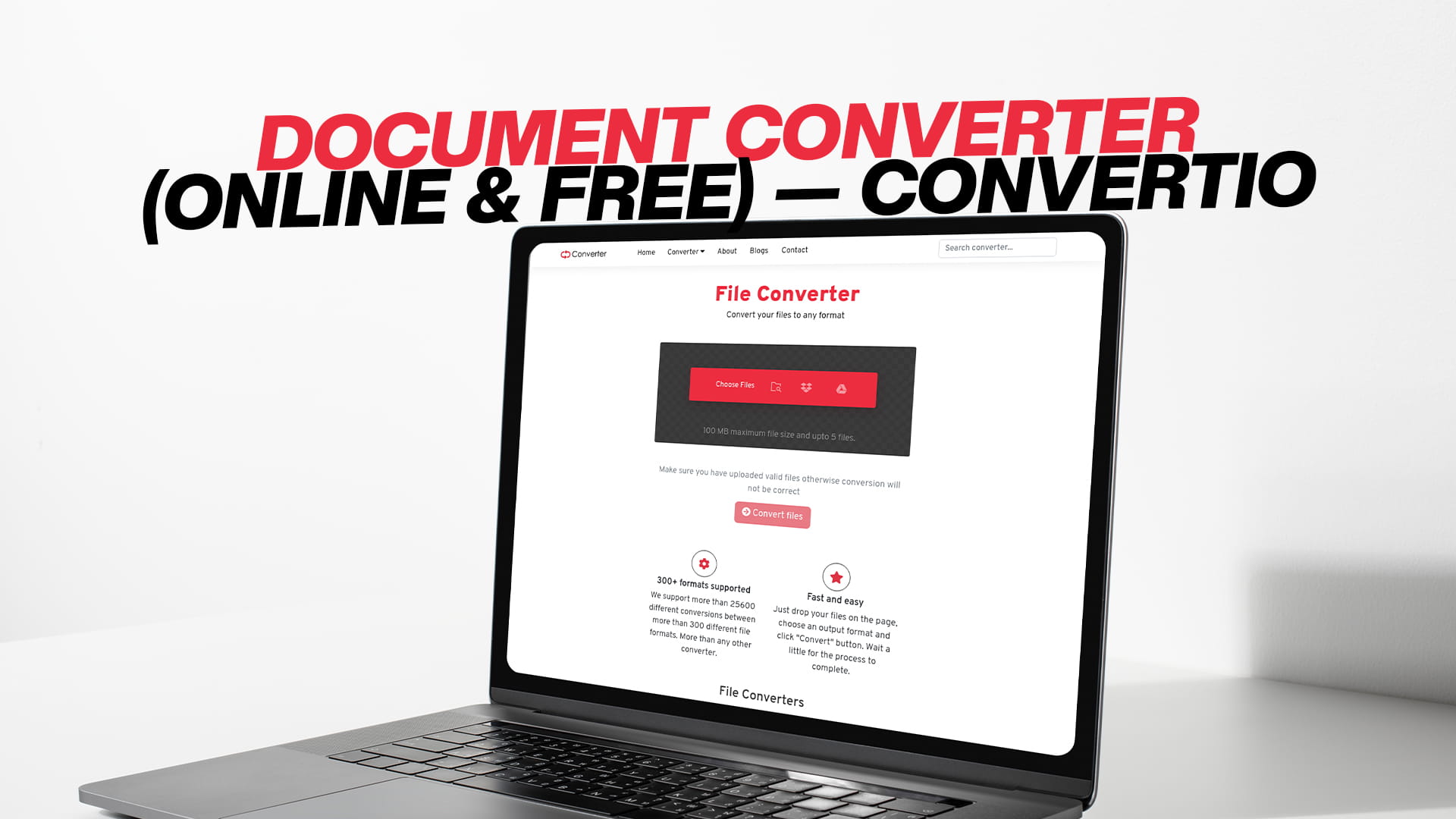
Document Converter (Online & Free) — Convertio
Every day, millions of people around the world encounter the same frustrating problem. They have a document they need to open, share, edit, or send — but it is in the wrong format. Maybe their colleague sent them a file that their software cannot open. Maybe they need to turn a Word document into a PDF before sending it to a client. Maybe they have a scanned document they need to convert so they can actually edit the text inside it. Whatever the situation, the problem remains the same: the file is not in the required format.
This is exactly the kind of problem that a document converter is built to solve. And in this comprehensive guide, we are going to cover everything there is to know about document conversion — what it is, why it matters, which formats are the most commonly used, and how you can convert your documents quickly, easily, and completely free of charge using Convertio.
This guide is written in plain, simple English so that anyone can follow along — whether you are a student trying to submit an assignment in the right format, a professional preparing documents for a client, a small business owner managing your paperwork, or just someone trying to open a file that refuses to cooperate. By the time you reach the end of this article, you will know exactly what to do the next time you find yourself dealing with a stubborn document format.
What Is a Document Converter?
A document converter is a tool that changes a file from one format to another. It takes a document that is currently in one file type and transforms it into a different file type, while keeping the content intact. The words, the images, the tables, the formatting — all of that stays the same. What changes is simply the way the file is packaged and encoded.
To put it in very simple terms, imagine you have written a letter in one language, but the person you are sending it to only understands a different language. A translator steps in and rewrites the letter in the new language, keeping the meaning exactly the same. A document converter does essentially the same thing for your files — it takes the information inside your document and presents it in a format that a different program or device can understand and work with.
Document conversion is used in everyday life far more often than most people realise. Every time someone saves a Word document as a PDF, that is document conversion. Every time a student exports their research paper from Google Docs into a format accepted by their university's submission portal, that is document conversion. Every time a business professional takes a spreadsheet and turns it into a document they can share via email, that is document conversion. It is everywhere, and once you understand how to do it easily, your whole experience of working with digital files becomes far smoother.
Why Document Conversion Is So Important in Today's World
We live in a world that runs on digital documents. Businesses send contracts, invoices, proposals, and reports. Students submit assignments, essays, and research papers. Governments issue official forms, certificates, and notices. All of these are documents, and they come in a staggering variety of formats.
The problem is that not all software can open all formats. Microsoft Word is great at opening DOCX files, but it might struggle with certain older formats. Adobe Acrobat is the gold standard for PDFs, but it is expensive, and not everyone has access to it. Some organisations have strict policies about the file formats they will accept for official submissions, and if your document is not in the right format, it simply will not be accepted.
Beyond compatibility issues, there are also practical reasons why you might need to convert a document. You might want to reduce the file size so it is easier to send via email. You might want to convert a document into a format that is more secure and harder to edit, such as a PDF. You might want to make an older document accessible on a modern device. You might be working with a legacy file format that newer software no longer supports natively. In all of these situations, a document converter is the perfect solution.
The rise of remote work, digital collaboration, and cloud-based workflows has made document conversion more important than ever before. When teams are spread across different countries, using different devices and different software, being able to quickly and reliably convert documents from one format to another is not just convenient — it is essential.
The Most Common Document Formats You Need to Know
Before diving into how to convert documents, it is helpful to have a solid understanding of the most common document formats and what each one is best suited for. Here is a clear and simple breakdown:
DOC and DOCX are Microsoft Word file formats. DOC is the older format, used by Word versions from the 1990s and early 2000s. DOCX is the newer, more modern format introduced with Microsoft Word 2007 and is now the standard. DOCX files are smaller and more reliable than DOC files, and they are supported by a wide range of word processors including Google Docs, LibreOffice, and Apple Pages. When most people think of a "Word document," this is what they mean.
PDF (Portable Document Format) was created by Adobe and has become one of the most universally used document formats in the world. The reason PDF is so popular is that it preserves the exact formatting of a document regardless of what device or software you use to open it. A PDF looks exactly the same whether you open it on a Windows PC, a Mac, a smartphone, or a tablet. This consistency makes PDF the preferred format for official documents, contracts, legal forms, reports, and anything else where the exact layout must be preserved. PDFs are also more secure than editable formats, as they are harder to modify without special software.
XLS and XLSX are Microsoft Excel spreadsheet formats. XLS is the older version, while XLSX is the modern standard. Spreadsheets are used for everything from personal budgets to complex financial models, data analysis, and business reporting. Excel files are supported by many applications beyond just Microsoft Excel, including Google Sheets, LibreOffice Calc, and Numbers on Apple devices.
PPT and PPTX are Microsoft PowerPoint presentation formats. PPT is older, while PPTX is the current standard. Presentations are widely used in business, education, and all kinds of public speaking contexts. Just like with Word and Excel, PPTX files are smaller and more reliable than their older PPT counterparts.
ODT, ODS, and ODP are file formats used by LibreOffice and OpenOffice, which are free and open-source alternatives to Microsoft Office. ODT is for text documents (like Word), ODS is for spreadsheets (like Excel), and ODP is for presentations (like PowerPoint). These formats are popular among people who prefer open-source software and are widely used in education and government in many countries.
TXT (Plain Text) is the simplest of all document formats. A TXT file contains nothing but raw text — no formatting, no fonts, no images, no colours. While this sounds like a limitation, it is actually very useful in many situations. Plain text files are extremely small, universally compatible, and can be opened by literally any text editor on any device. They are commonly used for notes, logs, scripts, and basic writing.
RTF (Rich Text Format) sits somewhere between DOCX and TXT. It supports basic formatting like bold, italic, and font styles, but it is more universally compatible than DOCX. RTF files can be opened by almost any word processor, which makes them a good choice when you need to share a formatted document with someone who may not have Microsoft Word.
HTML (HyperText Markup Language) is the format that web pages are built with. While you might not think of HTML as a document format in the traditional sense, it is often used for converting documents that will be displayed on websites or in web-based applications. Some document converters allow you to save a Word document or PDF as an HTML file for web use.
CSV (Comma-Separated Values) is a simple format used for storing data in a tabular form. CSV files are plain text files where each line represents a row of data and each value in a row is separated by a comma. They are widely used for importing and exporting data between different applications, particularly databases and spreadsheet programs.
EPUB and other eBook formats are document formats designed specifically for digital reading. EPUB is the most widely supported eBook format and works on most eReaders and reading apps. Converting documents to EPUB is useful when you want to create content that is easy to read on devices like Kindle, Kobo, or any smartphone reading app.
Introducing Convertio: Free Online Document Conversion Made Simple
Now that you have a good understanding of the different document formats and why conversion is important, it is time to introduce you to one of the best and most reliable tools available for converting documents online. Convertio is a free online platform that lets you convert documents — and much more — directly from your web browser, without the need to download or install any software.
Convertio supports a vast range of document formats, including all the major ones we discussed above and many more besides. Whether you need to convert a Word document to PDF, a PDF to Excel, a presentation to a document, or any other combination you can think of, Convertio can handle it.
But document conversion is just one part of what Convertio offers. The platform also provides free conversion for images, audio files, video files, PDFs, eBooks, software files, and compressed files. It is a truly comprehensive conversion platform that can handle almost any file type you throw at it, all from a single, easy-to-use interface.
What sets Convertio apart from many other online tools is its combination of simplicity, reliability, and breadth of support. The platform is designed so that anyone — regardless of their technical background or experience level — can convert a file in just a few clicks. The process is clean, straightforward, and consistent whether you are converting a simple text document or a complex multi-page spreadsheet.
How to Convert a Document Using Convertio
One of the best things about Convertio is just how easy it is to use. You do not need to read a lengthy manual or watch a tutorial video to figure it out. The entire process is intuitive and can be completed in a matter of minutes. Here is a step-by-step walkthrough of exactly how to convert a document:
Step 1: Go to Convertio. Open your preferred web browser and navigate to the platform. You will be presented with a clean, well-organised homepage that makes it easy to find the conversion tool you need.
Step 2: Select the document converter. From the homepage, find the document conversion section. You can browse the different categories or use the search functionality to find the specific conversion you are looking for.
Step 3: Choose your output format. Decide which format you want your document to be converted into. For example, if you want to convert a Word document into a PDF, you would select PDF as your output format. The platform clearly displays all the available output formats, making it easy to find what you need.
Step 4: Upload your document. Once you have selected your output format, you will be taken to the conversion page. Here, you can upload your document. You can select a file from your computer's local storage. The upload process is quick and straightforward.
Step 5: Review and adjust settings (if needed). For many conversions, the default settings will give you exactly what you need. However, Convertio also offers optional settings that let you customise the conversion. These might include options for adjusting the page layout, changing the encoding, or modifying how images are handled within the document. These advanced options are great for users who need precise control, but they are entirely optional.
Step 6: Start the conversion. When you are ready, click the convert button. The platform will begin processing your document. The time this takes depends on the size of the file and the complexity of the conversion, but most standard document conversions are completed within a minute or two.
Step 7: Download your converted document. Once the conversion is complete, you will be given a link to download your newly converted document. Click the download button, save the file to your device, and you are done. Your document is now in the new format and ready to use however you need.
Converting Word Documents to PDF — The Most Common Conversion
Without a doubt, the most common document conversion task in the world is converting a Word document to a PDF. Billions of Word-to-PDF conversions happen every single year, and for good reason. Let us look at why this conversion is so popular and when you should use it.
When you create a document in Microsoft Word, the formatting can sometimes look slightly different depending on which version of Word the reader is using, or whether they are using a different word processor altogether. Fonts may change, spacing may shift, and the overall layout might look different from what you intended. This is a big problem when you are sending a document that needs to look a specific way — a CV, a business proposal, a legal contract, or an official report, for example.
Converting the document to PDF solves this problem completely. A PDF looks exactly the same on every single device and in every single PDF reader. The fonts, the spacing, the layout, the images — everything is locked in place and will look exactly as you intended, regardless of who opens it or what they open it with.
PDF conversion is also important from a security perspective. A PDF is much harder to edit than a Word document. If you are sending a contract or an official document, converting it to PDF first ensures that the recipient cannot easily make changes to the content. This protects the integrity of your document.
With Convertio, converting a Word document to PDF takes just a few clicks and a couple of minutes. The result is a clean, professional PDF that looks exactly like your original document.
Converting PDF to Word — Unlocking Documents You Cannot Edit
The reverse conversion — turning a PDF into a Word document — is equally important and perhaps even more useful in some situations. PDFs are great for sharing and distributing documents, but they are not so great when you actually need to edit the content. Most PDFs cannot be edited directly without specialist software.
This is where PDF to Word conversion comes in. By converting a PDF back into a Word document, you unlock the content and make it editable again. This is incredibly useful when you receive a document as a PDF and need to update the information inside it, or when you are working with a template that was shared as a PDF and needs to be personalised.
The PDF to Word conversion is one of the trickier ones to get right, because it requires the tool to accurately recognise and recreate the layout, fonts, and formatting of the original PDF. Convertio handles this conversion with care, producing Word documents that closely match the original PDF in terms of layout and formatting.
Document Conversion for Spreadsheets and Presentations
Document conversion is not just about word processing files. Spreadsheets and presentations also frequently need to be converted, and Convertio handles both with ease.
Spreadsheet conversion is particularly common in business environments. You might receive data in CSV format that you need to open and analyse in Excel. You might have an Excel spreadsheet that a colleague needs to open in Google Sheets or LibreOffice. You might need to convert a spreadsheet to PDF for a formal report. All of these scenarios are handled smoothly by Convertio.
Presentation conversion is similarly important. If you have created a presentation in PowerPoint and need to share it with someone who does not have PowerPoint installed, converting it to PDF ensures they can view all the slides exactly as you intended. Alternatively, if you have a PDF that contains presentation-style content and need to edit it as a PowerPoint file, converting it the other way is the solution.
The ability to convert between all these different office formats — Word, Excel, PowerPoint, PDF, and their open-source counterparts — is one of the things that makes Convertio such a valuable tool for anyone who works with digital documents on a regular basis.
The Role of Document Conversion in Education
Students and educators are among the most frequent users of document conversion tools, and it is easy to see why. The academic world runs on documents. Essays, assignments, research papers, lecture notes, study guides, and reading materials — all of these are documents, and they come in all kinds of formats.
Many universities and schools have strict requirements about the file formats they will accept for submitted assignments. Some require PDF, others prefer DOCX, and some have their own specific requirements. Students who cannot convert their documents quickly and easily risk submitting work in the wrong format, which can sometimes mean the submission is rejected outright or penalised.
For educators, document conversion is equally important. Teachers and lecturers often create teaching materials using one type of software and then need to share those materials in a different format that students can easily access and read on their devices. Converting lecture notes to PDF ensures they look the same on every student's device. Converting reading materials to eBook formats makes them easier to read on smartphones and tablets.
Convertio makes all of this effortlessly simple. Students and educators can convert their documents quickly and for free, without needing any technical knowledge or expensive software.
Document Conversion for Businesses and Professionals
In the business world, document conversion is a daily necessity. Contracts need to be in PDF format. Financial reports need to be in formats that can be easily shared and presented. Data needs to be exported from one system and imported into another in a compatible format. Proposals need to be polished and formatted correctly before they are sent to clients.
Without a reliable document conversion tool, all of these tasks become significantly more complicated. Professionals would need to invest in expensive specialised software for each type of conversion, or spend valuable time manually reformatting documents. Neither of these options is practical or efficient.
Convertio provides a free, fast, and easy solution that professionals can rely on. Whether you are a lawyer who needs to convert contracts to PDF, an accountant who needs to convert spreadsheets to a different format, a marketing professional who needs to prepare presentations for clients, or a human resources manager who needs to process large volumes of documents, Convertio has the tools you need.
The fact that it is entirely browser-based also means that professionals can use it from any device, anywhere — at the office, at home, or on the go. There is no software to install and no licences to manage. It is simply available whenever and wherever you need it.
The Benefits of Using an Online Document Converter
There are two main types of document converters: software-based tools that you download and install on your computer, and online tools that you access through a web browser. Both have their place, but online converters like Convertio offer several important advantages:
No installation required. With an online converter, there is nothing to download and install. This saves time, saves storage space on your device, and eliminates the risk of accidentally downloading malware or other unwanted software. You simply open your browser and go.
Works on any device. Because Convertio is browser-based, it works on Windows computers, Macs, Chromebooks, tablets, and smartphones. You are not tied to a specific operating system or a specific device. Your conversion tool is always with you, wherever you go.
Always up to date. Online tools are updated automatically by the service provider. You always have access to the latest version with the most current format support and the best performance, without having to manually download and install updates.
Free to use. Many desktop document conversion tools come with a price tag. Convertio is completely free, which makes it accessible to everyone regardless of their budget. Whether you are a student who cannot afford expensive software or a small business owner trying to keep costs down, you get access to powerful, professional-grade document conversion without spending anything.
Simple and intuitive. Online tools are generally designed to be easy to use, and Convertio is no exception. The interface is clean, the process is straightforward, and you can complete a conversion in just a few clicks. There are no complicated menus, no confusing settings, and no steep learning curve.
Beyond Documents: Everything Else Convertio Can Convert
While document conversion is the focus of this guide, it is worth noting that Convertio is capable of much more than just converting documents. The platform is a comprehensive file conversion solution that covers virtually every type of file you might ever need to convert.
If you need to convert images — whether you are turning a PNG into a JPG, converting a RAW camera file into a more accessible format, or changing an image's format for web use — Convertio handles it with ease. The platform supports all the major image formats including JPG, PNG, GIF, SVG, BMP, TIFF, WEBP, and many more.
For audio conversion, Convertio supports a wide range of audio formats. Whether you need to convert MP3 to WAV, FLAC to MP3, or any other audio format combination, the platform delivers fast and accurate conversions that maintain the quality of your audio files.
Video conversion is another area where Convertio excels. From MP4 to AVI, MKV to MOV, and everything in between, the platform can handle video files of all kinds. Whether you are a content creator preparing videos for upload, a film professional working with high-quality footage, or just someone trying to watch a video that won't play on their device, Convertio has the solution.
PDF conversion goes beyond just Word-to-PDF. Convertio can convert PDFs to and from a huge range of formats, including Word, Excel, PowerPoint, images, and more. It can also handle tasks like compressing PDFs to reduce file size, which is incredibly useful for sharing large documents.
eBook conversion is particularly useful for readers and publishers. Convertio supports the most common eBook formats, including EPUB, MOBI, AZW, and others, making it easy to convert reading materials into formats compatible with your specific eReader or reading app.
Software file conversion and compressed file conversion round out the platform's impressive capabilities. Whether you are working with archive files like ZIP, RAR, or 7Z, or dealing with software-specific file formats, Convertio provides the conversion tools you need.
All of this is available in one place, for free, with no software installation required. It is a genuinely remarkable platform that puts powerful conversion capabilities in the hands of everyone.
Tips for Getting the Most Out of Document Conversion
Even though document conversion is a simple process, a few practical tips can help you get better results and a smoother experience every time:
Always keep a backup of your original file. Before converting any document, make sure you have a copy of the original saved somewhere safe. Conversion tools are generally very reliable, but it is always good practice to have the original available in case you need to start over with different settings.
Choose the right output format for your purpose. Think carefully about why you need to convert the document and what you are going to do with it afterward. If you need a document that looks the same on every device, go with PDF. If you need an editable document, choose DOCX or a similar editable format. If you are working with data, CSV or XLSX might be the better choice. Choosing the right format from the start saves you from having to convert the file multiple times.
Check the converted document before using it. After the conversion is complete, always open the converted document and check it over before using it for its intended purpose. Look for any formatting issues, missing images, or other problems that might have occurred during the conversion process. Most of the time, the conversion will be perfect, but a quick check is always worth doing.
Use high-quality source files. The quality of the converted document depends largely on the quality of the original. If your source document has formatting issues, corrupted fonts, or other problems, these may carry over into the converted version. Starting with a clean, well-formatted source file gives you the best chance of a clean, high-quality conversion.
Take advantage of advanced settings when needed. For most conversions, the default settings will give you excellent results. However, if you have specific requirements — such as a particular page size, a specific encoding, or a custom image quality setting — take the time to explore the advanced settings that Convertio offers. They are there to help you get exactly the result you need.
How Document Conversion Supports Digital Transformation
We are living through a period of rapid digital transformation. Organisations of all kinds — businesses, governments, schools, healthcare providers — are moving away from paper-based processes and embracing digital workflows. This shift is creating an enormous demand for tools that can handle digital documents efficiently and reliably.
Document conversion is a foundational part of this digital transformation. As organisations digitise their paper archives, they often end up with documents in a wide variety of formats, depending on the scanning and digitisation tools they used. Bringing all of these documents into a consistent, manageable format requires powerful conversion tools.
Similarly, as businesses adopt new software and platforms, they often need to migrate their existing documents into formats compatible with the new systems. This can involve converting thousands of files from one format to another — a task that would be enormously time-consuming without reliable conversion tools.
Even at the individual level, digital transformation means we are all managing more digital documents than ever before. Our tax records, our medical documents, our insurance policies, our contracts, our correspondence — all of it is increasingly digital, and all of it needs to be in the right format to be useful. Tools like Convertio are an essential part of navigating this increasingly document-heavy digital world.
Security and Privacy in Document Conversion
When you are working with documents, security and privacy are understandably important concerns. Documents often contain sensitive information — personal details, financial data, confidential business information, legal content. You need to be able to trust that the tool you use to convert these documents handles them responsibly.
It is always good practice to review the privacy policy of any online tool you use for document conversion. Understanding how the platform handles your files, how long it retains them, and how it protects them during the upload and conversion process gives you the peace of mind you need to use the tool with confidence.
As a general rule, reputable online conversion platforms are designed with user privacy in mind. Files are typically processed in a secure environment and deleted from the server after a short period. The conversion process itself does not involve any human review of your document's content — it is handled entirely by automated software.
Final Thoughts
Document conversion is one of those everyday tasks that might seem small, but it has an enormous impact on how smoothly your work, your studies, and your personal life run. The ability to quickly and easily convert a document from one format to another is a genuinely valuable skill, and having the right tool to help you do it makes all the difference.
Convertio is that tool. It is free, easy to use, works on any device, supports an incredibly wide range of formats, and delivers fast, reliable conversions every time. Whether you are a student, a professional, a creative, a business owner, or just someone trying to open a file that won't cooperate, Convertio has the solution you need.
And the best part? It is not just a document converter. From images and audio to video, PDFs, eBooks, software files, and compressed archives, Convertio is the one-stop conversion platform that handles every file type you might ever encounter. You never need to search for a different tool or download new software — everything you need is right there, completely free, whenever you need it.
So the next time you are staring at a document in the wrong format, wondering how on earth you are going to get it into the format you actually need, remember that the solution is just a few clicks away. Visit Convertio, choose your conversion, upload your file, and let the platform do the rest. Fast, free, and remarkably simple — that is what smart document conversion looks like.