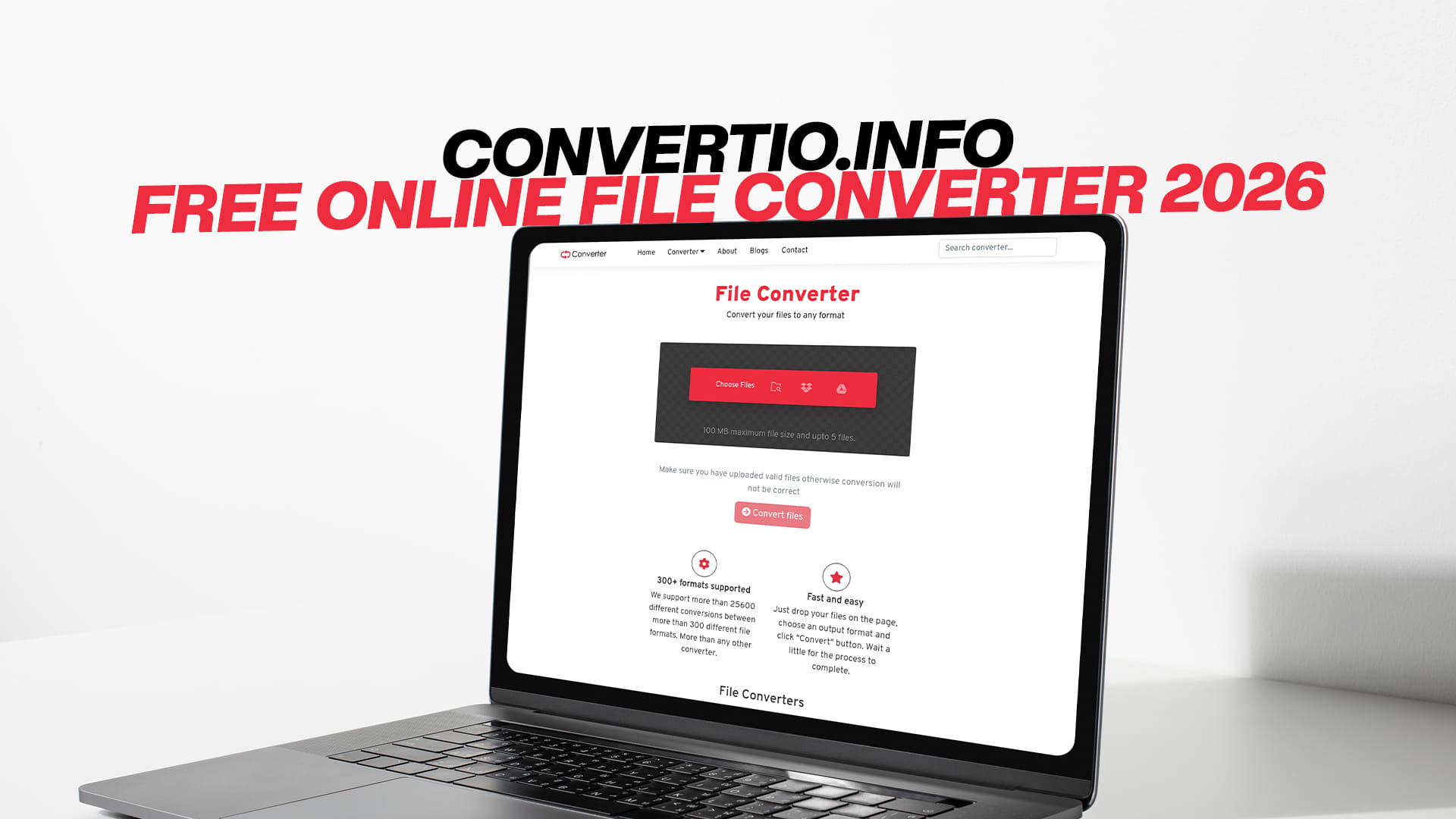
Convertio.info | Free Online File Converter 2026
We live in a world where digital files are everywhere. Every day, people send documents, share photos, upload videos, listen to audio, read eBooks, and work with a wide range of files on their phones, laptops, and tablets. But here is the problem — not every file works on every device, platform, or software. A file that opens perfectly on one computer might refuse to open on another. A video that plays flawlessly on your phone might not work on your smart TV. A document you received might not open in your word processor.
This is a problem that millions of people face every single day, and the solution is simple: file conversion.
When you convert a file, you change it from one format to another. You keep all the same content — the video stays the same, the document still has all its text, the image still looks the same — but the format changes so that whatever device or software you are using can now read it without any trouble.
In 2026, the best place to convert any kind of file online for free is Convertio. It is a powerful, easy-to-use platform that supports conversion for images, audio, videos, documents, PDFs, eBooks, software files, compressed files, and much more. Whether you are a student, a teacher, a content creator, a business professional, or just someone trying to open a file on their phone, Convertio has you covered — completely free of charge.
This guide covers everything you need to know about online file conversion in 2026, why it matters, how it works, and why Convertio is the right tool for the job.
What Is an Online File Converter?
An online file converter is a website or web-based tool that allows you to change the format of a file without downloading or installing any software. You simply visit the website, upload the file you want to convert, choose the format you want it to be in, and download the result.
It sounds simple because it is. The entire process can take less than a minute for small files and just a few minutes for larger ones. The converter does all the hard technical work in the background, so you never have to worry about codecs, compression algorithms, encoding settings, or any of the technical details involved in file conversion.
In the past, converting files required specialized desktop software. Some of those programs were expensive, complicated to use, and required frequent updates. They also took up space on your computer and only worked on one type of operating system.
Online converters changed all of that. Because everything happens in your browser, you do not need to install anything. You do not need to pay for a license. You do not need to worry about whether the software is compatible with your Mac, Windows, Linux computer, or Chromebook. As long as you have an internet connection and a web browser, you can convert any file you need.
Convertio is one of the most complete and reliable online file converters available in 2026. It supports a massive range of file types across multiple categories — images, audio, video, documents, PDFs, eBooks, software files, and compressed archives. That versatility is what makes it stand out as a true all-in-one solution.
Why File Conversion Is More Important Than Ever in 2026
The digital world has grown more complex over the years, not less. As technology advances, new file formats are created, new devices come to market, and new platforms set their own requirements for how files should be formatted.
This means the need for file conversion is actually growing. Here is why it matters so much in 2026.
The number of devices people use daily has increased dramatically. Most people now own a smartphone, a laptop or desktop computer, possibly a tablet, and perhaps a smart TV or other smart devices. Each of these devices may have different capabilities and different format preferences. A file that works great on your laptop may not play on your smart TV, and vice versa.
Remote work and online collaboration have become a normal part of life. People send files back and forth across organizations, continents, and time zones. When colleagues use different software or operating systems, file format compatibility becomes a daily challenge. Converting documents, presentations, and images into universally accepted formats keeps work flowing smoothly.
Social media and content creation platforms have specific technical requirements. Each platform — whether it is YouTube, Instagram, TikTok, LinkedIn, or something else — has its own preferred formats and size limits. Content creators need to convert their files to meet these requirements before they can publish or share their work successfully.
Digital archives are becoming more important as people collect and store more data over time. Old files saved in outdated formats may no longer open with modern software. Converting them into current, widely supported formats ensures they remain accessible for years to come.
Education has moved increasingly online. Students, teachers, and institutions exchange files constantly. When a student submits an assignment in one format, and the teacher's software cannot open it, or when a lecturer shares a presentation that will not play on certain devices, conversion tools solve the problem instantly.
In all of these situations — and many more — Convertio provides the answer. It is ready to handle whatever file you bring to it and convert it into whatever format you need.
Image Conversion: Making Your Photos Work Everywhere
Images are among the most commonly converted files in the world. There are many different image formats, each with its own strengths, weaknesses, and best use cases. Understanding these formats helps you choose the right output format for your needs.
JPEG is the most widely used image format for photographs and complex images with many colors. It uses compression to reduce file size, which makes it great for sharing online or sending via email. Most cameras and phones save photos as JPEG by default.
PNG is a lossless format, meaning it does not lose any quality when compressed. It supports transparent backgrounds, which makes it the preferred choice for logos, graphics, and images where transparency is needed. Web designers use PNG extensively.
GIF is a format that supports animation, making it popular for short looping clips and reaction images on social media. It has limited color depth but remains widely used for simple animations.
WebP is a modern image format developed by Google. It delivers excellent image quality at significantly smaller file sizes compared to JPEG or PNG. Many websites now use WebP to improve page loading speed.
TIFF is a high-quality format often used by photographers and print professionals. TIFF files are large but preserve all the original detail and are ideal for professional printing.
BMP is a basic, uncompressed image format used on Windows systems. BMP files are large and not ideal for web use, but they are sometimes needed for specific software.
SVG is a vector image format used for graphics that need to scale to any size without losing quality, such as logos, icons, and illustrations. SVG files are based on code rather than pixels.
HEIC is the image format used by newer iPhones. While it delivers high quality at small file sizes, many non-Apple devices cannot open HEIC files without conversion.
Whether you need to convert a HEIC photo from your iPhone to JPEG so it can be shared anywhere, turn a PNG into a WebP for your website, or convert a BMP into a PNG for a design project, Convertio handles all of these conversions and many more without any fuss.
Audio Conversion: Getting the Sound You Need
Audio files come in just as many formats as images, and for different reasons, people often need to convert them from one format to another. Here is a look at the most common audio formats and why conversion matters.
MP3 is the most widely recognized audio format in the world. It uses lossy compression, which means some audio data is discarded to reduce file size. For most listeners, the quality difference is unnoticeable, and the smaller file size makes MP3 perfect for music libraries, podcasts, and everyday listening.
WAV is an uncompressed audio format developed by Microsoft and IBM. WAV files are very large but contain the full, original audio data without any loss of quality. They are the preferred format for professional audio recording, editing, and production.
FLAC stands for Free Lossless Audio Codec. It compresses audio files significantly without losing any quality, making it a favorite among audiophiles who want the best possible sound in a manageable file size.
AAC is the audio format used by Apple products, including iTunes and iPhones. It offers better sound quality than MP3 at similar file sizes and is widely supported across modern devices and streaming platforms.
OGG is an open-source audio format that delivers good quality at small file sizes. It is commonly used in games and web applications.
M4A is Apple's container format for AAC audio. It is commonly produced by Apple devices and iTunes and may need to be converted for use on non-Apple platforms.
WMA is Microsoft's audio format, similar in purpose to MP3. It is found on older Windows devices and some legacy music players.
AIFF is another Apple audio format, similar to WAV in that it stores uncompressed, high-quality audio. It is widely used in professional music production on Mac systems.
If you have ever tried to play an audio file only to find that your media player does not support the format, or if you have needed to submit audio in a specific format for a project, you know how important audio conversion can be. Convertio makes it easy to switch between any of these formats quickly and without quality loss in lossless conversions.
Video Conversion: Watch Your Videos Anywhere
Video files are among the largest and most complex types of files, which is why video conversion is one of the most in-demand features of any online converter. There are dozens of video formats in use around the world, and compatibility issues are incredibly common.
MP4 is the gold standard for video in 2026. It is supported by virtually every device, operating system, browser, and video platform on the planet. When in doubt about what format to use, MP4 is almost always the right answer.
MKV is a flexible, open-source video format that can contain multiple audio tracks, subtitles, and chapters within a single file. It is popular for storing movies and TV shows in high definition, but it is not always supported by basic media players or streaming devices.
MOV is Apple's native video format, used by iPhones and Mac computers. It works great on Apple devices but can cause compatibility issues on Windows or Android.
AVI is one of the oldest video formats, originally developed by Microsoft. While it is less common today, many older recordings and legacy devices still produce AVI files.
WMV is a Windows-based video format that works well on Microsoft systems but may not play on other platforms without conversion.
FLV is a Flash Video format that was once the standard for online video. Since Adobe Flash was discontinued, FLV files have become outdated, but they still exist in large quantities in older archives.
WebM is an open-source web video format designed for efficient streaming. It is supported natively by modern web browsers.
3GP is a format designed for mobile video, especially on older phones. You may encounter 3GP files when dealing with older recordings.
HEVC, also known as H.265, is a modern high-efficiency video codec that delivers excellent quality at smaller file sizes. It is increasingly used on newer devices and cameras.
Convertio supports conversion between all of these formats and more. Whether you are trying to play an old AVI file on your new smart TV, convert iPhone footage into something your PC can edit, or prepare a video for upload to a specific platform, Convertio has the format support you need.
Document Conversion: Work With Any File in Any Software
Documents are the lifeblood of offices, schools, and businesses around the world. But document format compatibility has always been a challenge, especially when different people use different software.
DOCX is the standard format for Microsoft Word documents. It is one of the most widely used document formats in the world and is supported by most word processing applications.
PDF stands for Portable Document Format, and it lives up to its name. PDFs look exactly the same on every device and in every application, making them the preferred format for sharing finalized documents, contracts, forms, reports, and more.
ODT is the open document text format used by LibreOffice and other open-source office suites. It is a good alternative to DOCX for users who prefer open-source software.
TXT is a plain text format with no formatting. It is the simplest document format and is supported by virtually every text editor and application on every platform.
RTF is a rich text format that supports basic formatting like bold, italic, and font size while remaining compatible across different word processing programs.
XLSX is the standard spreadsheet format for Microsoft Excel. It is widely used for data, calculations, and financial records.
PPTX is the Microsoft PowerPoint format for presentations. It is the go-to format for slideshows in business, education, and events.
CSV is a comma-separated values format commonly used for simple data storage and exchange. It is supported by virtually every spreadsheet application and database.
Converting documents is often necessary when sharing files with people who use different software, when submitting work to a system that requires a specific format, or when you need to archive a document in a universal format like PDF. Convertio handles all of these document conversions smoothly and reliably.
PDF Conversion: One of the Most Needed Features Online
PDF conversion deserves special attention because it is one of the most frequently needed types of conversion in 2026. The PDF format is everywhere — invoices, contracts, academic papers, government forms, reports, and countless other documents are distributed as PDFs.
But working with PDFs is not always straightforward. You might receive a PDF and need to edit it in Word. You might have a Word document that needs to be sent as a PDF so the formatting stays intact. You might need to extract text or images from a PDF for use in another project.
Convertio makes all of these PDF-related conversions easy. You can convert PDFs into editable Word documents, convert Word documents into PDFs, turn images into PDFs, convert PDFs into image files, and much more. This flexibility makes it indispensable for anyone who regularly works with PDF files.
eBook Conversion: Read on Any Device
eBooks have transformed the way people read, but the eBook market is fragmented by multiple competing formats that are each supported by different devices and platforms. This fragmentation makes conversion a very common need for readers who own multiple devices or switch between reading apps.
EPUB is the most widely supported eBook format. It is used by the majority of eBook readers, apps, and platforms outside of Amazon. EPUB files adapt to different screen sizes, making them great for reading on phones, tablets, and dedicated eReaders.
MOBI is Amazon's native eBook format, used on Kindle devices and apps. If you have an EPUB file and want to read it on a Kindle, you need to convert it to MOBI or the newer AZW3 format.
AZW and AZW3 are Amazon's proprietary eBook formats with enhanced formatting support. They are used by newer Kindle devices and apps.
PDF is also used as an eBook format, particularly for textbooks and academic publications. However, PDFs do not reflow text to fit different screen sizes the way EPUB does, which can make them harder to read on small screens.
FB2 is a popular eBook format in Russia and Eastern Europe. It is less well-known in Western markets but still widely used.
LIT is an older Microsoft eBook format that is largely obsolete but may still be encountered in older digital libraries.
If you want to read a book across multiple devices or move your library from one platform to another, eBook conversion is the answer. Convertio supports all the major eBook formats and makes conversion quick and straightforward.
Software File Conversion: Less Common but Just as Important
Software files and application-related formats are a more specialized area of file conversion, but they are genuinely important for developers, IT professionals, and technically minded users.
Converting executable files, disk image formats, and installer packages between different formats can be necessary when working across different operating systems or when deploying software in different environments. While this is a more niche use case, it is good to know that Convertio covers this category as well, making it truly comprehensive in its scope.
Compressed File Conversion: Managing Archives with Ease
Compressed files are used to package multiple files together and reduce their total size for storage and transfer. Different compression formats are widely used, and sometimes you need to convert from one to another.
ZIP is the most universally supported compressed archive format. It works on Windows, Mac, Linux, and virtually every other platform without any additional software.
RAR is a popular proprietary format that often achieves better compression ratios than ZIP. However, it requires specific software to open and is not natively supported by all systems.
7Z is the format used by the 7-Zip application. It offers excellent compression ratios and is free and open-source.
TAR is commonly used on Linux and Unix systems. It bundles files together without compression by itself, but is often combined with GZIP or BZIP2 compression to create TAR.GZ or TAR.BZ2 files.
GZ and GZIP are compression formats commonly used on Linux systems, typically applied to individual files or TAR archives.
Converting between these formats is useful when you receive an archive in a format your system cannot open natively, or when you need to send a compressed file to someone using a different platform. Convertio supports all of these formats, making archive conversion simple.
How to Convert a File Using Convertio
The conversion process with Convertio is designed to be as simple and user-friendly as possible. Here is how it works from start to finish.
The first thing you do is visit Convertio in your browser. The website is clean and easy to navigate, with clear options for each type of conversion. You do not need to create an account or log in to use the free conversion features.
Next, you select the type of conversion you need. The site organizes conversions by category — images, audio, video, documents, PDFs, eBooks, and more — so finding the right section is easy.
Then you upload your file. Convertio gives you multiple ways to do this. You can upload directly from your computer by clicking the upload button and selecting your file. You can also paste a URL if the file is hosted online. If your file is stored in the cloud, you can import it from there as well.
Once your file is uploaded, you choose your output format. The site lists all the available formats for your type of file, and you simply select the one you need.
If you want to customize the conversion settings, you can do so before starting. Depending on the type of file, you may have options to adjust quality, resolution, bitrate, page size, encoding, and more. If you are not sure what settings to use, the default settings are well-optimized and work great for most purposes.
After setting everything up, you click the convert button. The conversion process begins immediately, and most files are processed very quickly. You can see the progress on screen.
When the conversion is complete, a download button appears. You click it to save your converted file to your device. From that point, the file is yours to use in whatever way you need.
The entire experience is smooth, fast, and requires no technical knowledge whatsoever. Convertio has been built with the user in mind at every step.
The Real Benefits of Using Convertio
There are many file conversion tools available online, but Convertio offers a combination of features and qualities that make it a standout choice in 2026. Here is what sets it apart.
It is completely free to use. This is perhaps the most important feature for most users. Convertio does not require a paid subscription to convert your files. You get access to a powerful, full-featured conversion platform at no cost.
It covers an extraordinarily wide range of file types. Rather than specializing in just one category, Convertio handles images, audio, video, documents, PDFs, eBooks, software files, and compressed archives all in one place. This means you never need to search for a different tool when you encounter an unusual file type.
It works on every device and operating system. Because Convertio is browser-based, it runs equally well on Windows, Mac, Linux, Android, iOS, and anything else with a modern web browser. You do not need to worry about compatibility between the tool and your device.
It requires no software installation. Keeping your devices free from unnecessary software is something many people value, especially those who work on shared or managed computers. Convertio runs entirely in your browser, leaving your device clean and uncluttered.
It is fast and reliable. Convertio's conversion engine processes files quickly, even for larger files. The platform is stable and handles a high volume of conversions consistently.
It gives you control over conversion settings. While the default settings are excellent for most users, Convertio also provides advanced settings for those who want more control over the output. You can fine-tune quality, resolution, format-specific parameters, and more.
It handles your files with privacy in mind. Files uploaded to Convertio are processed for conversion and then removed from the server. You can use the platform with confidence that your documents, photos, and other personal files are not being stored or shared without your knowledge.
It is genuinely beginner-friendly. You do not need any technical knowledge to use Convertio. The interface is designed to guide you through the process step by step, making it accessible to everyone from schoolchildren to senior citizens.
Practical Situations Where Convertio Saves the Day
Sometimes the best way to understand the value of a tool is to see it applied to real, everyday situations. Here are some common scenarios where Convertio makes a real difference.
A teacher creates a presentation in PowerPoint but needs to share it with a student who only has access to a Chromebook without Microsoft Office installed. The teacher converts the PPTX file to PDF using Convertio, and now the student can open it perfectly in any browser.
A freelance photographer shoots hundreds of photos on a new iPhone, but all the files are saved in HEIC format. Many of her clients cannot open HEIC files on their Windows computers. She uses Convertio to convert the entire batch to JPEG, and now her clients can view every photo without any issues.
A podcast producer records interviews in WAV format for maximum quality. Before distributing the episodes, he converts the large WAV files to compressed MP3 files so listeners can download them quickly without using too much data.
A student downloads a research paper in PDF format but needs to copy text and edit it for a reference document. She converts the PDF to a Word document using Convertio, making it fully editable in minutes.
A gamer wants to read an eBook on his Kindle but the book is in EPUB format, which is not supported by his device. He converts it to MOBI using Convertio, transfers it to his Kindle, and starts reading.
A small business owner receives an important contract from a client in DOC format, but her computer only has modern software that works better with DOCX or PDF. She converts the file instantly using Convertio and opens it without any problems.
A YouTube creator films a travel video on her mirrorless camera, which saves footage in MOV format. She wants to upload it to YouTube but prefers to have it in MP4 for broader compatibility. She converts it with Convertio in minutes, saving herself a lot of time.
These are just a handful of the countless everyday situations where Convertio steps in and solves a problem quickly, easily, and for free.
Tips to Get the Most Out of Your File Conversions
Even though Convertio is easy to use, there are a few tips that can help you get the best possible results from your conversions.
Always keep a copy of the original file before converting. In rare cases, a conversion might not turn out exactly as expected, and having the original file means you can try again with different settings.
Choose the right output format for your intended use. For sharing images on the web, JPEG or WebP works well. For images that need transparency, PNG is the right choice. For documents you want to share without allowing edits, a PDF is perfect. For a video that needs to work on all devices, MP4 is the safest bet.
Use the advanced settings when you need a specific output. If you need a video in a specific resolution, an audio file at a certain bitrate, or a document in a specific page size, take a moment to explore the settings before starting the conversion.
For large files, make sure you have a stable internet connection before uploading. An interrupted upload will cause the conversion to fail, and you will need to start over.
When converting documents that contain special formatting, images, or complex layouts, always check the output carefully after conversion. Some formatting elements may shift slightly during conversion, especially when moving between very different formats.
For eBook conversions, check whether the target format supports the features in your eBook. For example, some formats support interactive elements or custom fonts, while others do not. Convertio will give you the best possible output, but it is worth knowing what to expect from your target format.
File Conversion and Digital Accessibility
One aspect of file conversion that is often overlooked is its role in digital accessibility. For many people with disabilities, the format of a file can determine whether or not they can access its content at all.
For example, a PDF that is not tagged properly may be completely inaccessible to a screen reader used by a visually impaired person. Converting that PDF into a properly formatted HTML document or a tagged DOCX file can make the content accessible to someone who would otherwise be unable to read it.
Similarly, audio descriptions of video content, alternative image formats, and text-based alternatives to complex visual documents all rely on file conversion processes. As accessibility becomes a higher priority for organizations and institutions worldwide, the role of file conversion in making content universally available continues to grow.
Convertio, by making file conversion free and easy, indirectly supports greater accessibility by allowing anyone to convert files into formats that work better for their specific needs and devices.
Why Free Tools Like Convertio Are the Right Choice for Most People
A common question people ask is whether free online tools are really good enough, or whether they need to pay for a premium converter to get quality results. For the vast majority of users, the answer is clear: a free online converter like Convertio is more than sufficient.
Professional video production studios, commercial printing houses, and enterprise software developers may have very specialized needs that require dedicated software. But for the everyday user — even for working professionals, content creators, teachers, and small business owners — Convertio delivers everything that is needed.
The quality of conversions produced by Convertio is excellent. The platform uses well-established conversion processes and optimized settings to ensure that output files look and sound as good as the source material allows. For lossless conversions, there is no quality reduction at all. For lossy conversions, the default settings strike an ideal balance between quality and file size.
The range of supported formats is comparable to, or exceeds, what many paid tools offer. The interface is cleaner and easier to use than many commercial applications. And the convenience of not having to install or update any software is a genuine advantage that paid desktop software simply cannot match.
For anyone who needs to convert files regularly in 2026, Convertio is not just a good free option — it is genuinely one of the best options available, period.
The Growing World of File Formats
As technology continues to advance, the landscape of file formats will keep evolving. New formats are regularly introduced as new devices, new media, and new use cases emerge. Some older formats gradually fall out of use while others remain relevant for decades.
In the image world, formats like AVIF are gaining traction as even more efficient alternatives to WebP, offering superior compression with high visual quality. In audio, spatial audio formats are growing in importance as immersive listening experiences become more popular. In video, AV1 is becoming a significant player alongside HEVC, offering excellent quality at low bitrates for streaming.
In documents, the growing use of digital signatures and encrypted formats is changing how important documents are handled. In eBooks, enhanced formats with interactive features are evolving as digital reading becomes more sophisticated.
Through all of these changes, one thing stays the same: people will always need a reliable, versatile, and easy-to-use tool to bridge the gap between different formats. Convertio is built to keep pace with these changes, regularly updating its format support to stay relevant and useful as the digital world evolves.
Start Converting Your Files for Free Today
No matter what kind of file you need to convert, Convertio is ready to help. It is free, fast, versatile, and easy to use. There is no software to install, no account to create, and no payment required.
Whether you have an image that will not open, a video that will not play, a document that will not import, a PDF that needs editing, an eBook that will not load on your reader, an audio file your player does not recognize, a compressed archive your system cannot open, or any other file conversion challenge, Convertio has the answer.
Head over to Convertio today and start converting your files for free. In just a few clicks, you will have your file in exactly the format you need, ready to use on any device, in any software, on any platform.
Convertio is the one file conversion tool you will keep coming back to — because it handles everything, costs nothing, and works every single time.