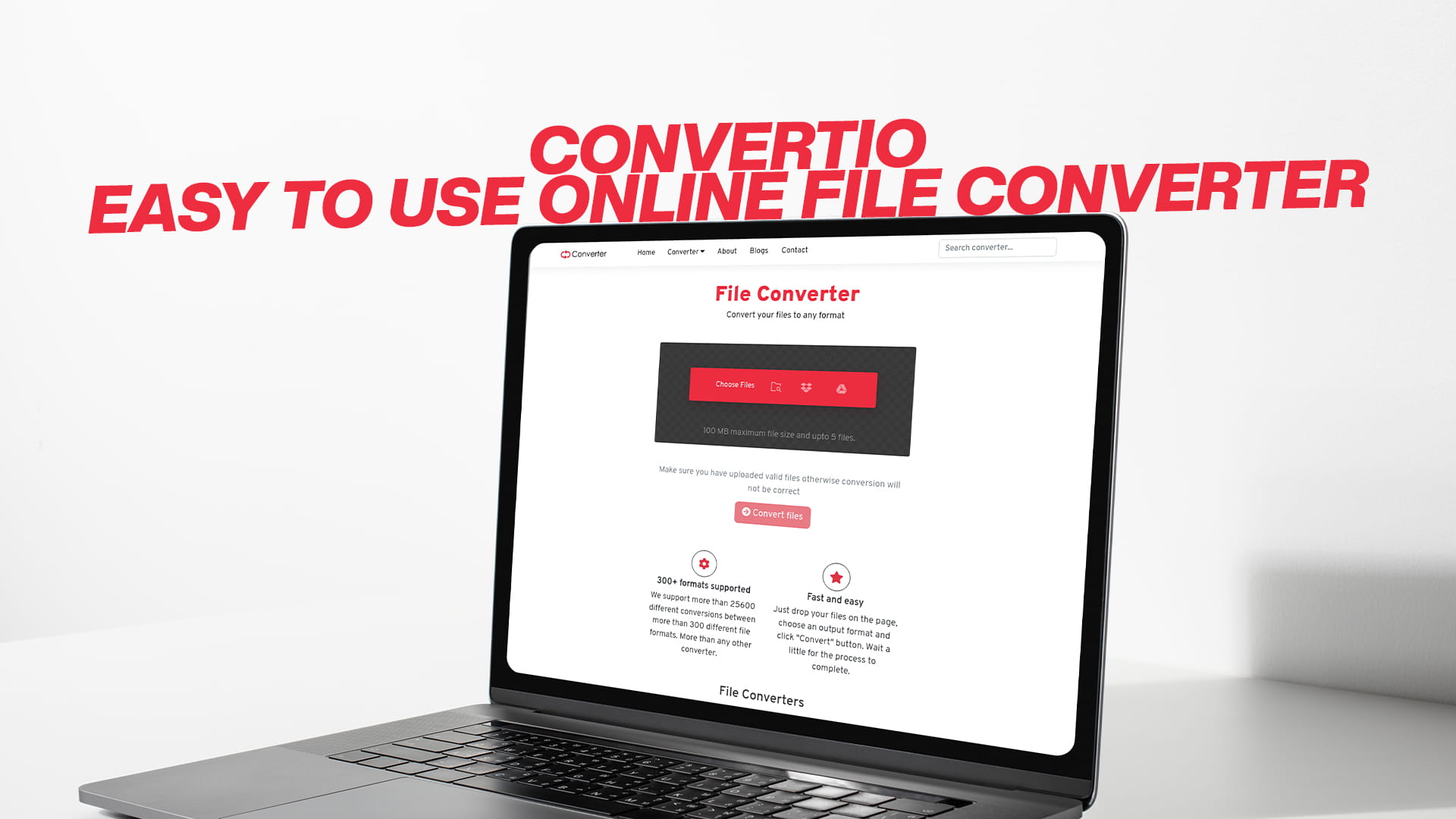
Convertio: Easy to Use Online File Converter
Every single day, millions of people around the world run into the same problem. They receive a file they cannot open, try to upload something to a website only to be told the format is wrong, or simply want to share a document with someone who uses a different program. These are not rare technical emergencies — they are everyday digital frustrations that slow people down at work, at school, and at home.
The solution does not have to be complicated. You do not need to buy expensive software, call a tech-savvy friend, or spend an afternoon searching through forums for answers. What you need is a reliable, fast, and free file converter — and that is exactly what Convertio offers.
Convertio is one of the most complete and user-friendly online file conversion platforms available today. Whether you are dealing with images, audio files, videos, documents, PDFs, eBooks, software files, or compressed archives, Convertio handles it all — for free, directly in your web browser, with no installation required. This guide will walk you through everything you need to know about file conversion and how Convertio makes the whole process simple for everyone.
Understanding File Formats: Why They Matter
To appreciate why a tool like Convertio is so valuable, it helps to first understand what file formats are and why they cause so many problems.
A file format is basically a set of rules that defines how information is stored inside a digital file. Different programs, devices, and platforms use different formats because they were built at different times, by different companies, for different purposes. Over the decades, hundreds of file formats have been created, each with its own strengths, limitations, and use cases.
The problem is that the digital world is not standardized. A photo taken on an iPhone is stored differently from one taken on a professional DSLR camera. A document created in Microsoft Word looks different when opened in Google Docs. A video recorded in one format may not play on a device that only supports another.
This fragmentation is normal and unavoidable — but it does not have to be a daily headache. File conversion bridges the gap between formats, making it possible to take any file and turn it into something that works exactly where you need it to work.
A good file converter does not just mechanically transform data. It preserves quality, maintains structure, and gives you options to fine-tune the output. That is what separates a great converter from a basic one — and that is where Convertio genuinely stands out.
What Is Convertio?
Convertio is a free online file conversion platform that supports an extraordinarily wide range of file types. It is built to be simple enough for anyone to use, yet powerful enough to handle the needs of professionals, students, content creators, and everyday users alike.
You do not need to create an account to get started. You do not need to install any software on your computer, phone, or tablet. You simply open Convertio in your browser, upload your file, choose your desired output format, and start the conversion. Within moments, your converted file is ready to download.
The platform supports conversion across virtually every major file category — images, audio, video, documents, PDFs, eBooks, software files, and compressed files. This breadth of support is one of the things that makes Convertio stand out. Instead of visiting ten different websites for ten different conversion tasks, you can handle everything in one place.
Convertio is designed to be accessible to everyone, regardless of technical skill level. The interface is clean, intuitive, and free of confusing jargon. If you can click a button and select a file, you can use Convertio. Is it that straightforward?
Image Conversion With Convertio
Images are arguably the most commonly converted file type in everyday digital life. Whether you are editing photos, building a website, sending a graphic to a printer, or uploading a picture to social media, format compatibility is a constant concern.
Convertio supports an impressive range of image formats. You can convert between JPEG, PNG, GIF, BMP, TIFF, WebP, SVG, HEIC, ICO, and many others. Each of these formats has its own purpose, and understanding when to use each one makes your work look better and run more smoothly.
JPEG is the go-to format for photographs because it compresses image data efficiently, resulting in smaller file sizes that are easy to share and upload. The trade-off is that JPEG uses lossy compression, meaning some image data is discarded during compression. For photographs and realistic images, this is usually not noticeable, but for graphics with sharp edges or text, it can cause blurring.
PNG, on the other hand, uses lossless compression. This means no image data is thrown away, and the result is a crisp, clear image. PNG also supports transparent backgrounds, which makes it ideal for logos, icons, and graphics used on websites. The downside is that PNG files are generally larger than JPEGs.
GIF is a format primarily known for animated images. It supports a limited color palette, which makes it less suitable for photographs but perfect for simple animations and graphics.
WebP is a modern format developed by Google that offers both lossy and lossless compression, often achieving smaller file sizes than JPEG or PNG at comparable quality. It is increasingly used on websites, but not all older programs and devices support it natively.
HEIC is Apple's high-efficiency image format, used by iPhones to capture stunning photos at smaller file sizes. The problem is that HEIC is not universally supported on Windows computers or many online platforms. Converting HEIC to JPEG or PNG using Convertio instantly solves this compatibility problem.
SVG is a vector image format, meaning it is made up of mathematical paths rather than pixels. SVG images scale perfectly to any size without losing quality, making them ideal for logos, icons, and illustrations. Converting raster images (like PNG or JPEG) to SVG is more complex and involves tracing, but Convertio handles this with ease.
No matter which image formats you are working with, Convertio makes the conversion quick and painless.
Audio Conversion With Convertio
Audio file conversion is another area where Convertio truly delivers. Music lovers, podcasters, audio engineers, content creators, and everyday users all have different needs when it comes to audio formats, and Convertio supports them all.
The platform handles conversions between MP3, WAV, FLAC, AAC, OGG, M4A, WMA, AIFF, and more. Each of these formats serves a different purpose.
MP3 is the most universally recognized audio format. It uses lossy compression to reduce file size significantly while maintaining audio quality that is more than acceptable for most listeners. MP3 works on virtually every device and platform, from smartphones to car stereos to streaming services. If you need an audio file to work anywhere, an MP3 is almost always the safest choice.
WAV is an uncompressed audio format that preserves every detail of a sound recording. WAV files are used extensively in professional audio production because they maintain perfect audio quality. The trade-off is that WAV files are significantly larger than MP3 files. A single hour of audio in WAV format can take up hundreds of megabytes, while the same audio as an MP3 might only occupy a fraction of that space.
FLAC (Free Lossless Audio Codec) is a lossless compression format, meaning it reduces file size without discarding any audio data. Unlike WAV, FLAC compresses files efficiently, resulting in smaller sizes while maintaining the full quality of the original recording. FLAC is popular among audiophiles who want the best sound quality without the enormous file sizes of WAV.
AAC (Advanced Audio Coding) is the audio format used by Apple for its iTunes and Apple Music platforms. It generally offers better sound quality than MP3 at the same bitrate, and it is the default format for audio on iPhones and iPads. Many streaming platforms also use AAC.
OGG is an open-source audio format that is completely free to use and offers good quality at low bitrates. It is commonly used in games and applications where audio needs to be efficient and royalty-free.
WMA (Windows Media Audio) is Microsoft's proprietary audio format. It is commonly found on Windows devices and was widely used for digital music downloads in the early 2000s. While it is less common today, many people still have WMA files in their old music libraries.
Whether you are converting music for a new device, extracting audio from a video, preparing a podcast for distribution, or simply trying to open a file your current player does not support, Convertio handles all audio conversion needs with ease.
Video Conversion With Convertio
Video is one of the most complex types of media to work with because it involves both video and audio tracks, as well as metadata, subtitles, and codec information. Different devices, platforms, and editing programs all have their preferred video formats, and getting the right format can make the difference between a video that plays perfectly and one that simply refuses to open.
Convertio supports a wide range of video formats, including MP4, AVI, MKV, MOV, WMV, FLV, WebM, 3GP, MPEG, and more.
MP4 is by far the most widely compatible video format in use today. It works on virtually every device — smartphones, computers, smart TVs, gaming consoles, and more — and it is the preferred format for most online platforms, including YouTube, Instagram, TikTok, and Facebook. If you are converting a video and are not sure which format to use, MP4 is almost always the right answer.
MKV (Matroska Video) is a popular format for storing high-definition movies and TV shows. It supports multiple audio tracks, subtitle tracks, and chapters, all in a single file. MKV files are widely used for downloading and storing media, but many devices do not support MKV natively. Converting MKV to MP4 is one of the most common video conversion tasks, and Convertio handles it effortlessly.
MOV is Apple's native video format, used by iPhones, iPads, and Mac computers. While MOV files play perfectly within the Apple ecosystem, they can sometimes be difficult to work with on Windows or Android devices. Converting MOV to MP4 ensures your video will play anywhere.
AVI is one of the oldest video formats, developed by Microsoft in the early 1990s. It is still supported on most devices, but AVI files tend to be large. Converting AVI to MP4 or MKV can significantly reduce file size while maintaining comparable quality.
WMV is Microsoft's Windows Media Video format, often found on older Windows systems and DVD rips. Like AVI, WMV files are not always compatible with non-Windows platforms, making conversion to a more universal format a common need.
FLV was the dominant format for web video before HTML5 replaced Adobe Flash. Many old online videos are stored in FLV format, but modern browsers and devices no longer support Flash. Converting FLV to MP4 brings these old videos back to life on any modern device.
WebM is a modern, open-source format designed specifically for web use. It offers efficient compression and works well in most modern browsers, making it ideal for embedding video on websites.
Convertio also supports video conversion for less common but important formats, ensuring that no matter what kind of video file you encounter, you can always find a way to make it work.
Document Conversion With Convertio
Document conversion is critical for anyone who works with files across different programs or platforms. The differences between document formats can affect layout, fonts, images, and even the basic readability of your content. Convertio supports a broad range of document formats, making it easy to convert between them without losing formatting or quality.
Supported formats include DOC, DOCX, PDF, TXT, RTF, ODT, HTML, XLS, XLSX, CSV, PPT, PPTX, and more.
DOC and DOCX are Microsoft Word formats. DOCX is the newer, more efficient version and is the default format for modern Word documents. If you need to share a Word document with someone who does not have Microsoft Office, converting to PDF is often the best solution, as a PDF can be read on virtually any device without any special software.
TXT is plain text format — no formatting, no images, just raw text. It is universally compatible with every device and program, but it loses all formatting information. It is useful when you need the content of a document without any of the styling.
RTF (Rich Text Format) is a middle ground between DOCX and TXT. It supports basic formatting like bold, italic, and font choices, and it is compatible with a wide range of word processors across different platforms.
ODT is the format used by LibreOffice and OpenOffice, which are free alternatives to Microsoft Office. Many users of these programs need to convert their documents to DOCX or PDF to share with people who use Microsoft Office.
HTML is the format used for web pages. Converting a document to HTML makes it easy to publish content online, while converting HTML to a document format allows you to save and edit web content offline.
XLS and XLSX are Microsoft Excel formats for spreadsheets. CSV (Comma-Separated Values) is a plain text format for storing tabular data, compatible with virtually any spreadsheet or database program.
PPT and PPTX are Microsoft PowerPoint formats for presentations. Converting a PowerPoint presentation to PDF is a common need for sharing slides with people who may not have PowerPoint installed.
PDF Conversion With Convertio
PDF (Portable Document Format) is one of the most universal and trusted file formats in the world. Created by Adobe, PDF was designed to display documents consistently regardless of the operating system, software, or hardware used to view them. Today, PDFs are used everywhere — from business contracts and academic papers to instruction manuals and government forms.
Despite being so common, PDFs can be tricky to work with. They are not always easy to edit, and extracting content from a PDF for use in another program can be challenging. That is where PDF conversion becomes invaluable.
Convertio allows you to convert PDFs to a wide range of formats, and to convert other formats to PDF. You can turn a PDF into an editable Word document, extract the text into a plain TXT file, or convert individual PDF pages into images. You can also go in the other direction — converting a Word document, image, or HTML file into a polished PDF.
This flexibility is particularly useful in professional settings. For example, if you receive a PDF form that you need to fill out and edit, converting it to DOCX lets you open it in Word and make changes. When you are done, you can convert it back to PDF to send it off. Convertio makes both directions of this workflow quick and easy.
PDF conversion is also important for archiving and accessibility. Converting old documents to PDF ensures they will be readable for years to come, regardless of changes in software or hardware. And converting PDFs to accessible formats like HTML or TXT can help make content available to people who use assistive technologies like screen readers.
eBook Conversion With Convertio
The rise of digital reading has led to a proliferation of eBook formats, each tied to different platforms and devices. If you have ever bought an eBook from one store and found it would not open on your reader from a different brand, you already understand the frustration of eBook format incompatibility.
Convertio supports conversion between major eBook formats, including EPUB, MOBI, AZW, AZW3, FB2, LIT, and more.
EPUB is the most widely supported eBook format, compatible with virtually every eReader except Amazon Kindle. It is used by Apple Books, Kobo, Google Play Books, Barnes and Noble's Nook, and many other platforms. If you have an eBook in EPUB format and want to read it on a Kindle, you will need to convert it to a Kindle-compatible format.
MOBI and AZW are Amazon's eBook formats, used on Kindle devices and the Kindle app. MOBI is the older format, while AZW and AZW3 are newer versions with better formatting support. If you want to read a non-Kindle eBook on your Kindle device, converting EPUB to MOBI or AZW using Convertio makes it possible.
FB2 is a format popular in Russia and some Eastern European countries. If you have eBooks in FB2 format and want to read them on a standard eReader, converting to EPUB is usually the best option.
LIT was Microsoft's eBook format, used with the now-discontinued Microsoft Reader application. Many people have old LIT files they cannot open on modern devices, and converting these to EPUB or MOBI using Convertio brings them back to life.
For authors, publishers, and self-publishing enthusiasts, eBook format conversion is a crucial part of the publishing workflow. Getting your manuscript into the right format for different platforms requires reliable conversion tools, and Convertio delivers exactly that.
Software File Conversion With Convertio
Beyond the common media and document formats, Convertio also handles software file conversions — a category that covers a diverse range of file types used in programming, development, and specialized applications.
This includes conversions between executable formats, disk image files, font files, and other technical file types. While the average everyday user may not frequently need these conversions, developers, IT professionals, and power users often do.
For example, font file conversion is useful for web designers who need fonts in specific formats for use in web projects. Common font formats include TTF (TrueType Font), OTF (OpenType Font), WOFF (Web Open Font Format), and WOFF2. Different browsers and platforms support different font formats, so being able to convert between them is valuable for web development.
Disk image files like ISO, IMG, and DMG are used to distribute software and operating systems. Being able to convert between these formats is useful for developers and IT professionals who need to work with disk images across different platforms.
Convertio's ability to handle these technical file types alongside mainstream media and document formats makes it a genuinely comprehensive conversion platform that serves a wide range of users and use cases.
Compressed File Conversion With Convertio
Compressed archive files are used to bundle multiple files together into a single, smaller package. This makes transferring large collections of files much easier, whether over the internet or through physical storage. Convertio supports the most common compressed file formats, including ZIP, RAR, 7Z, TAR, GZ, and BZ2.
ZIP is the most universally recognized archive format, supported natively by Windows, Mac, and most mobile operating systems. If you need to send someone a collection of files and want to ensure they can open the archive without any special software, ZIP is almost always the best choice.
RAR is a popular alternative to ZIP, often preferred for its stronger compression, meaning it can make files even smaller. However, opening RAR files typically requires third-party software. Converting a RAR archive to ZIP makes it accessible to anyone without additional tools.
7Z is the format associated with the 7-Zip application. It offers very high compression ratios, making it ideal for archiving large amounts of data efficiently. Like RAR, 7Z may require additional software to open on some systems.
TAR, GZ, and BZ2 are formats commonly used in Linux and Unix environments. They are standard in open-source software distribution and server administration. If you receive a TAR.GZ or TAR.BZ2 file and need to open it on a Windows machine, or vice versa, Convertio can handle the conversion.
Being able to convert between compressed file formats ensures that your archives are always accessible to whoever needs them, regardless of what software or operating system they use.
The Key Advantages of Using Convertio
Now that we have covered the range of file types Convertio can handle, let us look at what specifically makes it a standout choice compared to other conversion tools.
It is completely free. One of the biggest concerns people have when looking for software or online tools is cost. Convertio removes this barrier entirely. You can convert files without paying anything, without entering credit card information, and without being limited to a tiny number of free conversions before hitting a paywall.
There is nothing to download or install. Desktop software comes with friction — you have to find the right version, download it, install it, and sometimes restart your computer. With Convertio, you just open your browser and start converting. This is particularly valuable if you are using a shared computer, a work laptop where you cannot install software, or a tablet that does not support desktop applications.
It is fast. Time matters, especially when you are working under a deadline. Convertio's cloud-based processing engine handles conversions quickly, typically completing most files within seconds to a few minutes, depending on file size and type.
The interface is clean and simple. Not everyone is tech-savvy, and good tools should not require technical expertise. Convertio's interface is designed with simplicity in mind. There are no confusing menus, no unnecessary options cluttering the screen, and no learning curve. You pick your file, you pick your format, and you convert.
It handles multiple file types. The breadth of Convertio's support is genuinely impressive. Images, audio, video, documents, PDFs, eBooks, software files, compressed files — all in one place. This eliminates the need to bookmark multiple conversion sites for different tasks.
It works on any device. Because Convertio runs in a browser, it works on Windows computers, Mac computers, Linux machines, iPhones, Android phones, tablets, and everything in between. Your conversion tool travels with you wherever you go.
Multiple upload options. You can upload files directly from your computer, paste a link to a file hosted online, or import from cloud storage services. This flexibility makes it easy to convert files no matter where they are stored.
Privacy-conscious processing. Convertio processes your files securely and does not store them indefinitely. This is important for users who are converting sensitive or private documents and do not want their files sitting on a server indefinitely.
How to Use Convertio: A Step-by-Step Walkthrough
Using Convertio is genuinely simple, even if you have never used a file converter before. Here is exactly how the process works.
The first thing you do is navigate to Convertio in your web browser. The homepage presents you with a clean, uncluttered interface designed to get you started immediately.
Next, you upload your file. You have a few options here. The most straightforward method is to click the upload button and select a file from your computer. You can also drag and drop a file directly onto the page if that is more convenient. If your file is stored online, you can paste a URL. And if your files are saved in cloud storage, you can connect your cloud account and import directly from there.
Once your file is uploaded, you select your target format. This is the format you want your file converted into. Convertio presents the available output formats clearly, and you simply click the one you want. The available formats are organized sensibly, so it is easy to find what you are looking for.
After selecting your output format, you click the convert button and let Convertio do its work. The conversion process happens on Convertio's servers, so your device is not slowed down or taxed during this step. A progress indicator keeps you informed of how the conversion is going.
When the conversion is finished, a download button appears. You click it, and your converted file is saved to your device. The whole process, from upload to download, typically takes less than a minute for standard-sized files.
That is it. No technical knowledge required. No confusing settings to navigate. Just a simple, clean process that gets the job done every time.
Convertio Compared to Desktop Conversion Software
Some people wonder whether it is better to use an online converter like Convertio or to invest in dedicated desktop conversion software. It is a fair question, and the answer depends on your specific needs — but for the vast majority of users, Convertio offers significant advantages.
Desktop conversion software has its place. For professional video editors or audio engineers who are converting extremely large files, processing dozens of files in batch, or need very fine-grained control over technical parameters, dedicated software can offer more power and speed. These users are a specialized group with specific, demanding requirements.
For everyone else, an online converter like Convertio is not just sufficient — it is often superior. Here is why.
Desktop software has to be purchased, downloaded, installed, and maintained. It takes up storage space on your device. It may require a license that expires and needs renewal. It might only work on one operating system. Updates have to be downloaded and installed manually.
Convertio requires none of this. There is nothing to buy, nothing to install, and nothing to maintain. It works on every operating system and every device. It is always up to date because it is maintained on the server side. And because it is cloud-based, the conversion work happens on powerful remote servers rather than your own device, which means your computer or phone does not slow down during the process.
For casual users who occasionally need to convert a file, Convertio is the obvious, easy choice. For regular users who convert files frequently across different types, Convertio's comprehensive format support and simple interface make it an excellent everyday tool.
Practical Use Cases for Convertio
To really understand the value Convertio brings, it helps to think through some real-world scenarios where it makes a meaningful difference.
Imagine you are a student who has just received an assignment from your professor as a PDF. The professor wants you to fill it in and return it. But the PDF is not fillable — it is just a scanned document. By converting the PDF to DOCX using Convertio, you can open it in Word, type your answers directly into the document, and save it. Then you convert it back to PDF and submit it. Problem solved.
Or consider a freelance graphic designer who has received a logo file from a client in AI (Adobe Illustrator) format. The designer uses a different program and cannot open AI files directly. Converting the file to SVG or PDF using Convertio allows them to work with the logo immediately, without needing to purchase Adobe Illustrator.
Picture a music enthusiast who has a large collection of FLAC files they love for their audiophile home system. But when they want to put music on their phone for a run, those FLAC files take up too much space. Converting a playlist to MP3 using Convertio gives them portable, compact audio files without sacrificing too much quality.
Think about a small business owner who wants to share their company brochure — currently a PowerPoint presentation — with potential clients. Many clients might not have PowerPoint installed. Converting the PPTX file to PDF using Convertio ensures that the brochure looks exactly right on any device, any operating system, and any PDF viewer.
Consider a parent who has just downloaded some educational videos for their child to watch offline. The videos are in MKV format, but the family's tablet only supports MP4. Converting the MKV files to MP4 using Convertio means the child can watch the videos on the tablet without any problems.
These examples are just a small sampling of the everyday situations where Convertio saves time, eliminates frustration, and makes digital life smoother. The same tool that helps a student finish an assignment also helps a video editor prepare files, helps an author publish an eBook, and helps a developer manage font files for a web project.
Tips for Getting the Most Out of Convertio
Even though Convertio is already simple to use, a few practical tips can help you get even better results.
Always check the supported formats before starting. Convertio supports an enormous number of formats, but it is worth taking a moment to verify that your specific input and output formats are supported before uploading your file.
For large video or audio files, consider your internet connection speed. Uploading and downloading large files takes time, especially on slower connections. If you are converting a large video, plan for the upload time accordingly.
Pay attention to quality settings when they are available. For media conversions, Convertio often provides options to adjust quality, resolution, or bitrate. Taking a moment to review these settings and choose the right quality level for your needs can make a meaningful difference in the final result.
If you are converting a document and the formatting matters a great deal, always open the converted file and review it carefully before using or sharing it. Complex documents with advanced formatting, unusual fonts, or intricate layouts may not always translate perfectly between formats.
When in doubt about which output format to choose, MP4 is usually the safest option for video, MP3 for audio, JPEG or PNG for images, and PDF for documents. These are the most universally compatible formats in their respective categories.
Why Convertio Is the Right Choice for File Conversion
In a world where we interact with digital files every single day — at work, at school, at home, and everywhere in between — having a reliable, versatile, and free conversion tool is not a luxury. It is a practical necessity.
Convertio fulfills this need better than almost any other tool available. It handles more file types than competitors. It is simpler to use than desktop software. It requires no downloads, no installations, and no payments. It works on every device and every operating system. And it delivers fast, high-quality results every time.
Whether you are a student, a professional, a creative, a small business owner, a parent, or simply someone who wants their digital files to work properly, Convertio has something to offer. It is a tool that quietly makes your digital life easier, one conversion at a time.
The next time you run into a file format problem — and you will, because everyone does — remember that the solution is just a few clicks away. Convertio is ready to help, completely free, completely online, and completely hassle-free. Visit Convertio.info and start converting for free today.
Conclusion
File format problems are one of the most common and most annoying challenges of modern digital life. They happen to everyone, in every walk of life, on every kind of device. But they are also entirely solvable, and the solution does not have to be complicated or expensive.
Convertio is the answer to virtually every file conversion need you will ever have. It converts images, audio, video, documents, PDFs, eBooks, software files, and compressed archives — all for free, all in your browser, all with a simplicity that anyone can appreciate.
The platform is fast, it is reliable, it is safe, and it is built to work for real people in real situations. It removes the technical barriers that have historically made file conversion feel like a chore, and replaces them with a clean, intuitive experience that gets results in minutes.
There is no better time to discover just how easy file conversion can be. Head over to Convertio, upload your first file, and experience the difference for yourself. Whatever format you are starting with, and whatever format you need to end up in, Convertio is the easiest, fastest, and most reliable way to get there — completely free.