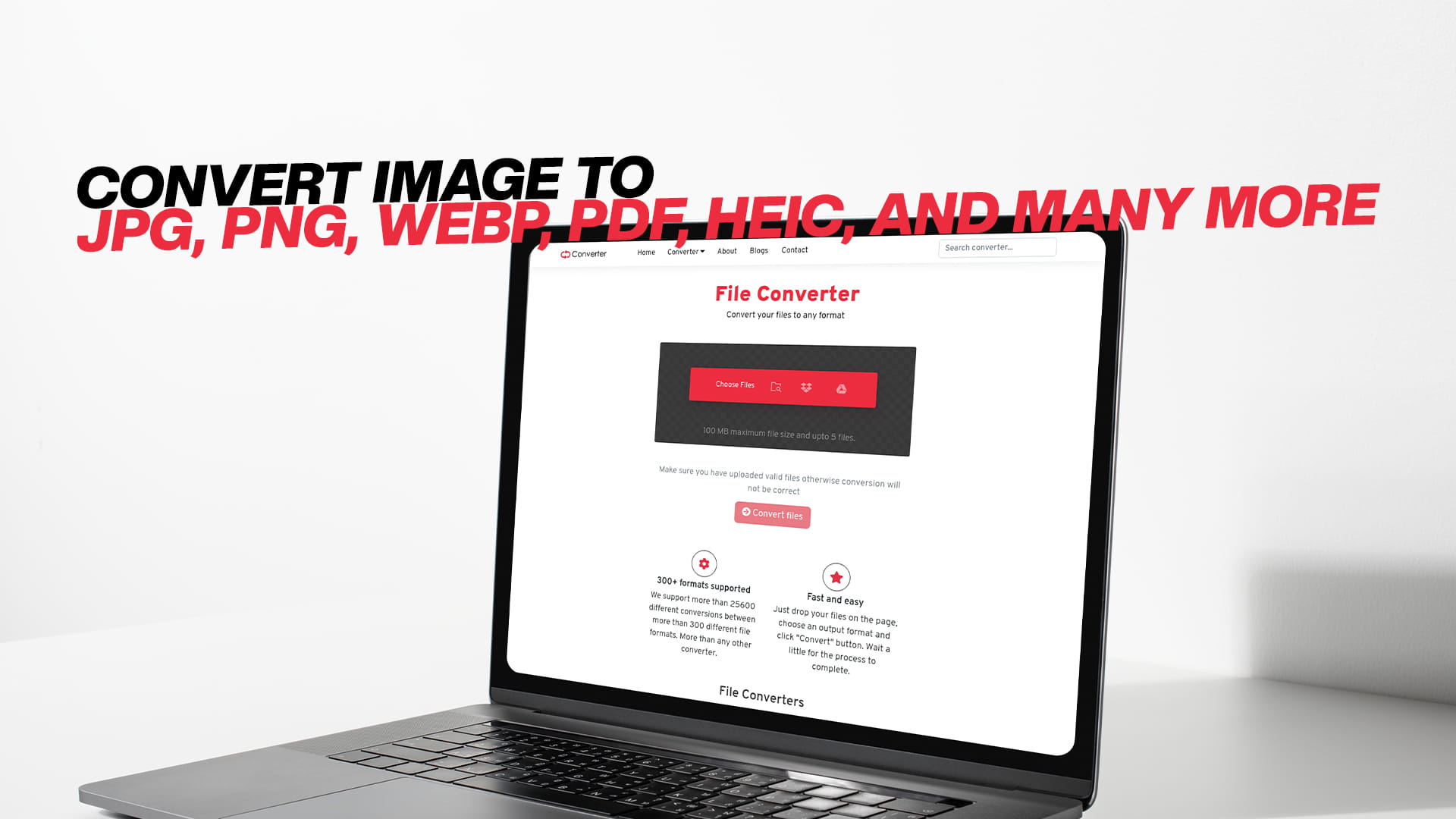
Convert Image to JPG, PNG, WebP, PDF, HEIC, And Many More
Images are everywhere. They are on our phones, our computers, our websites, and our social media pages. We use them every single day for work, for fun, and for everything in between. But have you ever tried to open an image and your device simply could not read it? Or maybe you wanted to upload a photo to a website, and the site only accepted a certain file type? This is one of the most common problems people face with digital images today.
The good news is that there is a very simple solution. You can convert your image from one format to another in just a few seconds. Whether you need to change a photo to JPG, save it as a PNG, turn it into a WebP file, convert it to a PDF, or even transform it into HEIC format, it is all possible and very easy to do. Convertio is a free online tool that makes all of this happen quickly and without any complicated steps. You do not need to download any software. You do not need to be a tech expert. You just need your image and a few clicks.
In this article, we are going to explain everything you need to know about image formats, why they matter, when to use each one, and how converting between them can make your digital life much easier. By the end, you will fully understand why image conversion is such a useful skill — and how to do it for free.
Why Image Formats Matter More Than You Think
Let us start with the basics. An image format is simply the way a picture is saved and stored on a computer or device. Different formats store image data in different ways, and each one has its own strengths and weaknesses. Some formats are great for photos. Some are better for graphics. Some are smaller in file size. Some keep the background transparent. Some are designed for printing. Others are built for fast loading on the web.
When you take a photo on your phone, it is usually saved in a specific format automatically. When you download an image from the internet, it comes in whatever format the website chose. When a designer sends you a file, it might be in a professional format that your regular photo viewer cannot even open.
This is why understanding image formats — and being able to convert between them — is so important. It gives you control over your files. It lets you share images easily, upload them without errors, reduce their file size, and make sure they look their best no matter where they are used.
The Most Common Image Formats and What They Are Used For
There are dozens of image formats in use today, but a handful of them are the most popular and widely used. Here is a clear look at each one.
JPG (or JPEG)
JPG is probably the most well-known image format in the world. The name stands for the Joint Photographic Experts Group, which was the group that created it. JPG is used for photographs and images with lots of colors and gradients. It works by compressing the image, which makes the file size smaller. This is great for saving space and for sharing photos online or by email.
The only downside of JPG is that it uses something called "lossy" compression. This means that every time you save a JPG, some image quality is lost. Usually, this loss is very small and hard to notice, but if you save the same JPG file many times over, the quality can start to drop. For everyday use, however, JPG is a very reliable and practical choice.
JPG files are supported by almost every device and every program. Your phone, your computer, your browser, your printer — they all handle JPG without any problems. This is why it remains the default format for photos worldwide.
PNG
PNG stands for Portable Network Graphics. Unlike JPG, PNG uses "lossless" compression. This means the image quality does not decrease when you save the file. Every detail of the original image is kept perfectly. Because of this, PNG files are often larger than JPG files, but they look sharper and cleaner.
One of the biggest advantages of PNG is that it supports transparency. This means part of the image can be see-through, with no background color at all. This is incredibly useful for logos, icons, and graphics that need to be placed on top of other images or colored backgrounds. If you have ever seen a logo that seems to float on a web page without a white box around it, that logo was almost certainly saved as a PNG.
PNG is the go-to format for graphic designers, web developers, and anyone who works with logos, illustrations, or images that need a transparent background.
WebP
WebP is a newer image format that was created by Google. It was designed specifically for the web, and its main goal is to make images as small as possible without losing quality. WebP files are often significantly smaller than both JPG and PNG files, which means web pages load faster when they use WebP images.
WebP supports both lossy and lossless compression, and it also supports transparency just like PNG. This makes it a very flexible and powerful format for web use. Most modern browsers support WebP today, including Chrome, Firefox, Safari, and Edge.
The challenge with WebP is that some older software and devices do not support it yet. This is why being able to convert WebP images to other formats — or convert your existing images into WebP — is such a valuable ability.
PDF stands for Portable Document Format. While most people think of PDF as a document format rather than an image format, it is actually very common to save images as PDF files. This is especially true when you need to send a high-quality image to someone for printing, or when you want to share multiple images as a single file.
Converting an image to PDF is also useful when you want to protect the content from being easily edited or copied. PDFs are widely accepted by offices, schools, government agencies, and businesses everywhere. A JPG photo converted into a PDF looks professional, is easy to print, and can be opened on virtually any device without any display issues.
HEIC
HEIC is a newer format that stands for High Efficiency Image Container. Apple introduced HEIC as the default photo format for iPhones starting with iOS 11. It produces very high-quality photos while keeping the file size very small — often about half the size of a comparable JPG.
The problem with HEIC is that it is not yet supported by all systems. Windows computers, many websites, and older software often cannot open HEIC files. This is why converting HEIC photos to JPG or PNG is a very common need for iPhone users who want to share their photos with others or use them on non-Apple platforms.
BMP
BMP stands for Bitmap. It is one of the oldest image formats and is associated with Windows. BMP files store image data without any compression, which means they are very large in file size but also very high in quality. BMP is rarely used for sharing or uploading because of its large size, but it is sometimes needed for specific software or older systems.
GIF
GIF stands for Graphics Interchange Format. GIF is famous for being used in animated images, those short looping clips you see all over social media and messaging apps. GIF files support only 256 colors, which makes them look a bit old-fashioned for photographs, but they are still widely used for simple animations and graphics. Converting a series of images into a GIF animation is a popular creative task.
TIFF
TIFF stands for Tagged Image File Format. TIFF is a professional format used mainly in printing, publishing, and photography. It stores images with very high quality and supports multiple layers. TIFF files are very large, but they are the preferred format when you need absolutely perfect image quality. Photographers and printing professionals often work with TIFF files.
SVG
SVG stands for Scalable Vector Graphics. Unlike the other formats we have mentioned, SVG is not made of pixels. It is made of mathematical shapes and lines, which means it can be scaled up or down to any size without ever losing quality. SVG is perfect for logos, icons, and illustrations that need to look sharp on screens of all sizes, from small phone screens to large TV displays.
When Should You Convert an Image?
Now that you understand the different formats, let us talk about when you actually need to convert an image. Here are some of the most common real-life situations.
You have an iPhone photo in HEIC format, and you need to send it to a friend or colleague who uses Windows. Their computer cannot open the file. You need to convert it to JPG so they can view it.
You have a logo saved as a JPG, but you need to use it on a website with a colored background. The JPG has a white box around it that looks ugly. You need to convert it to PNG so the background becomes transparent.
You have a high-resolution photograph, and you want to display it on a website, but the file is too large and slows down the page. You convert it to WebP to reduce the size without sacrificing visual quality.
You have several product images that a client needs for a printed brochure. They need the files in TIFF format for professional print quality. You convert your JPG photos into TIFF.
You have a receipt or a certificate saved as an image, and you need to email it in a more professional format. You convert it to PDF so it looks clean and official.
You need to submit a document to a government office or a business, and they only accept PDFs. You convert your image into a PDF file before submitting.
These situations happen every day, and in all of them, having the ability to convert images freely and quickly is a huge advantage.
Why Free Image Conversion Tools Are So Valuable
In the past, converting image formats required expensive software like Adobe Photoshop or specialized programs that were complicated to learn and use. For most regular users, this was not practical. People either struggled with technical workarounds or simply could not convert the files they needed.
Today, free online conversion tools have changed everything. They have made powerful image conversion available to everyone, not just professionals. You do not need to install any program. You do not need to pay any fees. You just visit the website, upload your image, choose the format you want, and download the converted file. It takes seconds.
Convertio is one of the best free tools available for this purpose. It supports a huge range of file types, including images, audio files, video files, documents, PDFs, eBooks, software files, compressed archives, and much more. For images specifically, it handles all the major formats and many less common ones too. Whether you need to convert JPG, PNG, WebP, PDF, HEIC, BMP, GIF, TIFF, SVG, or any number of other formats, Convertio makes it simple and completely free.
How to Convert an Image Using Convertio
Using Convertio is straightforward, and you do not need any technical knowledge at all. Here is how the process works in plain simple steps.
First, you visit Convertio in your web browser. The website is clean and easy to navigate. You will see a clear upload area right on the homepage.
Second, you upload the image you want to convert. You can do this by clicking the upload button and selecting the file from your computer or phone. Convertio also allows you to drag and drop files directly onto the page, which is very convenient. You can even import files from cloud storage services like Google Drive or Dropbox if your image is stored there.
Third, you choose the output format. This is the format you want your image to be converted into. Convertio supports a wide variety of image formats, so you simply select the one you need from the dropdown menu.
Fourth, you click the Convert button and wait a few moments while the tool processes your file. The conversion is fast, usually taking only a few seconds, depending on the file size.
Fifth, you download your converted image. Once the conversion is complete, a download button appears, and you can save the new file to your device immediately.
That is all there is to it. The entire process is simple, fast, and completely free. There is no need to create an account for basic conversions. There is no software to install. Your image is converted and ready to use in less than a minute.
Converting Multiple Images at Once
One very useful feature that Convertio offers is the ability to convert multiple images at the same time. If you have a batch of photos you need to convert from HEIC to JPG, or a series of images you want to save as WebP for your website, you do not have to do them one by one. You can upload several files at once and convert them all together in a single session. This saves a tremendous amount of time, especially if you are working with a large number of images.
Image Quality and What to Expect After Conversion
One concern people sometimes have about converting images is whether the quality will be affected. This is a fair question, and the answer depends on the formats you are converting between.
When you convert from a lossless format like PNG to another lossless format, the quality stays the same. When you convert from a high-quality format to JPG, there may be a tiny reduction in quality because JPG uses lossy compression, but for most purposes, the difference is invisible to the eye. When you convert from JPG to PNG, the quality of the JPG is preserved exactly as it is — but keep in mind that converting a JPG to PNG does not magically restore any quality that was already lost when the original JPG was created.
The important thing to understand is that a good conversion tool like Convertio handles this process as carefully as possible, giving you the best output quality for whatever format you choose.
The Role of Image Conversion in SEO and Web Performance
If you run a website or create online content, image conversion is not just a convenience — it is an important part of good web practice. Search engines like Google pay close attention to how fast your website loads. Page speed is a ranking factor, which means slow websites rank lower in search results.
One of the biggest causes of slow websites is large image files. When images are too large, they take longer to load, which slows down the whole page. By converting your images to more efficient formats like WebP, you can reduce file sizes dramatically — sometimes by 30 to 50 percent compared to JPG — without any visible loss in quality. This makes your pages load faster, which improves the user experience and can boost your rankings in search engines.
Additionally, using the right image format for the right purpose makes your website look more professional. Transparent PNG logos look sharp on any background. High-quality WebP photos load quickly without looking blurry. Properly formatted images also display correctly on all devices, from phones to tablets to desktop computers.
In short, paying attention to your image formats and converting them correctly is a simple but powerful way to improve your website's performance and its chances of ranking well on search engines.
Converting Images for Social Media
Every social media platform has its own preferences and requirements for image formats and sizes. Instagram, Facebook, Twitter, LinkedIn, Pinterest — they all have recommended dimensions and file type guidelines. Uploading the wrong format or size can result in blurry images, cropped photos, or upload errors.
Being able to convert your images to the right format before uploading gives you much more control over how your content looks online. If a platform prefers JPG for photos, you convert to JPG. If another platform recommends PNG for graphics and text-heavy images, you convert to PNG. Having this flexibility means your images always look their best, which is important for building a professional and attractive social media presence.
Converting Images for Print
Printing images is a different challenge from displaying them on screen. Printers need image files in specific formats and at specific resolutions to produce high-quality results. A JPG that looks great on your phone screen might print out blurry or pixelated if it does not have enough detail.
For professional printing, TIFF is often the preferred format because it stores all image data without any compression loss. PDF is also widely used for print-ready files because it preserves the image exactly as it should appear when printed, with no formatting changes.
By converting your images to the appropriate format before sending them to a printer or a print shop, you ensure that the final printed result looks exactly as you intended. Convertio makes this very easy, supporting both TIFF and PDF output so you can prepare your images for print in just a few clicks.
Beyond Images: What Else Convertio Can Do
While this article focuses on image conversion, it is worth knowing that Convertio offers a much wider range of conversion services. The platform supports audio conversion, so you can change music files between formats like MP3, WAV, FLAC, AAC, and others. It supports video conversion, letting you convert between formats like MP4, AVI, MOV, MKV, and more. It handles document conversion, transforming files between Word, PDF, Excel, PowerPoint, and other document types. It works with eBooks, compressed archive files, and even software file types.
This makes Convertio a very versatile and comprehensive free tool that covers almost any conversion need you might have. Instead of searching for different tools for different tasks, you can rely on one trusted platform for everything. You can visit Convertio and explore the full range of conversion options it offers — all completely free.
Tips for Getting the Best Results When Converting Images
To make the most of image conversion, keep a few simple tips in mind.
Always start with the highest quality version of your image. If you have both a large original file and a smaller compressed version, convert from the large original. You can always reduce quality when converting, but you cannot add detail that was never there.
Choose the right format for your purpose. Use JPG for photos you want to share or upload online. Use PNG for logos and graphics that need transparency. Use WebP when you want the smallest possible file size for web use. Use PDF when you need a professional document-style output. Use TIFF when you need maximum quality for professional printing. Use HEIC when you are working within the Apple ecosystem and space is a concern.
If you are converting a large batch of images, do them all at once using the batch conversion feature. It saves time and ensures consistency across all your files.
After converting, always check the result before deleting the original. Open the converted file, make sure it looks right, and confirm that the format is correct before you commit to using it.
Why Convertio Stands Out
There are many image conversion tools available online, but Convertio stands out for several important reasons. It is completely free to use for standard conversions. It supports a very wide range of formats, far more than most other tools. It is fast and reliable, handling conversions quickly without errors. It works directly in your browser, so there is nothing to install. It is simple enough for beginners but powerful enough for professional use. And it covers not just images but also audio, video, documents, and many other file types, making it a one-stop solution for all your conversion needs.
Whether you are a student, a professional, a photographer, a web developer, a business owner, or just someone who needs to convert an iPhone photo so their friend can open it, Convertio has you covered. It removes the technical barriers and makes file conversion accessible and stress-free for everyone.
Final Thoughts
Image conversion might seem like a small technical task, but it plays a surprisingly important role in everyday digital life. The ability to convert images between formats like JPG, PNG, WebP, PDF, HEIC, BMP, GIF, TIFF, and SVG gives you flexibility, saves time, solves compatibility problems, improves web performance, and ensures your images always look their best wherever they are used.
The best part is that you do not need to spend any money or learn complicated software to do it. Convertio offers free, fast, and easy image conversion directly in your browser, along with support for audio, video, documents, PDFs, eBooks, and many other file types. It is a genuinely useful tool that simplifies something that used to be complicated and makes it available to everyone for free.
If you have images that need to be converted, there is no reason to wait. Visit Convertio and start converting for free today. You will be amazed at how quick and simple it is.