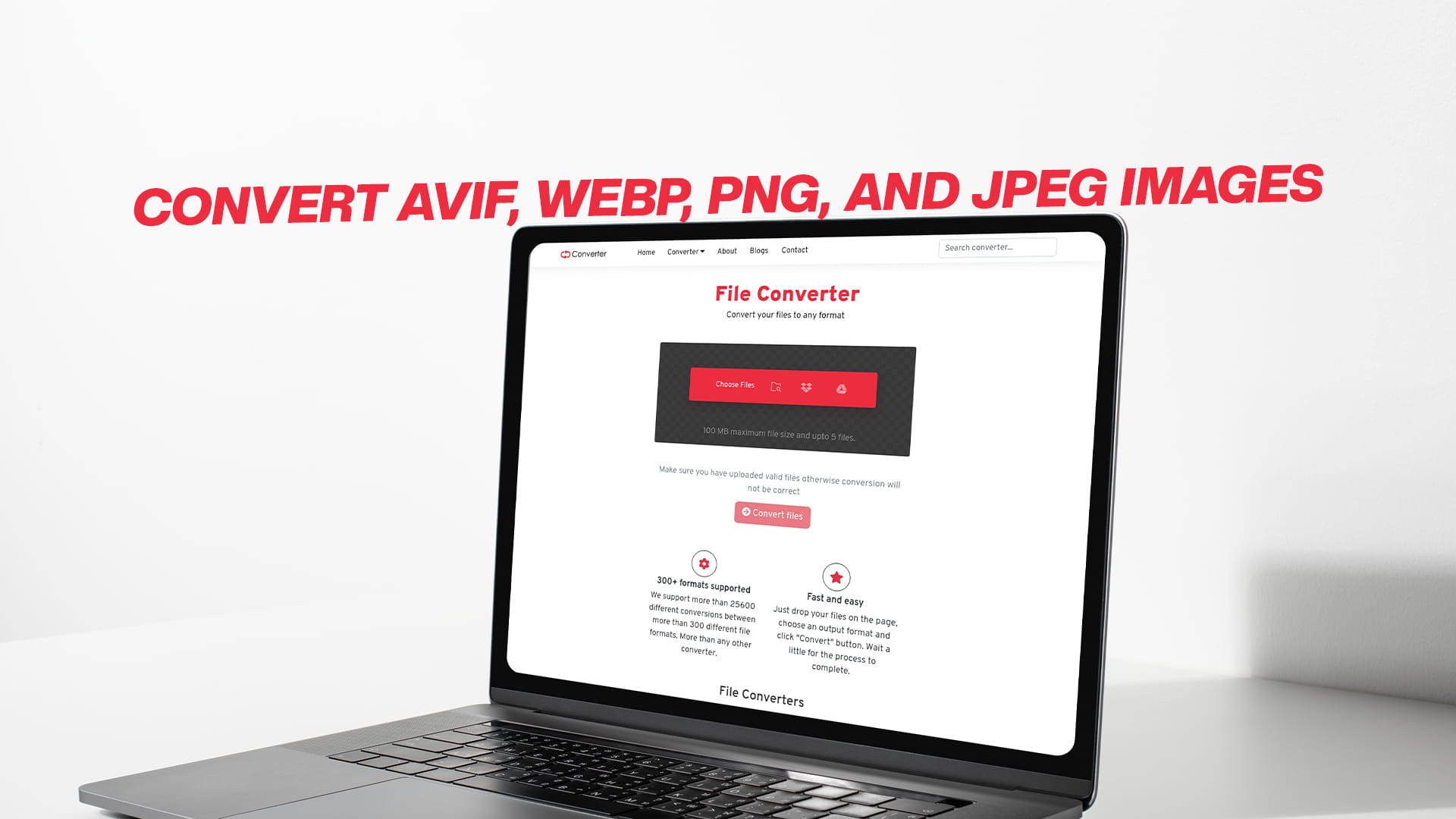
Convert AVIF, WebP, PNG, and JPEG images
When you work with images on the internet or on your computer, you will encounter different types of image files. Each type has its own special way of saving pictures. Sometimes, you may need to switch from one type to another. This process is called image conversion. Today, we will discuss four essential image formats that you should be familiar with. These formats are AVIF, WebP, PNG, and JPEG. Understanding what each of these formats does and when to use them will help you become much better at working with images.
Images are everywhere on the internet. They are on websites, social media, online shops, and in emails. When you download a picture or save a picture, it comes in a certain format. The format tells your computer how to read and show the picture. Different formats work better for different situations. Some formats make files smaller. Some formats keep better quality. Some formats work on more devices. Learning to convert between these formats will give you more control over your images and help you use them in better ways.
What is AVIF and Why Should You Know About It
AVIF stands for AV1 Image Format. This is a very new image format that came out recently. AVIF was created to be better than older formats. The main reason people use AVIF is that it makes very small file sizes while keeping very good image quality. This is really important for websites because smaller files load much faster.
Imagine you have a photo that is one megabyte in size as a JPEG file. That same photo could become just two hundred kilobytes as an AVIF file. That is five times smaller! This smaller size helps websites load faster. Faster websites make people happier. Google also likes fast websites better, so faster websites can rank higher on search results.
AVIF works by using a special way to squeeze the image data. It looks at the picture and removes information that human eyes usually cannot see. This helps make the file very small. AVIF is especially good for photographs and pictures with many colors. It is less good for simple drawings or logos that do not have many colors.
Right now, AVIF is not supported by all old web browsers. Newer browsers like Chrome, Firefox, and Edge support AVIF very well. If you use AVIF on your website, you should have a backup format for people using old browsers. This is called fallback support, and it is very important. Convertio makes it easy to convert your images to AVIF format while keeping backup copies in other formats.
Exploring WebP Format for Modern Web Use
WebP is another modern image format that is becoming very popular on the internet. WebP was created by Google, which is the company that runs the largest search engine in the world. Google created WebP to be much better than the older JPEG format for web use.
WebP files are usually between twenty-five and thirty-five percent smaller than JPEG files. This size reduction is very significant. When you have thousands of images on your website, using WebP can help your website load much faster. Faster loading websites get better rankings on Google.
One great thing about WebP is that it can do two different things. WebP can save photographs with good quality, just like JPEG does. WebP can also save pictures with simple colors and transparent backgrounds, just like PNG does. This makes WebP very flexible and useful for many situations.
Most modern web browsers now support WebP. This includes Chrome, Firefox, Edge, and Opera. Even though it is not as new as AVIF, WebP is more widely supported. Many people think WebP is the perfect middle ground between new technology and wide support.
WebP uses a different way to squeeze image information. It was designed especially for the internet. When Google created WebP, they tested it on millions of real website images. This means WebP is very good at reducing file size for the kinds of images people actually use on websites.
If you have JPEG images on your website, converting them to WebP is a smart move. You will get smaller files, faster loading, and better website performance. Over time, more people will use WebP, and it will become the normal format for web images.
Understanding PNG Format and Its Best Uses
PNG stands for Portable Network Graphics. PNG has been around for a long time, much longer than AVIF or WebP. PNG was created in the year nineteen ninety-six, which is more than twenty-five years ago. Even though PNG is old, it is still very useful and very important today.
The main special thing about PNG is that it supports something called transparency. Transparency means you can see through parts of the image. If you have a picture of a person and you want to remove the white background, PNG lets you do that. The white part can become invisible, and you can see through it to whatever is behind the image.
PNG is perfect for logos, icons, and drawings. It is good for images that have simple colors and sharp edges. PNG can save images with very good quality without losing any information. This is called lossless compression. The downside is that PNG files are usually bigger than JPEG or WebP files.
PNG works in two ways. You can save with eight bits per color, which is smaller. Or you can save with twenty-four bits per color, which is much bigger but has more color information. For websites with simple designs, eight-bit PNG is fine. For photographs or very colorful images, twenty-four-bit PNG is better.
PNG is supported by all modern web browsers and all old web browsers too. Every computer, phone, and tablet from the last fifteen years can display PNG images without any problems. This wide support makes PNG very safe to use anywhere.
Learning About JPEG Format and Its Advantages
JPEG stands for Joint Photographic Experts Group. JPEG has been the standard format for photographs on the internet for more than thirty years. Almost every photograph you have ever seen on the internet was probably a JPEG file. JPEG is still very important and very useful today, even though newer formats are being created.
JPEG works by making files smaller in a special way. JPEG looks at the photograph and removes some color information that human eyes usually cannot see. This is called lossy compression. Because JPEG removes information, you lose a tiny bit of quality. But because the files become so much smaller, this small loss of quality is usually worth it.
A photograph that is five megabytes as a PNG file could become just five hundred kilobytes as a JPEG file. This is ten times smaller! This enormous size difference is why JPEG became so popular for photographs on the internet.
JPEG is supported by every single web browser that has ever existed. Every old browser and every new browser supports JPEG perfectly. Every camera and every phone saves photographs as JPEG by default. JPEG is truly universal.
The main weakness of JPEG is that it does not support transparency. You cannot have invisible parts in a JPEG image. If you need transparency, you must use PNG or WebP. Another weakness is that JPEG is not the best choice for images with very simple colors or very sharp lines, because JPEG can create strange patterns around the edges.
For most regular photographs, JPEG is still the best choice. Modern JPEG files are very efficient, and the quality is excellent. Even with new formats becoming available, JPEG will probably remain important for many years.
Why Convert Between Image Formats
There are many good reasons to convert your images from one format to another. Understanding these reasons will help you decide when and why to convert.
The first big reason to convert is file size. Different formats create different file sizes for the same image. As we discussed, AVIF and WebP create much smaller files than JPEG. Smaller files mean faster loading. On the internet, speed is very important. If your website loads one second faster, many more people will stay on your website. People do not like waiting for websites to load. Studies show that if a website takes more than three seconds to load, many people will leave and go to a different website.
The second reason is browser compatibility. Some people still use old web browsers. If you use AVIF or WebP, you need to provide JPEG or PNG as a backup. Converting to multiple formats solves this problem. You can serve WebP to new browsers and JPEG to old browsers. This way, everyone can see your images no matter what browser they use.
The third reason is software compatibility. Some software programs do not support all image formats. Maybe you have a picture in WebP format, but the software you want to use only supports PNG. You need to convert to make the image work with your software.
The fourth reason is purpose and usage. Different formats are better for different purposes. If you are uploading an image to a website, WebP might be best. If you are sending an image to print, PNG or JPEG might be better. If you need transparent backgrounds, PNG is better than JPEG. Converting allows you to use the best format for your specific need.
The fifth reason is storage and backup. If you are storing many images, using a more efficient format saves you storage space. AVIF and WebP save lots of space compared to PNG. Over time, saving storage space saves money.
The sixth reason is sharing and communication. Some people expect images in certain formats. A photographer might provide JPEG because it is standard. A designer might provide PNG because it supports transparency. A social media platform might prefer WebP. Converting between formats helps you work better with different people and different systems.
How to Convert Images Using Convertio
Converting images between formats is now very easy. You do not need to download or install any software. You do not need to be technical. You just need to use Convertio, which is a free and simple tool.
Convertio is a website that lets you convert images from one format to another quickly and easily. The service is completely free. You do not need to create an account. You do not need to pay money. You just visit the website, upload your image, choose your desired format, and download the converted image.
Using Convertio is very simple. First, you go to the website and look for the image conversion section. You can drag and drop your image file onto the website, or you can click a button to choose a file from your computer. The website accepts AVIF, WebP, PNG, JPEG, and many other formats.
Second, you choose what format you want to convert to. You can convert JPEG to WebP. You can convert PNG to AVIF. You can convert any format to any other format that Convertio supports. You simply click on the format you want.
Third, the website automatically converts your image. This usually takes just a few seconds. The website shows you a progress bar so you know what is happening.
Fourth, you download the converted image to your computer. You click a download button, and the new image file appears on your computer. You can now use the converted image anywhere you need it.
Convertio also lets you convert many images at the same time. If you have fifty JPEG images you want to convert to WebP, you can upload all fifty at once. This saves you enormous amounts of time. Instead of converting each image one at a time, which would take hours, you can convert all fifty at once, which takes just a few minutes.
The quality settings are adjustable on Convertio. For some formats, you can choose the quality level. Higher quality means bigger files and better-looking images. Lower quality means smaller files and images that look slightly different. You can find the perfect balance for your needs.
Convertio also provides conversion services for many other types of files. You can convert audio files, video files, documents, eBooks, compressed files, and more. If you need file conversion of any type, Convertio probably supports it.
Converting JPEG to WebP Format
Converting JPEG to WebP is one of the most common conversions people do. This is because JPEG is so popular for photographs, and WebP is a much more efficient modern format.
The process is very straightforward. You upload your JPEG file to Convertio. The website analyzes your JPEG image and creates a WebP version. The new file is usually between fifty and seventy percent of the original size.
Before you convert, you might want to think about quality. Convertio usually defaults to high quality, which gives you excellent results. You might be able to reduce the file size more by choosing medium quality instead. Test different settings to find what looks best to you.
After conversion, you can download your new WebP file. You can test it in different web browsers. Check how it looks on different devices and screens. Make sure you are happy with the quality before you start using it on your website.
One smart approach is to convert a few images first and test them thoroughly. Make sure they look good. Make sure they display correctly in your web browser. Then convert all your remaining images. This prevents any mistakes or problems.
Converting PNG to AVIF Format
Converting PNG to AVIF is a great choice if you want the smallest possible file sizes. AVIF is the newest and most efficient format available today.
If you have PNG images with transparency, Convertio will preserve the transparency when converting to AVIF. Your transparent parts will stay transparent in the new AVIF file. This is important if you use transparent images for logos or icons.
The conversion process is identical to other conversions. You upload your PNG file, choose AVIF as the output format, and download the result. AVIF files are usually much smaller than PNG files, sometimes fifty to seventy percent smaller.
One important thing to remember is that AVIF is a newer format. Not all old web browsers support it. If you use AVIF on a website, you should have a fallback image in PNG or WebP format. This ensures that people with old browsers can still see your images.
For modern websites and modern browsers, AVIF is an excellent choice. It offers the best combination of small file size and good image quality.
Converting Between Multiple Formats
Sometimes you might need your image in multiple formats at the same time. For example, you might need JPEG for one purpose, WebP for your website, and PNG for your backup storage.
You can convert an image to as many formats as you need. With Convertio, you can upload the same image multiple times and convert it to different formats. Or you can convert once to a lossless format like PNG, and then convert that PNG to multiple smaller formats.
Having multiple versions of the same image is smart. You can use the WebP version on your modern website. You can use the JPEG version as a fallback for old browsers. You can use the AVIF version on your mobile app. You can use the PNG version for backup and storage.
This strategy of having multiple formats is called format diversification. It is used by large websites and professionals everywhere. It gives you the best of everything. You get small files for speed, good compatibility for all browsers, and quality backups for safety.
Why Image Format Matters for Website Speed
Website speed is incredibly important for search engine rankings. Google has publicly stated that page speed is a ranking factor. This means faster websites rank higher in search results than slower websites.
When your website has many images, the image file sizes have a huge impact on how fast your website loads. If your website has fifty images, and each image is one megabyte, that is fifty megabytes of data that must download. This can take ten to fifteen seconds on an average internet connection.
If you convert all those images to WebP or AVIF, you might reduce the total image size to fifteen megabytes. Now your website loads in three to five seconds instead of ten to fifteen seconds. This dramatic speed improvement helps your website rank higher on Google.
Search engines use automated tools to test website speed. These tools check how fast pages load. Faster pages get better scores. Better scores help websites rank higher in search results.
Real human visitors also care about speed. Studies show that people who visit slow websites have a much worse experience. They get frustrated. They click the back button. They leave your website and go to a competitor's website instead. By making your website faster with smaller image files, you keep more visitors on your website.
Choosing the Right Format for Your Purpose
Different purposes require different image formats. Understanding which format to use for which situation will help you make smart decisions.
Use AVIF when you want the absolute smallest file size and your audience uses modern web browsers. AVIF is perfect for websites that want maximum speed and efficiency.
Use WebP when you want small files, good browser support, and flexibility. WebP works well for both photographs and images with transparency.
Use PNG when you need transparency, backward compatibility, or lossless quality. PNG is perfect for logos, icons, and graphic designs.
Use JPEG when you have photographs and the file size is important. JPEG is still the standard for photography and has universal support.
For most websites today, a good strategy is to use WebP as your main format, with JPEG as a fallback for old browsers. For images that need transparency, use PNG or WebP.
Steps to Start Converting Your Images Today
You can start converting your images right now. Here are the simple steps to follow.
First, gather your images. Collect all the image files you want to convert. You might have them in a folder on your computer, or they might be scattered in different places.
Second, think about what format you want to convert to. Do you want smaller files for your website? Convert to WebP. Do you want the absolute smallest files for a mobile app? Convert to AVIF. Do you need transparency? Convert to PNG.
Third, go to Convertio and start your first conversion. Upload one image, choose the output format, and download the result. Make sure you are happy with the quality and file size.
Fourth, if you are happy with the results, convert the rest of your images. You can convert them one at a time, or if you have many images, use the batch conversion feature to convert multiple at once.
Fifth, test your converted images. View them on different devices, different browsers, and different screens. Make sure they look good everywhere.
Sixth, start using your converted images. Upload them to your website, use them in your apps, or store them in your backup system.
Common Questions About Image Conversion
Many people have questions about converting images. Here are answers to some of the most common questions.
Can I convert images without losing quality? For JPEG, WebP, and AVIF, there is always some quality loss if you use the compressed settings. However, the quality loss is often so small that human eyes cannot see it. PNG and AVIF can support lossless conversion where no quality is lost, but the file sizes are bigger.
Is it safe to convert my images using Convertio? Yes, it is completely safe. Convertio is a legitimate service that has been used by millions of people. Your images are converted securely, and they are deleted from the server after you download them.
Will my images look the same after conversion? For most conversions, your images will look almost exactly the same. The differences might be too small for human eyes to notice. Always check the results on your specific devices and screens to be sure.
How long does conversion take? Most images convert within a few seconds. Larger images or multiple images might take a little longer. But conversion is generally very fast.
Can I convert images on my phone? Yes, Convertio works on phones and tablets as well as computers. You can upload an image from your phone, convert it, and download the converted version.
What if I want to convert many images? Convertio supports batch conversion, which means you can upload many images at once and convert them all together. This saves lots of time.
The Future of Image Formats
Image formats continue to evolve and improve. New formats are being created to be even more efficient and better quality than existing formats.
AVIF is very new but is improving very quickly. As more browsers support AVIF, more websites will use it. AVIF will probably become very common in the next few years.
WebP is already very popular and will continue to be popular for many years. It offers a great balance between file size and quality.
JPEG will probably continue to exist for many years because it is so widely used and so compatible with everything.
PNG will continue to be important for images that need transparency.
As technology improves, new formats might be created that are even better than AVIF. Whatever new formats appear in the future, tools like Convertio will support them, and you will be able to convert between them easily.
Benefits of Converting Your Images Today
Converting your images to modern formats like WebP and AVIF offers many benefits that you can start enjoying right now.
Your website will load faster. Faster websites make visitors happier. Happier visitors spend more time on your website and buy more products.
Your website will rank higher on Google. Google rewards fast websites with better rankings. Better rankings mean more visitors find your website.
You will use less storage space. Smaller image files take up less space on your computer and on your web server. This saves money on storage costs.
Your website will work better on mobile devices. Mobile phones have slower internet connections than computers. Smaller image files are very important for mobile phones. Converting to modern formats helps mobile visitors much more than desktop visitors.
You will have more flexibility. By having your images in multiple formats, you can use the best format for each situation. You can use WebP on your website, JPEG as a backup, and AVIF in your mobile app.
Your images will be ready for the future. As new technologies come out, your smaller files will work better with new technology than large files.
Conclusion
Understanding image formats and knowing how to convert between them is an important skill in today's digital world. AVIF, WebP, PNG, and JPEG each have special advantages and special uses.
AVIF offers the smallest file sizes and is perfect for modern websites. WebP offers small files with great browser support and is perfect for most websites today. PNG offers transparency and lossless quality and is perfect for logos and graphics. JPEG offers universal compatibility and is still perfect for photographs.
Converting between these formats is easy and free using Convertio. You do not need to install anything. You do not need technical knowledge. You just upload, choose a format, and download.
Start converting your images today. Test a few images first. Check the quality and file size. Then convert all your images. Your website will load faster. Your visitors will be happier. Your rankings will improve.
Image conversion is one of the simplest and most effective things you can do to improve your website performance and user experience. Make the decision today to convert your images to modern formats, and you will enjoy the benefits immediately.