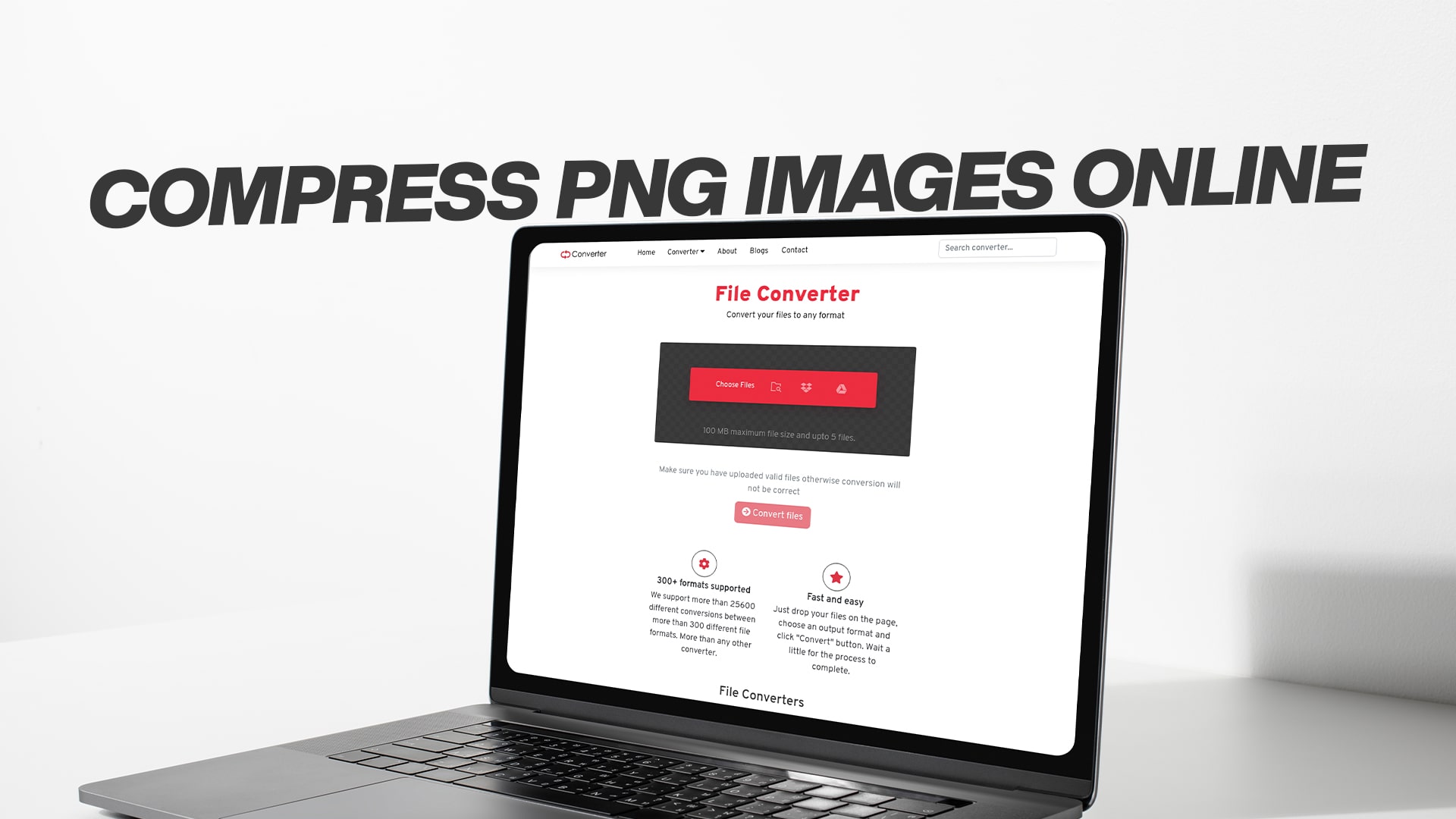
Compress PNG Images Online
Images play a crucial role in making websites attractive and engaging. However, large image files can slow down your website, frustrate visitors, and hurt your search engine rankings. This is where PNG compression becomes essential. Whether you're a blogger, web designer, business owner, or just someone who wants to optimize images for faster loading times, understanding how to compress PNG images online can make a significant difference in your digital presence.
Understanding PNG Images and Why They Need Compression
PNG stands for Portable Network Graphics, and it's one of the most popular image formats used on the internet today. Unlike other formats, PNG files support transparent backgrounds, which makes them perfect for logos, graphics, and images that need to blend seamlessly with different backgrounds. They also maintain high quality without the artifacts you might see in other compressed formats.
However, the high quality of PNG images comes with a cost. These files can be quite large, sometimes several megabytes for a single image. When you have multiple PNG images on a webpage, the total size can quickly add up, causing your website to load slowly. Studies have shown that visitors will leave a website if it takes more than three seconds to load, which means large image files can directly impact your traffic and success.
Compressing PNG images helps reduce their file size while keeping the visual quality as high as possible. This process removes unnecessary data from the file without affecting what you see when you look at the image. The result is a smaller file that loads faster, uses less bandwidth, and provides a better experience for your visitors.
The Impact of Large PNG Files on Your Website
Before diving into how to compress PNG images, it's important to understand why this matters so much. Large image files affect your website in several ways that can hurt your online success.
First, page loading speed is one of the most critical factors for user experience. When someone clicks on your website, they expect it to load quickly. If your images are too large, the entire page takes longer to appear on their screen. This delay frustrates visitors and many will simply leave and go to a competitor's website instead.
Second, search engines like Google consider page speed when ranking websites. Faster websites tend to rank higher in search results because they provide a better experience for users. If your PNG images are slowing down your site, you might be missing out on valuable organic traffic from search engines.
Third, large files consume more bandwidth. This affects both you and your visitors. For website owners, more bandwidth usage can mean higher hosting costs. For visitors, especially those on mobile devices or with limited data plans, large images can eat up their data allowance quickly.
Fourth, mobile users are particularly affected by large image files. Many people browse the internet on smartphones and tablets, often using cellular data connections that are slower than home WiFi. Large PNG files take even longer to load on these connections, creating a poor mobile experience.
How PNG Compression Actually Works
Understanding the basics of how PNG compression works can help you make better decisions about optimizing your images. There are two main types of compression: lossless and lossy.
Lossless compression reduces file size without removing any visual information from the image. The compressed image looks exactly the same as the original to the human eye. This type of compression works by finding more efficient ways to store the image data. It removes unnecessary metadata and optimizes the way color information is stored. Lossless compression typically reduces file size by around twenty to forty percent.
Lossy compression achieves greater file size reduction by actually removing some visual information from the image. However, modern lossy compression algorithms are smart about what they remove. They focus on details that human eyes have difficulty noticing. When done correctly, lossy compression can reduce file sizes by seventy to ninety percent while maintaining images that still look great to most viewers.
The choice between lossless and lossy compression depends on your specific needs. If you need perfect quality for professional photography or detailed graphics, lossless compression is the safer choice. If you want maximum file size reduction and can accept minor quality trade-offs that most people won't notice, lossy compression delivers better results.
Benefits of Compressing PNG Images Online
Using online tools to compress PNG images offers numerous advantages over desktop software or manual optimization methods. These benefits make online compression the preferred choice for many users.
Convenience is perhaps the biggest advantage. Online compression tools work directly in your web browser, which means you don't need to download or install any software. You can compress images from any computer, tablet, or smartphone that has internet access. This flexibility is especially useful when you're working on different devices or helping someone else with their images.
Most online PNG compression tools are completely free to use. You can compress as many images as you need without paying subscription fees or purchasing expensive software licenses. This makes professional-level image optimization accessible to everyone, from individual bloggers to small businesses with limited budgets.
Online tools are constantly updated with the latest compression algorithms and techniques. When you use an online service, you automatically benefit from these improvements without needing to manually update software. The service providers handle all the technical maintenance behind the scenes.
Many online compression tools offer batch processing, allowing you to compress multiple PNG images at once. This saves tremendous time when you need to optimize dozens or hundreds of images. Instead of processing each file individually, you can upload them all together and let the tool handle the rest.
Cross-platform compatibility is another significant benefit. Online tools work on Windows, Mac, Linux, iOS, and Android devices. You're not locked into a specific operating system or device type. This universal accessibility ensures you can always compress images regardless of what technology you're using.
Choosing the Right Online PNG Compression Tool
With so many online PNG compression tools available, selecting the right one for your needs requires considering several important factors. Not all compression services offer the same features or deliver the same quality results.
Compression quality should be your first consideration. The best tools offer both lossless and lossy compression options, giving you control over the balance between file size and image quality. Look for services that provide preview comparisons so you can see the results before downloading the compressed file.
File size limits can be restrictive on some platforms. While many tools handle typical image sizes without problems, you might encounter limitations if you work with particularly large PNG files. Check the maximum file size allowed and whether there are any restrictions on the number of images you can compress at once.
Privacy and security matter when you're uploading images online. Reputable services should clearly explain how they handle your files. The best platforms automatically delete uploaded images from their servers after processing, ensuring your content remains private. Avoid services that have unclear privacy policies or that might keep your images indefinitely.
Processing speed varies between different compression tools. Some services process images almost instantly, while others might take several seconds or even minutes per file. If you regularly compress many images, faster processing times will save you considerable time in the long run.
Additional features can enhance your compression workflow. Some tools offer resizing capabilities, allowing you to both compress and change image dimensions in one step. Others provide format conversion, letting you switch from PNG to other formats if needed. Integration options with cloud storage services can streamline your workflow by letting you save compressed images directly to your preferred storage location.
Using Convertio for PNG Compression
Convertio offers a comprehensive solution for compressing PNG images online, along with conversion capabilities for various file types, including images, audio, videos, documents, PDFs, eBooks, software files, and compressed files. The platform provides free conversion services that make it easy to optimize your PNG files without complicated processes or technical knowledge.
The straightforward interface welcomes users of all skill levels. When you visit the platform, you'll find an intuitive design that guides you through the compression process step by step. You don't need to be a technical expert to achieve professional results.
To compress PNG images using Convertio, you simply upload your files through the easy drag-and-drop interface or by browsing your device. The platform accepts single images or multiple files for batch processing. Once uploaded, you can select your compression preferences based on whether you prioritize maximum quality or maximum size reduction.
The processing happens quickly, with most images compressed in just seconds. After compression completes, you can download your optimized PNG files individually or as a zipped package if you processed multiple images. The compressed files maintain excellent visual quality while achieving significant size reductions that improve your website performance.
Beyond PNG compression, the platform serves as a versatile tool for various conversion needs. Whether you need to convert audio files for different playback devices, optimize videos for web streaming, transform document formats for better compatibility, or handle any other file conversion task, you'll find the functionality you need in one convenient location.
Step-by-Step Guide to Compressing PNG Images Online
Compressing PNG images online is a straightforward process that anyone can master. Following these steps will help you optimize your images efficiently and effectively.
Start by gathering all the PNG images you want to compress. Having them organized in a single folder on your computer makes the upload process faster and helps ensure you don't miss any files that need optimization.
Open your web browser and navigate to your chosen compression tool. Make sure you have a stable internet connection, especially if you're compressing multiple or large files. An interrupted connection during upload or download can cause problems and waste time.
Upload your PNG images to the compression tool. Most services offer multiple upload methods. You can typically drag and drop files directly onto the webpage, click a button to browse your computer's folders, or sometimes even import images from cloud storage services. If you're compressing many images, batch upload saves significant time compared to adding files one by one.
Select your compression settings if the tool offers customization options. Some services automatically choose optimal settings, while others let you decide between lossless and lossy compression. If you're unsure which to choose, start with lossless compression to see the results. You can always try lossy compression later if you need greater file size reduction.
Initiate the compression process by clicking the appropriate button. The tool will now process your images, which usually takes just seconds per file. You might see a progress indicator showing how many images have been compressed and how many remain.
Preview the compressed images if the tool offers this feature. Comparing the before and after versions helps you ensure the quality meets your standards. Pay attention to important details like text clarity, color accuracy, and edge sharpness.
Download your compressed PNG images once you're satisfied with the results. Most tools let you download files individually or all at once in a zip archive. Save the compressed images to an appropriate location on your device, preferably separate from your original uncompressed files.
Replace the original large PNG files on your website with the newly compressed versions. Make sure to update all instances where the images appear and test your pages to confirm everything displays correctly.
Best Practices for PNG Image Compression
Following established best practices ensures you get the best possible results when compressing PNG images. These guidelines help you balance file size reduction with visual quality preservation.
Always keep backup copies of your original PNG images before compression. While compression is generally safe, having originals lets you recompress with different settings if you're not satisfied with the initial results. Store these backups in a separate location from your working files.
Choose the appropriate compression type based on your image content. Graphics with sharp edges, text, or transparent backgrounds often work best with lossless compression. Photographs or images with gradients might benefit from lossy compression since the human eye is less likely to notice minor quality changes in these types of images.
Compress images before uploading them to your website rather than after. Many content management systems automatically process uploaded images, but they don't always optimize as effectively as dedicated compression tools. Uploading pre-compressed images ensures you get the maximum benefit.
Consider your target audience and their typical connection speeds when deciding how much to compress. If your visitors primarily access your site from high-speed connections, you can prioritize quality slightly over file size. If many users visit from mobile devices or areas with slower internet, aggressive compression becomes more important.
Test compressed images on different devices and screens before finalizing them. What looks perfect on your desktop monitor might reveal compression artifacts when viewed on a smartphone or tablet. Checking multiple devices helps ensure a consistent experience for all visitors.
Use appropriate file names that include descriptive keywords. While this doesn't affect compression directly, it helps with organization and can improve your search engine optimization. Names like "blue-widget-product-image" are much better than "IMG_0123" for both your workflow and search visibility.
Monitor your website's loading speed after implementing compressed images. Tools like Google PageSpeed Insights can show you the improvement in loading times and identify if any images still need further optimization. Regular monitoring helps maintain optimal performance as you add new content.
Common Mistakes to Avoid When Compressing PNG Images
Even though PNG compression is relatively simple, several common mistakes can reduce the effectiveness of your optimization efforts or even harm your image quality. Being aware of these pitfalls helps you achieve better results.
Over-compressing images is perhaps the most frequent error. In the pursuit of the smallest possible file size, some people apply extreme compression that noticeably degrades image quality. The result is blurry graphics, visible artifacts, or color banding that looks unprofessional. Always view the compressed image at full size before using it to ensure the quality remains acceptable.
Compressing images multiple times compounds quality loss. Each compression cycle, especially with lossy compression, removes more data from the image. If you compress an already-compressed image again, the cumulative quality degradation can become obvious. Always work from original, uncompressed source files when you need to create new versions.
Ignoring the specific requirements of different image types leads to suboptimal results. Not all PNG images benefit equally from the same compression approach. Screenshots and graphics with text often require lossless compression to maintain clarity, while photographs embedded in PNG format might handle more aggressive lossy compression without visible problems.
Forgetting to optimize images for different device sizes wastes bandwidth. A massive high-resolution image compressed to a smaller file size still downloads unnecessary pixels if it's displayed at a much smaller size on a webpage. Creating responsive images in multiple sizes, each compressed appropriately, provides the best experience across all devices.
Neglecting to update image references after compression can cause broken links on your website. If you compress images and save them with new filenames but forget to update the HTML or code pointing to those images, visitors will see broken image icons instead of your optimized graphics.
Skipping quality checks after compression allows problematic images to go live. Always preview compressed images in their actual context on your website. What looks fine as a thumbnail might reveal issues when displayed at full size, and colors might appear differently against your site's background.
Technical Aspects of PNG Compression
Understanding some technical details about PNG compression helps you make informed decisions about optimizing your images. While you don't need to be an expert, basic knowledge improves your results.
PNG files use a compression method called DEFLATE, which is a lossless data compression algorithm. This built-in compression is part of the PNG format specification, meaning even unoptimized PNG files have some level of compression applied. However, most image editing software doesn't apply maximum compression by default, leaving room for optimization tools to reduce file sizes further.
Color depth significantly affects PNG file size. Images can be saved as grayscale, palette-based with limited colors, or full color with millions of possible colors. If your image contains relatively few colors, converting to a palette-based format can dramatically reduce file size without any visible quality loss.
Interlacing is a PNG feature that affects how images load on webpages. Interlaced images display progressively, showing a low-quality version quickly and then gradually improving. Non-interlaced images load from top to bottom. Interlacing adds a small amount to file size but can improve perceived loading speed for larger images.
Metadata embedded in PNG files includes information like camera settings, editing software used, author information, and creation dates. This data can add kilobytes or even megabytes to file size without providing any visible benefit on your website. Compression tools that strip unnecessary metadata achieve additional size reduction without affecting the image itself.
Alpha channel transparency in PNG files allows for smooth edges and see-through areas. However, transparent information adds to file size. If you have a PNG with transparency but use it on a solid-colored background, converting the transparency to that background color and saving as a non-transparent image reduces file size significantly.
PNG Compression for Different Use Cases
Different situations call for different approaches to PNG compression. Tailoring your optimization strategy to your specific use case ensures the best balance of quality and performance.
For website headers and hero images, quality is paramount because these prominent visuals create first impressions. Use conservative compression settings that preserve maximum quality while still reducing file size by at least twenty to thirty percent. These images are worth slightly larger file sizes because they significantly impact your site's visual appeal.
Product images for online stores require special attention. Customers want to see clear, detailed images before making purchase decisions. Apply moderate compression that maintains all important details like texture, color accuracy, and fine features. Consider providing zoom functionality that loads higher-quality versions only when visitors specifically request them.
Blog post images and content illustrations can typically handle more aggressive compression. These images support your content but aren't usually the primary focus. Reducing file sizes by fifty to seventy percent often maintains more than acceptable quality while significantly improving page loading speed.
Icons and small graphics work best with lossless compression. These tiny images already have small file sizes, and the additional savings from lossy compression are minimal. Preserving perfect quality ensures crisp, clear icons that look professional at any zoom level.
Infographics and data visualizations require careful compression to maintain readability. Text, lines, and shapes need to remain sharp and clear. Lossless or very conservative lossy compression prevents the blurriness that could make your carefully designed information graphic difficult to read.
Email newsletter images face specific size constraints. Many email clients have file size limits or display images slowly if they're too large. Aggressive compression helps ensure your newsletters load quickly and display properly across different email platforms and devices.
Measuring the Success of Your PNG Compression
After compressing your PNG images, it's important to verify that your optimization efforts are delivering the expected benefits. Measuring results helps you refine your approach and maximize the improvements to your website performance.
File size reduction is the most obvious metric. Compare the original file sizes to the compressed versions to see the percentage decrease. A good compression workflow should achieve at least thirty to fifty percent size reduction while maintaining acceptable quality. If you're seeing smaller improvements, you might need to adjust your compression settings or try a different tool.
Page loading speed directly reflects the impact of your image optimization. Use tools like Google PageSpeed Insights, GTmetrix, or Pingdom to measure your page load times before and after implementing compressed images. You should see noticeable improvements, especially on image-heavy pages. Even reductions of just half a second can positively affect user engagement and search rankings.
Visual quality assessment requires human judgment. View your compressed images on multiple devices and at different sizes. Ask colleagues or friends if they notice any quality issues. If people can't tell the difference between original and compressed versions, your optimization is successful.
Bandwidth usage monitoring shows the cumulative effect of compression across your entire website. If you have access to hosting analytics, compare bandwidth consumption before and after optimization. Reduced bandwidth usage can lower hosting costs and improve performance for visitors with limited data plans.
User engagement metrics might improve after image optimization. Check your analytics for changes in bounce rate, time on site, and pages per session. Faster-loading pages often see improvements in these metrics because visitors have a better experience and are more likely to explore more content.
Search engine rankings could potentially improve over time following image optimization. While compression alone won't dramatically change your rankings, the improved page speed contributes to better overall SEO. Monitor your position for target keywords to see if optimization contributes to gradual ranking improvements.
Future of PNG Compression Technology
Image compression technology continues to evolve, with new developments promising even better results in the future. Understanding upcoming trends helps you prepare for next-generation optimization opportunities.
Artificial intelligence and machine learning are revolutionizing image compression. Advanced algorithms can analyze images to identify which areas need maximum quality preservation and which can handle more aggressive compression. These smart compression methods achieve superior results compared to traditional algorithms that treat all parts of an image the same way.
New image formats are emerging as potential PNG replacements. Formats like WebP and AVIF offer better compression efficiency while maintaining high quality. However, PNG remains widely supported and isn't disappearing anytime soon. Future compression tools will likely offer easy conversion between formats, letting you choose the best option for each specific use case.
Automated optimization integrated directly into content management systems and website builders will make compression more seamless. Rather than manually compressing images before upload, future systems will automatically optimize images as part of the publishing workflow, ensuring consistently fast performance without extra effort from content creators.
Adaptive compression that adjusts based on the visitor's connection speed could become standard. Websites might serve different image versions to users on fast connections versus those on slower mobile networks, ensuring an optimal experience for everyone without manually creating multiple versions of each image.
Better preservation of image quality during compression will result from ongoing algorithm refinement. As researchers develop a more sophisticated understanding of human visual perception, compression tools will become increasingly skilled at removing only the data that truly doesn't matter to the viewing experience.
Conclusion
Compressing PNG images online is an essential skill for anyone who publishes content on the internet. The benefits extend far beyond simple file size reduction, touching every aspect of website performance from loading speed to user engagement to search engine rankings.
By understanding how PNG compression works, choosing the right tools, and following best practices, you can dramatically improve your website's performance without sacrificing visual quality. The process is straightforward and accessible, requiring no technical expertise or expensive software.
Convertio provides the functionality you need to compress PNG images effectively, along with comprehensive conversion capabilities for numerous file types. The platform's ease of use makes professional-level optimization accessible to everyone, regardless of technical background.
Remember that image optimization is not a one-time task but an ongoing process. As you add new content to your website, make compression a standard part of your workflow. The cumulative benefits of consistently optimized images create a faster, more engaging website that serves your visitors better and performs stronger in search engine results.
Start compressing your PNG images today and experience the difference that optimized graphics make for your website's performance and your visitors' experience. The investment of time is minimal, but the returns in improved speed, reduced costs, and enhanced user satisfaction are substantial and lasting.