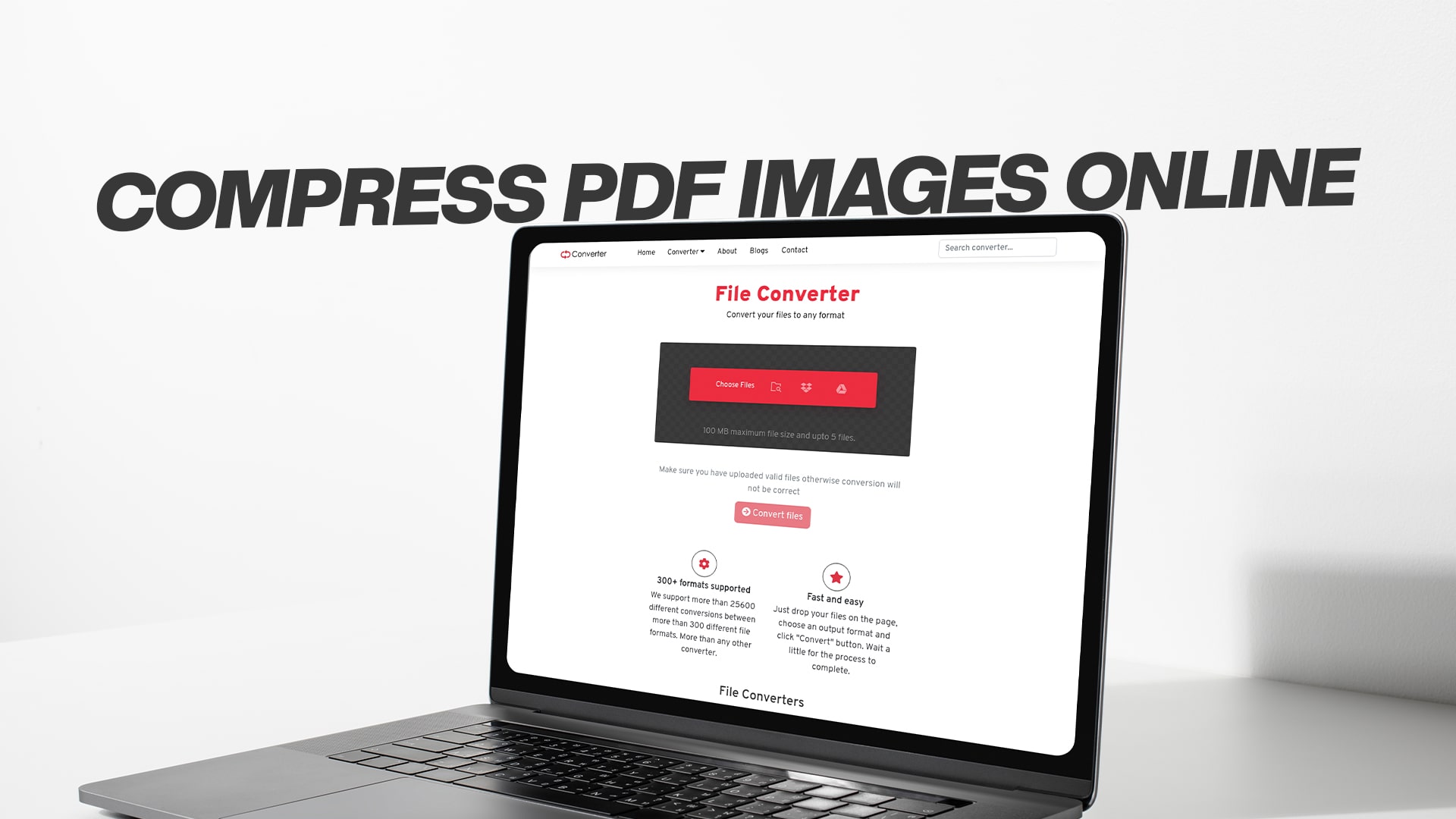
Compress PDF Images Online
When you compress a PDF file that contains images, you are making the file smaller in size. This is done by reducing the quality of the images inside the PDF just a little bit. The good news is that your PDF will still look great even after compression. You just won't see a big difference in how it looks, but your file will be much smaller and easier to share.
Think of it like this: imagine you have a photo album that weighs ten pounds. Compression is like removing some extra paper and plastic from the album without taking away any of the actual photos. The album becomes lighter and easier to carry, but it still has all your photos inside.
PDF files with lots of images can become very large. Large files take a long time to download. They use up a lot of space on your computer or phone. They can be hard to send through email because many email programs don't allow very large file attachments. This is why learning how to compress PDF images is so helpful.
Why Should You Compress Your PDF Images?
There are many good reasons to make your PDF files smaller. Let me explain the main reasons why people compress their PDFs every single day.
First, smaller files are much easier to share. When you need to send a PDF to someone through email, a smaller file means faster sending. It also means the other person can download it faster on their computer or phone. Nobody likes to wait a long time for files to download. When you compress your PDF, you are being kind to the people who receive your files.
Second, smaller PDF files save space on your devices. If you have a computer, phone, or tablet, you probably store many files on it. Every file takes up space. When you compress a PDF, you free up space for other things. This is especially important if you don't have much storage space available.
Third, many email services have limits on how large a file can be. If your PDF is too big, you cannot send it as an email attachment. This can be a real problem when you need to share important documents. By compressing your PDF images, you make sure your files are small enough to send anywhere.
Fourth, smaller files are better for sharing on the internet. If you run a website or blog, smaller files load faster. Faster loading pages make visitors happy. People don't like to wait for things to load. Search engines also like fast websites better than slow ones.
Finally, compressed PDFs are easier to store and organize. Whether you keep files on your computer or in the cloud, smaller files are easier to manage and back up.
How Online PDF Image Compression Works
Online compression tools make the process simple. You don't need to buy expensive software or learn difficult computer skills. Anyone can do this in just a few steps.
When you use an online compression tool, you upload your PDF file to a website. The website then uses special computer programs to make your file smaller. These programs look at all the images in your PDF. They reduce the quality of the images just enough that you don't see much difference, but the file becomes much smaller.
The best part is that this happens automatically. You don't need to do anything special. You just upload your file and the tool does the work for you. Within minutes, your compressed PDF is ready to download.
Most online compression tools keep your files safe. They use special technology to protect your information while they process your files. Many tools also delete your files from their servers after a few hours. This means your private information stays private.
Online tools are free for everyone to use. You don't need to pay money or create an account. You can compress as many PDFs as you want without spending a single dollar. This makes it very affordable for anyone who needs to compress files regularly.
The Benefits of Using Free Online Tools
Free online compression tools offer so many advantages. Let me explain why they are becoming more and more popular.
You don't need to download or install anything. You just need your web browser and an internet connection. This means you can use these tools on any computer, tablet, or phone. You don't need special software that costs money. You don't need to worry about your computer running slowly because you installed new programs.
Free tools are very easy to use. They have simple interfaces that anyone can understand. Even if you have never compressed a PDF before, you can do it in minutes. There are no confusing buttons or complicated steps. You just choose your file, click a button, and wait for your compressed file.
These tools work very fast. Your PDF can be compressed in just a few minutes. Some files compress even faster. You don't need to wait a long time to download your file and start using it. Speed is important when you need to share files quickly.
Free online tools handle all types of PDFs. Whether your PDF is a document, a form, a presentation, or an image collection, these tools can compress it. They work with small files and very large files. They work with PDFs that have just a few images and PDFs with hundreds of images.
Your computer stays safe when you use online tools. You don't install anything that could have viruses or harmful programs. You don't risk damaging your computer. You just use your web browser like you do every day.
Understanding File Size Reduction
When you compress a PDF with images, the file size gets smaller. But how much smaller? This depends on many things.
PDFs that have many large images compress more than PDFs with just a few small images. A PDF with lots of high-quality photos might become half the original size after compression. A PDF with just a few small images might only become slightly smaller because there is not much to compress.
The type of images also matters. Photos compress more than graphics or drawings. Color images usually compress more than black and white images. This is because there is more information in color photos that can be compressed.
The original quality of your images matters too. If your PDF has very high-quality images, compression can make them much smaller. If your PDF already has lower-quality images, there is less to compress.
Most people find that their PDFs become 30 to 60 percent smaller after compression. This is a good amount of size reduction. Your PDF might go from 5 megabytes to 2 megabytes. Or it might go from 10 megabytes to 4 megabytes. The exact amount depends on your specific PDF.
The important thing to remember is that the images still look good even after compression. The quality drop is so small that most people cannot see any difference. Your PDF will still look professional and clear.
How to Compress Your PDF Images Step by Step
Now, let me walk you through the exact steps to compress your PDF. This process is very simple and takes just a few minutes.
First, you need to find a free online compression tool. Convertio offers free conversion services for many types of files, including PDFs with images. You can visit Convertio and look for their compression tools. They make it easy to compress your files online without downloading any software.
Second, you need to upload your PDF file. Most online tools have a button that says "Choose File" or "Upload File." Click this button and find your PDF on your computer. Select the PDF you want to compress. Then click "Open" to upload it.
Third, you may see some options for compression settings. Some tools let you choose how much compression you want. You might be able to choose low, medium, or high compression. For most people, medium compression works great. It makes the file smaller without losing too much quality. Start with medium compression and see how you like the results.
Fourth, click the button to start the compression. This is usually a button that says "Compress" or "Convert" or "Start." The tool will begin processing your file. You will see a progress bar showing how the compression is going.
Fifth, wait for the compression to finish. This usually takes just a few minutes. During this time, the computer program is making your PDF smaller. You don't need to do anything while you wait. Just be patient.
Finally, download your compressed PDF. When the compression is done, you will see a download button. Click this button to download your new, smaller PDF file. The file will go to your Downloads folder. You can then move it wherever you want to keep it.
What Happens to Your File Quality
This is a question many people ask before they compress their PDFs. Will my PDF look worse after compression? The answer is usually no.
When you compress a PDF, the tool uses smart technology to reduce the size without making the images look bad. The compression removes extra information that you don't really need. Your eyes cannot see this extra information, so removing it does not change how the PDF looks.
It is similar to how music streaming works. When you listen to music on your phone, the music is compressed. But it still sounds great to your ears. You cannot tell that the file is smaller than the original. PDF compression works the same way.
Most people download their compressed PDF and cannot tell the difference from the original. The text is still clear and easy to read. The images still look good and professional. The colors still look nice. The overall appearance of your PDF stays the same.
Of course, if you compress too much, you might start to see some difference. But most online tools are smart about this. They compress just the right amount. Your file becomes much smaller, but your PDF still looks excellent.
If you are worried about quality, you can test it. Download your compressed PDF and look at it carefully. Compare it to the original if you still have it. In most cases, you will be happy with the quality.
Comparing Original and Compressed Files
Let me give you some examples of how many files can be compressed.
Imagine you have a PDF report that is ten megabytes. This report has twenty pages with photos. After compression, this same report might be three to four megabytes. That is a huge reduction in file size. The report is now much easier to share and store.
Or imagine you have a PDF catalog with many product images. The original file is fifty megabytes. After compression, it might be twenty megabytes. The product images still look great. Customers can download the catalog much faster now.
A PDF with mostly text and just a few small images might only go from two megabytes to 1.8 megabytes. The reduction is smaller because there were fewer images to compress.
In all these examples, the reduced file size is a big benefit. Your PDFs take up less space. They share faster. They load quicker on websites. And they look almost the same as before.
Different Types of Compression
There are different ways to compress PDF files. Let me explain the main methods so you understand what is happening.
Image quality reduction is the most common method. This method slightly reduces the quality of images in your PDF. Your eyes usually cannot see the difference, but the file becomes much smaller. This is the best method for most people because it balances file size and quality perfectly.
Image resolution reduction is another method. This reduces the number of pixels in images. A pixel is a tiny dot that makes up an image. When you have fewer pixels, the file is smaller. But again, the images still look good to your eyes in most cases.
Removing hidden information is another form of compression. PDFs sometimes contain information that you cannot see, like comments or metadata. Removing this information makes the file smaller without changing how the PDF looks.
Some tools combine all these methods. They use image quality reduction, resolution reduction, and information removal at the same time. This gives you the best possible compression while keeping your PDF looking good.
When you use Convertio or similar tools, they automatically choose the best compression method for your PDF. You don't need to decide which method to use. The tool does this for you.
Common Uses for PDF Compression
Many different types of people and businesses use PDF compression every day. Let me explain some of the most common uses.
Students compress PDFs all the time. When a student writes a research paper with images and needs to submit it online, they compress it first. This ensures the file uploads quickly and doesn't exceed any file size limits. Teachers also compress PDFs when they need to send documents to students.
Business professionals use PDF compression when sharing reports, presentations, and proposals. A large presentation with many images might be twenty megabytes. After compression, it might be just five megabytes. This makes it much easier to email to clients or colleagues.
Real estate agents compress PDFs when they share property listings with photos. A listing with ten property photos might be a very large file. Compression makes it easy to share these listings with interested buyers.
Photographers and graphic designers compress PDFs when sharing their work. They want the images to look good but also want the file to be easy to share with clients. Compression solves this problem.
Publishers and writers compress PDFs when sharing e-books and digital publications. Smaller files mean faster downloads for readers. Readers with slow internet connections are especially grateful for smaller files.
Companies that handle lots of paperwork use PDF compression to save money on storage. Smaller files use less storage space in the cloud and on servers. This reduces storage costs for the company.
Medical professionals compress PDF files containing patient documents. HIPAA-compliant compression tools help them share sensitive information securely while keeping file sizes manageable.
Free Conversion Tools Available
Beyond just PDF compression, many online tools offer additional conversion services. Convertio is an excellent example of a platform that provides much more than just PDF compression.
Convertio handles image conversions. You can convert JPG to PNG, or PNG to JPG. You can convert images to many different formats. All of this is done online for free. You don't need to download anything.
Convertio also handles audio file conversions. You can convert MP3 to WAV, or change audio files to many other formats. This is helpful if you need to use audio files in different applications.
Video conversion is another service. You can convert video files to different formats that work with different devices and software. Converting videos online is much easier than doing it on your computer.
Document conversions are available too. You can convert Word documents to PDF. You can convert PDF to Word. You can convert many different document formats to each other.
E-book conversion is another popular service. You can convert e-books to different formats so they work on different readers and devices.
Software file conversion helps you convert files related to software and programming.
Compressed file handling is available. You can create compressed files or extract files from compressed archives.
Having all these tools in one place is very convenient. You can handle all your file conversion needs without visiting many different websites. It saves time and makes your life easier.
Tips for Best Compression Results
If you want the best results when compressing your PDFs, here are some tips to follow.
Start with a clean, organized PDF. If your PDF has unnecessary blank pages, remove them first. This reduces the file size before you even start compressing. Fewer pages mean smaller files after compression.
Make sure all your images are necessary. Sometimes PDFs have images that don't really add value. Removing unnecessary images before compression can help the file become even smaller.
Choose the right compression level. If you are sharing with people who don't need perfect quality, you can choose higher compression. If quality is very important, choose lower compression. Find the balance that works for your situation.
Test your compressed file before sharing it with others. Download it and open it. Make sure it looks good and all the information is clear. This prevents problems later.
Keep the original file safe. Don't delete the original PDF until you are sure the compressed version is good. You might need the original if there are problems.
Use a trusted tool like Convertio. Trusted tools are safe to use and give good results. They also don't do anything harmful to your files.
Compress regularly if you have lots of PDFs. The more you compress, the more you understand how to get the best results. You will get faster and better at choosing the right settings.
Security and Privacy When Compressing Online
Many people worry about privacy when using online tools. Is my file safe? Will my information be protected? These are good questions.
Trusted online tools like Convertio take security very seriously. They use special technology to protect your files while they are being processed. This technology is called encryption. It makes sure that bad people cannot see your files.
Most reputable tools delete your files from their servers very quickly. Your file might only stay on their servers for a few hours. After your download is complete, they delete it. This means your file does not stay on their computers forever.
You should always use tools from trusted companies. Look for websites that have good reviews and have been around for a long time. Convertio is a good example of a trusted tool that many people use safely.
Never use online tools for files that contain very sensitive information unless you are sure the tool is secure. If your PDF has passwords or financial information, use extra caution. But for most regular PDFs, online tools are very safe to use.
Read the privacy policy of any tool you use. This tells you how the company handles your files and information. A good privacy policy will explain that files are deleted quickly and kept safe.
Frequently Asked Questions About PDF Compression
How long does compression take? Most PDFs compress within a few minutes. Very large files might take five to ten minutes. Speed depends on file size and how busy the servers are.
Will the images in my PDF look worse? In most cases, no. The compression is designed to be invisible to your eyes. The images will still look good and professional.
Can I compress any PDF? Yes, you can compress almost any PDF. The tool will work with any PDF file, no matter what is inside it.
Is it free to compress PDFs? Yes, compression through Convertio and similar tools is completely free. You never pay any money.
Do I need to create an account? No, most tools do not require you to create an account. You can use them instantly without any registration.
How many PDFs can I compress? There is usually no limit. You can compress as many PDFs as you want.
What if I don't like the results? You still have your original file. You can try again with different settings or use a different tool.
Getting Started with PDF Compression Today
You now have all the information you need to compress your PDF files. The process is simple, fast, and free. You don't need any special skills or expensive software.
The next time you have a PDF file that is too large, remember what you have learned here. You know that compression can make your file much smaller without making it look worse. You know that online tools are safe and easy to use. You know that the process takes just a few minutes.
Start with your first compression today. Find a PDF on your computer that you want to make smaller. Visit a trusted compression tool. Upload your file. Click the compression button. Download your smaller file. That is all there is to it.
Once you have compressed your first PDF, you will see how easy it is. You might decide to compress more PDFs. You might share your knowledge with friends or coworkers. Soon, compressing PDFs will become as easy as sending an email.
Remember that Convertio provides free conversion services for PDFs, images, audio files, videos, documents, e-books, software files, compressed files, and more. You can discover all these services when you visit Convertio and start converting for free. Having access to free conversion tools makes handling all your files much easier.
PDF compression is a skill that will help you many times in the future. Whether you are a student, a professional, or someone who just works with files sometimes, compression will be useful to you. You will share files faster. You will use less storage space. You will make others happy by sending them smaller files that are easy to download.
Conclusion
Compressing PDF images online is one of the best ways to manage your digital files. You now understand what compression is, why it is useful, and how to do it. You know that your files will stay safe. You know that the quality of your PDFs will remain good. You know that the process is free and takes just a few minutes.
The world of digital files is becoming more important every day. Being able to compress files is a valuable skill. Now that you have this knowledge, you can compress your PDFs whenever you need to. You can share files faster, save storage space, and make your digital life easier and more efficient.