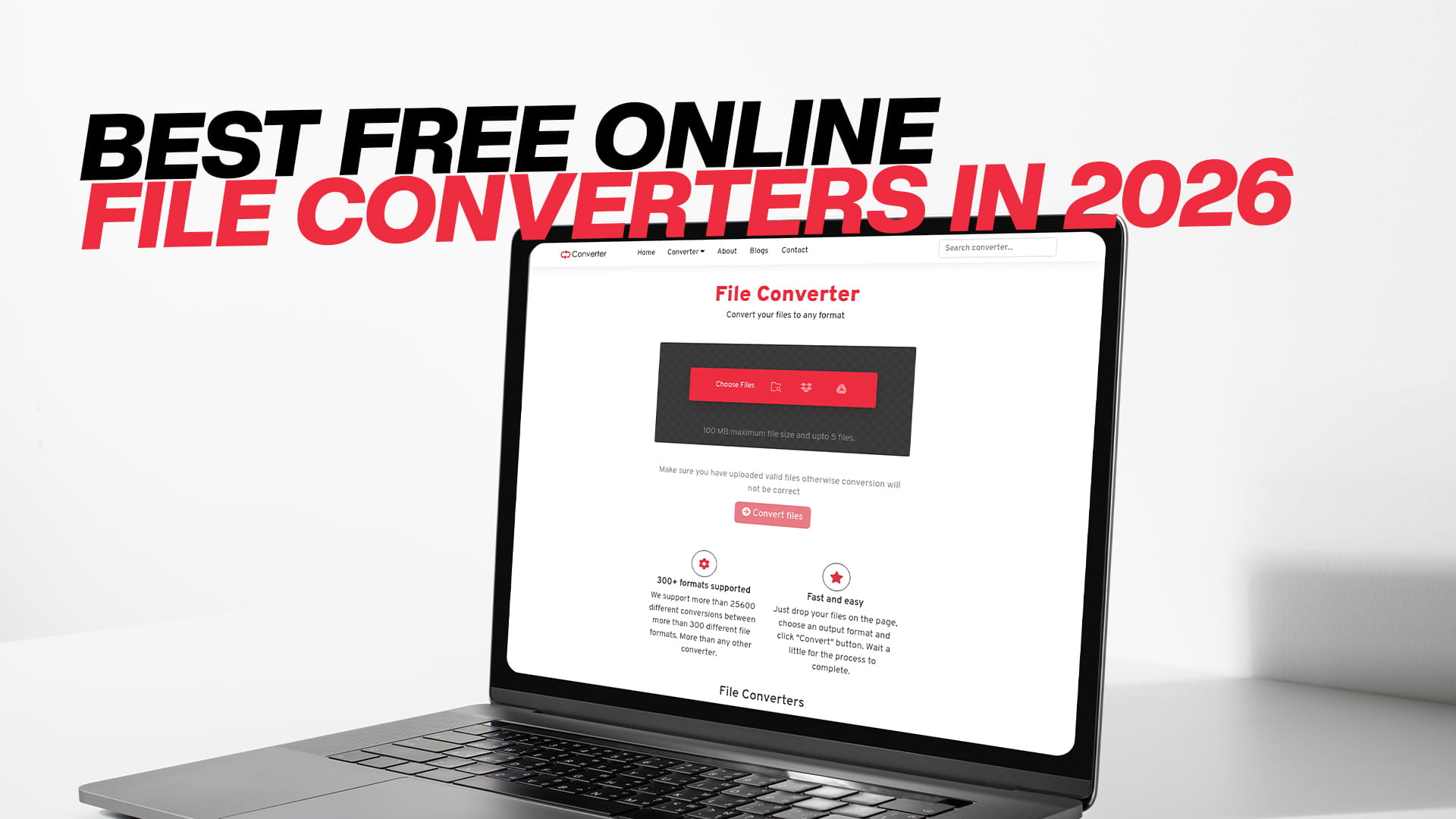
Best Free Online File Converters in 2026
The world runs on digital files. Every day, billions of documents, pictures, songs, and videos are shared across the globe. But there is a common headache that almost everyone faces at some point. You have a file, you need to open it or send it to someone, but the format is all wrong. Maybe your friend sent you a Pages document but you use Microsoft Word. Maybe you downloaded a song in a strange format that your phone does not understand. Maybe you have a video that is too large to send over email. In all these cases, you need a file converter. And the best part is, you do not need to spend any money or install complicated software. The best free online file converters in 2026 are powerful, easy to use, and ready when you are. This guide will walk you through everything you need to know. We will talk about what makes a great converter, look at the best options available right now, and focus on a standout tool called Convertio that can handle almost any conversion task you throw at it.
Why We All Need File Converters
Before we dive into the list of the best tools, let us take a moment to understand why file converters are so important. Think of a file format as a language. A PDF file speaks one language. A DOCX file speaks another. A JPG image speaks a different visual language. Your devices and software programs are like people. Some of them understand many languages, and some only understand a few. When you try to open a file that your device does not speak, you get an error message, or nothing happens at all. A file converter acts like a universal translator. It takes a file in one format and rewrites it into a format that your chosen device or app can understand perfectly.
There are countless reasons to convert files. You might be a student who needs to turn a Word document into a PDF to submit an assignment. You might be a photographer who needs to change a RAW image into a JPG to share with a client. You might be a music lover who wants to put a high-quality FLAC album onto a basic MP3 player. You might run a small business and need to compress large images for your website so that it loads faster. You might just want to save space on your hard drive. Whatever your reason, a good file converter is an essential tool in your digital toolbox. And since we all use the internet every day, having a reliable online converter bookmarked can save you hours of frustration.
What to Look for in a Free Online File Converter
Not all online converters are created equal. Some are fantastic. Some are slow and full of annoying ads. Some can even be risky, hosting malware or not respecting your privacy. When you are choosing the best free online file converter for your needs in 2026, there are several key things you should look for.
The first is safety and privacy. You are uploading your files to a stranger's server. That requires trust. A good converter will have a clear privacy policy. It will say that your files are encrypted during transfer and that they are automatically deleted from the server after a short period, usually a few hours or a day. Look for a padlock icon in your browser address bar, which means the site uses a secure connection. Stay away from sites that look sketchy, have lots of pop-up windows, or try to trick you into downloading software you did not ask for.
The second thing is ease of use. The whole point of an online tool is to make your life easier. The best converters have a clean, simple design. You should be able to land on the page, upload your file, choose the output format, and hit convert without needing to read a manual. The buttons should be clear, and the process should be quick. If a site confuses you or bombards you with too many ads before you even see the upload button, it is probably not the best choice.
The third thing is format support. Some converters only handle a few types of files. The best ones are like Swiss Army knives. They can handle images, audio, video, documents, eBooks, archives, and more. This saves you from having to remember different websites for different tasks. One bookmark does it all.
The fourth thing is file size limits. Free tools always have limits. They have to, because server space and processing power cost money. But a good free tool will give you a generous limit that covers most everyday needs. If you need to convert a full-length high-definition movie, you might need to use a desktop program or pay for a premium plan. But for documents, songs, and standard video clips, a good free converter should handle the job without complaint.
The fifth thing is speed. Nobody likes to wait. The best online converters have powerful servers that process your files quickly. Your own internet speed plays a part, but the tool itself should not be the bottleneck.
The sixth thing is extra features. Does the tool let you adjust quality settings for audio and video? Can you convert multiple files at once with batch processing? Does it support cloud storage services like Google Drive and Dropbox, so you can grab files directly from the cloud and save the results back there? These little extras can make a big difference in your daily workflow.
A Look at the Landscape of Online Converters in 2026
The internet is full of file converters. A quick search will give you dozens of options. Some of the names you might have seen over the years include CloudConvert, Zamzar, Online-Convert, FreeConvert, and many more. These tools have been around for a long time, and they have loyal users. Each one has its own strengths.
CloudConvert is known for its wide support and deep customization. It has a very polished interface and integrates with many cloud services. However, its free tier is somewhat limited. You get a certain number of free conversion minutes per day, and if you run out, you have to wait or pay. For heavy users, this can be a drawback.
Zamzar is one of the veterans of the space. It has been around since 2006. It supports a huge number of formats and is very simple to use. The downside is that free users have a maximum file size of 50 megabytes, and the converted files are sent by email, which can be a little slow compared to instant downloads.
Online-Convert is another powerful tool. It offers lots of advanced settings, which is great for experts but can be overwhelming for beginners. Its website is also loaded with ads, which can make the experience less pleasant.
FreeConvert is a clean and user-friendly alternative. It focuses on a smaller set of core formats and does them very well. It also has a generous 1 gigabyte file size limit for free users, which is excellent for video work.
All of these tools have their place. But for the average person who wants one simple, beautiful, and powerful tool that covers virtually everything, there is one name that keeps coming up as a top recommendation: Convertio. It strikes a nearly perfect balance between ease of use, format support, safety, and features. Let us take a much closer look at why Convertio might be the only converter you need to bookmark in 2026.
Convertio: Your All-in-One Conversion Powerhouse
Convertio is a browser-based file converter that has grown to become one of the most trusted names on the web. What sets it apart is its incredible versatility combined with a design so simple that anyone can use it, regardless of their technical skill level. Whether you need to convert an image, an audio track, a video clip, a document, a PDF, an eBook, a software file, or a compressed archive, Convertio is ready to help. It truly is a one-stop shop.
When you land on the Convertio homepage, you are greeted with a clean, modern interface. There is no clutter. No confusing menus. Just a big, friendly button inviting you to choose your files. This simplicity is intentional. The creators of Convertio understand that you came to do a job, not to admire a complicated dashboard. The process is always the same three-step rhythm. You upload your file. You choose the format you want to turn it into. You click convert and download the result. It is as easy as that.
One of the greatest strengths of Convertio is its sheer range of supported formats. In the images category, you can convert between JPG, PNG, WEBP, GIF, BMP, TIFF, SVG, ICO, and many others. You can even convert RAW camera formats from major camera brands into standard formats you can share. In the audio category, you can convert MP3, WAV, FLAC, AAC, OGG, WMA, and more. In the video category, you can convert MP4, AVI, MOV, MKV, WMV, FLV, and others. You can also extract the audio from a video file, which is a handy feature for making ringtones or saving a song from a performance video. In the document category, you can convert Word documents to PDF and back again. You can handle Excel spreadsheets, PowerPoint presentations, and text files. For eBooks, you can convert between EPUB, MOBI, PDF, and other formats for different e-readers. There is even a category for software files and one for converting fonts.
But Convertio is not just about converting files. It also offers some powerful extra tools. One is the ability to apply optical character recognition, or OCR, when converting scanned images or PDFs. This means if you have a scanned paper document that is just a picture of text, Convertio can pull the actual text out and give you an editable Word document. This is a feature that often costs money with other services, but Convertio includes it for free with reasonable limits. Another feature is the ability to slightly edit and enhance images during conversion. You can change the quality, size, and even apply basic effects.
Privacy and security are taken seriously. All file uploads and downloads are protected with industry-standard SSL encryption. After your conversion is complete, your files are stored on the Convertio server for a short period so you can download them comfortably, but then they are automatically deleted. Convertio states clearly in its privacy policy that they do not look at, copy, or share your personal files. This peace of mind is crucial when you are dealing with private documents, personal photos, or sensitive work materials.
Convertio works right in your browser. There is nothing to download or install. This makes it completely safe from a virus and malware standpoint. You are never asked to install a suspicious helper program. The entire conversion happens on the cloud. This also means Convertio works on any device with a modern browser. Whether you are on a Windows PC, a Mac, a Chromebook, a Linux machine, an Android phone, or an iPhone or iPad, the experience is seamless. The website adapts to your screen size, so you can even convert files easily on the go from your mobile device.
For free users, Convertio offers a generous daily package. The maximum individual file size for free conversions is 100 megabytes. This is more than enough for high-resolution photos, long documents, most audio files, and even short video clips. If you need to convert larger files, like a full-length movie or a massive dataset, premium plans are available. These subscriptions increase the maximum file size, provide faster server speeds, and allow for unlimited parallel conversions. But for the vast majority of people doing everyday tasks, the free version is perfectly capable.
The speed of conversion is impressive. Because Convertio uses robust cloud servers, even a fairly large file is processed quickly. A typical song lasts in seconds. A short video might take a minute or two. The wait is usually much shorter than it would be to download and install a desktop program, especially if you only need to do a one-off conversion.
Another thoughtful touch is the cloud integration. Convertio lets you import files directly from Google Drive or Dropbox. After the conversion is finished, you can save the new file back to the cloud. This eliminates the need to download and re-upload files, which saves time and local storage space. If you do most of your work in the cloud, this feature alone makes Convertio stand out from the crowd.
A Deeper Dive into Each Conversion Category with Convertio
To give you the full picture, let us walk through the major categories of file conversion and see how Convertio handles each one. This will show you why having one tool for all these tasks is so valuable.
Let us start with images. This is one of the most common conversion needs. Perhaps you have a photo in the WEBP format. This is a modern format that Google created to make images smaller on websites. It is great for the web, but many desktop programs and older image viewers cannot open it. With Convertio, you upload that WEBP file and choose JPG or PNG as the output. In seconds, you have a file you can use anywhere. Another common need is converting a transparent PNG image into a JPG. JPG does not support transparency, so Convertio fills the background with white by default. You can also resize images during conversion. Say you have a massive 5000-pixel wide photo from your digital camera, and you need to email it to someone. You can tell Convertio to shrink it to 1200 pixels wide while converting it, saving you the step of using a separate photo editor. The image quality is adjustable too. You can choose a lower quality setting to make the file extra small for quick sharing, or keep it high for printing.
Next is audio conversion. Music and sound files come in a variety of flavors. Lossless formats like FLAC and WAV have perfect quality but huge file sizes. Compressed formats like MP3 and AAC are much smaller and compatible with practically every phone, tablet, and music player. Convertio makes swapping between all of these a breeze. You can also change the audio bitrate. A higher bitrate means better sound but a larger file. A lower bitrate is more compressed. For audiobooks and podcasts, a lower bitrate works fine and saves a lot of space on your phone. The tool also allows you to trim the audio or change the volume level and speed, giving you minor editing capabilities built into the conversion process.
Video conversion is where many free online tools struggle due to the huge file sizes and processing power required. Convertio handles video with surprising grace for a free tool. You can convert MOV files from an iPhone to MP4 files that play on any device. You can change the video codec and resolution. For example, if you have a 4K video that you want to share on a messaging app that limits file size, you can convert it to 720p resolution at a lower bitrate. This will shrink a multi-gigabyte file down to a manageable size while keeping the visuals clear enough to enjoy. You can also extract just the audio track from a video file. This is perfect if you have a recorded concert video and you want the music as an MP3 to listen to on the go. Like with images and audio, the settings are there if you want them, but sensible defaults mean you never have to touch a thing if you do not want to.
Document conversion is a daily need for students and professionals. Convertio shines here. You can convert a Microsoft Word DOCX file into a PDF, which is standard for submitting assignments or sharing final versions that should not be edited. You can go the other way and convert a PDF into an editable Word file. As long as the PDF is not just a scanned image, the conversion preserves text, tables, and formatting quite well. If it is a scanned image, that is where the OCR feature saves the day. Convertio can recognize the letters in the image and turn them into real text. You can convert Excel spreadsheets to CSV for data analysis. You can turn PowerPoint presentations into PDF handouts. The document tools are robust and reliable.
PDF tools deserve a special mention. Beyond simple conversion, Convertio lets you merge multiple PDFs into one file, split a large PDF into individual pages, compress a heavy PDF to make it email-friendly, and even rotate pages. These little utility functions replace a whole suite of desktop software you might have bought in the past. And they all work for free with the same drag-and-drop simplicity.
eBooks are another area where Convertio provides a lot of value. If you own a Kindle, you know it prefers the MOBI format. If you use a Kobo, Nook, or Apple Books, the standard is EPUB. If you have a file in one format and an e-reader that needs the other, Convertio is your bridge. You can also convert a PDF document into an EPUB for reading on a phone. The text reflows to fit the small screen, making reading much more comfortable than trying to pinch and zoom on a static PDF page.
The support for compressed archives and software files is the cherry on top. You can convert a RAR archive into a ZIP archive so that someone without special software can open it. You can even convert between different software disk image formats, which is a niche but valuable feature for IT professionals.
Comparing Convertio to Other Big Names in 2026
Let us do a fair comparison. If you are looking for the best free online file converter, why might you pick Convertio over something like CloudConvert, Zamzar, or FreeConvert? Each tool has loyal fans, and they all get the basic job done.
Compared to CloudConvert, Convertio has a simpler user interface. CloudConvert is very powerful and highly customizable, but that can be intimidating. Convertio feels more welcoming to someone who just wants a quick result. Convertio also offers a higher file size limit on the free tier for standard conversions. CloudConvert uses a "conversion minutes" system, which is less transparent than a simple file size limit.
Compared to Zamzar, Convertio is much faster. With Zamzar, free users often have to wait for an email with a download link. This can be slow and clunky. Convertio gives you an instant download on the page as soon as the conversion is done. The modern interface of Convertio is also a step above the older, more text-heavy Zamzar site.
Compared to FreeConvert, Convertio supports a slightly broader array of niche formats, especially in the software and font categories. Both have excellent privacy policies and clean interfaces. The choice here often comes down to which one you discover first. Both are top-tier tools.
What truly makes Convertio the best all-around recommendation in 2026 is that it has no glaring weaknesses. It is like the well-balanced athlete who is great at every sport. It has the format library of a veteran, the interface of a modern startup, the privacy policy of a company that respects its users, and a free tier that is truly useful for real work. It is the converter you recommend to your parents or grandparents without worrying that they will get confused or tricked into clicking on a bad ad.
Tips for Getting the Most Out of Free Online Converters
Now that you know which tool to use, let us talk about how to use it well. These tips apply to Convertio and any other online converter you might use.
First, always keep your original files. Before you convert anything, make sure you have a copy of the original saved somewhere safe. This is especially true if you are changing the quality or size of an image or video. You can always go back to the high-quality master copy later if you need a different format or better resolution. Cloud storage is great for these masters.
Second, check your output settings. For images, think about whether you need quality or small size. For audio, choose a bitrate that matches your listening habits. For video, do not just blindly convert to the smallest file. Preview the settings to make sure the resolution and frame rate are acceptable. Convertio makes these settings easy to see in the little gear icon next to the format choice. Spending two seconds to check them can prevent a second conversion.
Third, use the batch processing feature. If you have ten photos to convert, do not do them one by one. Drag and drop them all onto the Convertio upload area at once. You can then apply the same conversion settings to all of them, click convert, and download a neat ZIP file with all your new images. This saves a tremendous amount of time.
Fourth, take advantage of cloud storage. If you use Google Drive or Dropbox, connect them to Convertio. There is no need to fill up your local hard drive with temporary files. Pull the source file from the cloud and save the result directly back to a folder in the cloud. This keeps everything organized and accessible from any device.
Fifth, respect copyright laws. Only convert files that you own or have permission to use. Converting a copyrighted song to share illegally is not only wrong but can get you into trouble. Use these powerful tools responsibly for your own projects, studies, work, and legally owned media.
Looking Ahead: The Future of File Conversion
As we move through 2026 and beyond, file conversion technology keeps getting smarter. We are seeing more and more artificial intelligence being built into these tools. Imagine a converter that not only changes the file format but also enhances the image quality using AI, or transcribes the speech in an audio file to text at the same time. Convertio and its competitors are already starting to add some of these features. The OCR engine is an example of this. It uses machine learning to read text in images more accurately than ever before.
The trend is also toward ever-higher file size limits as server costs come down and internet speeds go up. Free converters will become even more capable. Browser technology is advancing too. New web standards allow for powerful code to run directly in your browser without sending anything to a server. Some simple conversions might happen entirely on your own device in the future, which would boost privacy and speed even more. For now, though, the server-based model that Convertio uses remains the gold standard for reliability and broad format support.
Another trend is deeper integration into our digital lives. Operating systems and messaging apps may eventually have one-click conversion built in, removing the need to visit a separate website. But we are not quite there yet. Until then, having a trusted online converter is an essential skill for anyone who uses a computer or smartphone.
Why You Should Bookmark Convertio Today
Life is unpredictable. You never know when you will receive a file that does not work. It might be a work document sent by a colleague who uses a different office suite. It might be a treasured video of a family event recorded on an old camera. It might be an obscure eBook format that your library uses. In these moments, you do not want to start searching the web and trying random sketchy sites. You want a trusted solution that is ready in two clicks.
By bookmarking Convertio, you give yourself a safety net. It is a tool that covers almost every possible conversion scenario you will ever face. It is free. It is fast. It respects your privacy. It works on your phone, your tablet, your laptop, and your desktop. You do not need to remember complex steps or worry about viruses. The interface is so friendly that you will not dread using it. You might even find little tasks that you never bothered to do before, like compressing a batch of photos before uploading them to a website, now become trivially easy.
The digital world is meant to make our lives easier, but incompatible file formats have been a source of friction for decades. High-quality free online converters have almost solved this problem. The technology is mature. The best players in the space have been refined through years of feedback and improvement. In 2026, there is simply no reason to struggle with a file that refuses to open. The power to change formats is right there in your browser.
Final Thoughts on Choosing Your Converter
The best free online file converter is the one that fits into your life so smoothly that you forget it is even there until you need it. For most people, that tool is Convertio. Its unmatched blend of simplicity, breadth, speed, and trustworthiness makes it the smart choice this year. Whether you are a student turning in a paper, a professional sending a contract, a creative person sharing your art, or just someone trying to make a stubborn file work, Convertio has your back.
Take a few minutes right now to visit Convertio. Click around the interface. Upload a test file that you do not need, just to see how fast and easy the process is. Experience the relief of seeing a file transform from one format to another in seconds. It is a small thing, but it gives you a sense of control over your digital life. No more error messages. No more unsupported format pop-ups. Just files that work where and when you need them.
The landscape of online converters will keep evolving, but the core need will remain the same. People need to share and use files without barriers. With the knowledge from this guide, you are now equipped to choose the best tool and use it like a pro. Go ahead, clear out that folder of odd files, and convert them all to the formats you want. Your smarter, more organized digital world awaits.