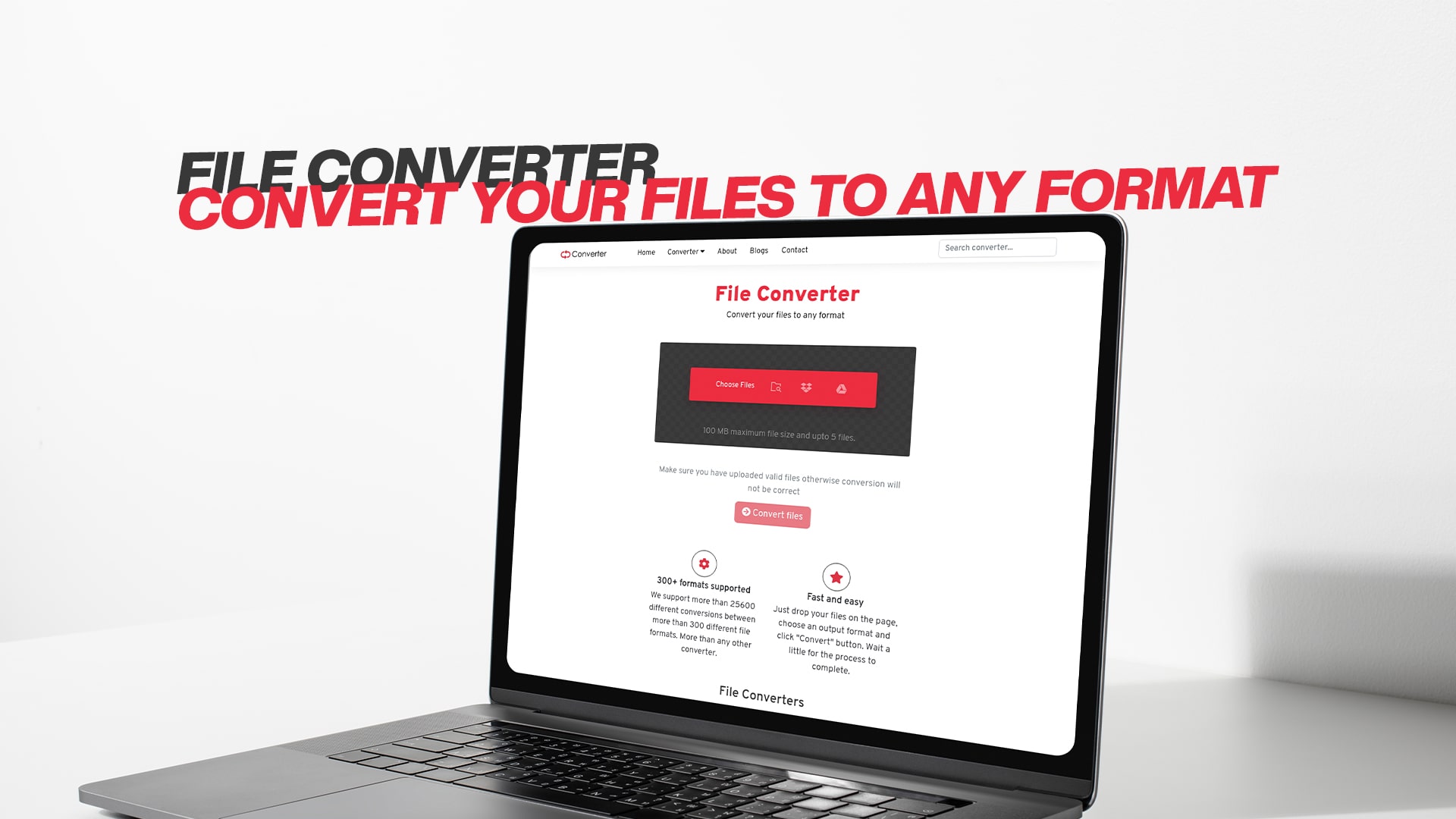
File Converter | Convert your Files to any Format
We work with many different types of files every single day. Sometimes you receive a file in a format that your computer or device cannot open. Maybe you need to change an image from one format to another. Perhaps you want to convert a video file so you can watch it on your phone. Whatever the reason, file conversion has become an essential part of how we work and share information online.
File conversion is the process of changing a file from one format to another. Think of it like translating a book from one language to another. The content stays the same, but it is now in a different format that other programs can read and use. Without file converters, many of us would struggle to work with different types of files that come our way.
The good news is that converting files no longer needs to be difficult or expensive. You no longer need to buy expensive software or have technical skills to convert your files. Today, online file converters make it simple, fast, and free to change your files into any format you need.
What is an Online File Converter?
An online file converter is a tool that lives on the internet. You do not need to download or install anything on your computer. Instead, you simply visit a website, upload your file, choose the format you want, and download the converted file. It is that simple.
These tools work in the cloud, which means the conversion happens on powerful computers on the internet. This is better than software you install on your computer because it does not use your computer's power. The conversion happens quickly, and you can access it from any device with an internet connection.
Online converters handle many different types of files. Whether you need to convert an image, a video, an audio file, a document, a PDF, an eBook, or a compressed file, there is a converter available. The process is always simple and straightforward.
Why You Need a File Converter
There are many reasons why you might need to convert files. Let me explain some of the most common reasons people use file converters every day.
Compatibility Issues: You might have a file that your computer cannot open. Maybe someone sent you a file in a format you are not familiar with. A file converter lets you change it into a format that works with the programs you already have. This solves the problem quickly and easily.
Device Compatibility: Different devices support different file formats. An image format that works perfectly on your computer might not work on your phone or tablet. A file converter helps you change your files so they work on all your devices. Whether you have an iPhone, Android phone, Windows computer, or Mac, you can convert files to work with whatever you use.
Space and Storage: Some file formats take up more space than others. If you are running out of storage space, converting files to a more compressed format can help you save space. This is especially useful if you have lots of photos or videos that eat up your storage.
Sharing and Collaboration: When you work with other people, everyone might have different software. Converting files to common formats makes sharing easy. If you create something in one format, but your team uses different software, you can convert it so everyone can use it together.
Editing and Creative Work: Sometimes you need to convert a file to edit it with specific software. For example, you might need to convert a video to a format that your editing program supports. Converting files gives you access to the tools and programs you want to use.
Archiving and Preservation: Some older file formats may not work on new computers. Converting old files to modern formats helps you preserve them for the future. You can keep your important documents, photos, and videos in formats that will still work years from now.
Types of Files You Can Convert
Online file converters work with almost every type of file you can imagine. Here are the main types of files you can convert.
Image Files: Images are one of the most commonly converted file types. You might need to convert a photograph from JPG to PNG, or maybe you need to change a PNG to GIF. You can convert images between formats like BMP, TIFF, SVG, WebP, and many others. Image conversion is useful for web design, printing, social media, and more.
Video Files: Video files are often very large and come in many different formats. Common video formats include MP4, AVI, MOV, WMV, and MKV. You might need to convert a video so you can watch it on your phone, upload it to a website, or edit it with different software. Video converters let you change between these formats quickly.
Audio Files: Audio files and music come in different formats too. You can convert between MP3, WAV, FLAC, AAC, OGG, and many other audio formats. This is useful if you have music or podcasts in a format your device does not support.
Document Files: When working with documents, you might need to convert between formats. You can convert Word documents to PDF, or change PDF files into editable documents. You can also convert between different document formats like DOCX, DOC, RTF, TXT, and ODT.
PDF Files: PDFs are very common, but sometimes you need to convert them to something else. You can turn a PDF into images, change it to a Word document, or convert it to other formats. You can also convert other files into PDFs to make them easier to share and preserve.
eBook Files: If you read eBooks, you know they come in different formats. You can convert between EPUB, MOBI, AZW, PDF, and other eBook formats. This helps you read books on whichever device you prefer.
Software and Executable Files: Sometimes software comes in different formats for different systems. File converters can help you work with these specialized files.
Compressed Files: When files are compressed using ZIP, RAR, 7Z, or other formats, you might need to convert them. These tools help you work with compressed files more easily.
How File Converters Work
Understanding how file converters work helps you use them better. The process is actually quite simple, even though a lot is happening behind the scenes.
When you upload a file to a converter, the tool reads the information stored in that file. Every file format stores information in a different way. A JPG image stores information differently than a PNG file, even if both show the same picture. The file converter reads the original format and understands what that information means.
Next, the converter changes the information into the new format you requested. This is called encoding. The tool takes all the information from the original file and reorganizes it according to the rules of the new format. It maintains the quality and content of your file while changing how that information is stored.
Finally, the converter saves the file in the new format and makes it available for you to download. The entire process usually takes just seconds or minutes, depending on how large your file is.
Different types of files require different conversion methods. Converting an image is different from converting a video because the information is stored very differently. Advanced converters use specialized tools and techniques for each file type to make sure the quality is as good as possible.
Quality loss is something to consider with some conversions. When you convert from one format to another, you might lose some quality, especially with certain video and audio conversions. However, with images and documents, the quality loss is usually very small and you will not notice it.
Why Choose Convertio
When you are looking for a file converter, you want something that is reliable, easy to use, and actually works well. Convertio stands out because it offers everything you need for file conversion without any of the hassle.
Convertio is completely free to use. You do not need to pay any money or sign up for a subscription. Simply visit the website and start converting your files immediately. This makes it perfect for people who convert files occasionally or regularly.
The platform supports an enormous variety of file types. Whether you need to convert images, videos, audio, documents, PDFs, eBooks, software files, compressed files, or many other types, Convertio can handle it. This means you probably will not need multiple converters for different file types.
The process is incredibly simple. You upload your file, choose the output format, and the conversion happens automatically. You do not need to understand technical settings or complicated options. Even if you have never used a file converter before, you can figure it out in seconds.
Convertio is fast. Conversions usually complete in just a few seconds or minutes, depending on file size. You do not have to wait around or deal with slow processing. Get your converted file quickly and move on with your work.
The website is secure. Your files are encrypted during conversion, and they are automatically deleted after a short time. You do not have to worry about your personal files being stored on the server or shared with anyone else.
You can use Convertio from any device with an internet connection. Desktop computers, laptops, tablets, and phones all work with Convertio. This flexibility means you can convert files wherever you are and whenever you need to.
Step-by-Step Guide to Converting Files
Converting a file with an online converter is simple. Here is exactly what you need to do.
First, visit Convertio and look at the home page. You will see a simple interface designed to make conversion easy. The main area shows options for uploading your file. This is where you start the conversion process.
Second, upload your file. You can do this in several ways. You can click the upload area and choose a file from your computer. You can also drag and drop a file directly into the upload area. If your file is stored online, you might be able to paste a link instead of uploading the file directly.
Third, select the output format. After your file is uploaded, you will see options for what format to convert it to. Choose the format you need from the list. If you are not sure which format to choose, there are usually descriptions to help you understand the differences.
Fourth, let the conversion happen. Click the button to start the conversion. The process happens automatically on the server. You will see a progress indicator showing that the conversion is happening.
Fifth, download your converted file. When the conversion is complete, you can download the new file to your computer. Click the download button and save the file wherever you want on your device.
That is it. Five simple steps and your file is converted. The entire process usually takes less than five minutes from start to finish.
Benefits of Free Online File Conversion
Converting files online has many advantages compared to other methods.
You save money by not having to buy expensive software. Some programs that convert files can cost hundreds of dollars. Using a free online converter means you never pay anything, no matter how many files you convert.
You save space on your computer because you do not need to install software. Every program you install takes up storage space and uses your computer's memory. Online converters use zero storage space on your device.
You save time because conversion is fast. Online converters use powerful servers that can convert files much faster than software on your personal computer. What might take minutes with downloaded software takes seconds with an online converter.
You get access to more formats because online converters usually support more file types than individual software programs. This means you can convert almost any file type you encounter.
You do not need technical skills or training. The simple interface means anyone can use an online converter, regardless of their computer experience.
You can work from any device. Whether you are at home, at work, on your phone, or traveling, you can convert files whenever you need to.
You get updates automatically. With software you download, you have to manually update it to get new features. Online converters update automatically, so you always have the latest version with the newest features and file type support.
Common File Conversion Scenarios
Let me walk you through some real situations where file conversion helps.
Scenario One: You Receive a Photo from a Friend
Your friend sends you a photo taken on their professional camera. The file is in a format called RAW, which is what professional cameras use. Your computer cannot open RAW files. You need to convert it to JPG so you can view it and share it with others. You upload the RAW file to Convertio, select JPG as the output format, and download the converted JPG image. Now you can open it on any device.
Scenario Two: Creating Content for Social Media
You create a video for YouTube. You record it with your camera and save it as an MOV file. However, when you try to upload it to YouTube, the website says it needs an MP4 file. You convert your MOV file to MP4 using Convertio. Now you can upload it without any problems.
Scenario Three: Sharing a Document with Colleagues
You create an important document using Word on your Windows computer. However, your colleagues use different software and operating systems. You convert the document to PDF, which everyone can open and read, regardless of what software they have installed. This ensures everyone can see exactly the same document in the same way.
Scenario Four: Reducing File Size for Email
You took photos at a wedding and want to email them to friends. The original JPG files are too large to email easily. You use Convertio to convert them to a smaller PNG format that takes up less space. Now you can email them without problems.
Scenario Five: Converting an eBook for Your Device
You have an eBook in EPUB format, but your reader device only supports MOBI format. You convert the eBook using Convertio, and now you can read it on your device.
Tips for Better File Conversion
Here are some helpful tips to get the best results when converting files.
Check the file size before converting. Very large files might take longer to convert. If you have a huge video file, give the conversion enough time to complete.
Make sure you have enough storage space to save the converted file. The converted file might be larger or smaller than the original, so ensure you have space available.
Understand your output format before converting. Different formats have different uses. Choose the format that best suits your needs.
For images, understand that some formats are better for photographs while others are better for graphics or drawings. JPG works well for photos, but PNG is better for images with text or graphics.
For videos and audio, quality settings matter. Some converters let you choose quality levels. Higher quality means larger file sizes but better results.
Always keep a copy of your original file before converting. This way, if something goes wrong, you still have the original.
If you convert often, organize your files so you can find the original and converted versions easily.
Test the converted file before deleting the original. Make sure the converted file works properly before you assume the conversion was successful.
File Conversion for Different Users
Different people use file conversion for different reasons.
Students and Teachers: Students need to convert documents and presentations for school projects. Teachers convert files to share materials with students. Convertio helps them work with files in the formats required by their school.
Graphic Designers: Designers work with images in many different formats. They convert between PSD, PNG, JPG, SVG, and other formats depending on the project requirements and client needs.
Video Content Creators: YouTubers and video creators constantly convert videos between formats for different platforms. What works on YouTube might not work on TikTok or Instagram, so conversion is essential.
Office Workers: People in offices convert Word documents to PDFs, spreadsheets to images, and presentations to videos. This is a daily part of their work.
Musicians and Podcasters: Audio creators convert between MP3, WAV, FLAC, and other audio formats depending on where they are sharing their content.
Photographers: Professional and amateur photographers convert between RAW, JPG, PNG, and other image formats regularly.
Authors and Publishers: People publishing eBooks convert between EPUB, PDF, MOBI, and other formats to work with different platforms and readers.
The Future of File Conversion
File conversion continues to evolve and improve. As technology advances, converters become faster and support more file types. Artificial intelligence is starting to play a role in improving conversion quality. Cloud storage integration is making it easier to convert files from online storage services.
The trend is toward simpler, faster, and more automatic conversion. In the future, you might not even need to think about file formats. Devices and software might automatically convert files as needed without your involvement.
However, for now, having a reliable file converter like Convertio is essential for anyone who works with digital files.
Getting Started with File Conversion Today
You now understand what file conversion is, why you need it, and how to do it. The next step is simple: start using a file converter.
Visit Convertio to begin converting your files. Whether you need to convert an image, video, audio file, document, PDF, eBook, software file, compressed file, or any other type of file, you can do it for free. The process is simple, the conversions are fast, and the results are reliable.
You do not need to download anything or create an account. Just go to the website and upload your first file. In just a few seconds, you can have a converted file ready to download. Experience how easy file conversion can be when you use the right tool.
Start converting today and discover how much easier your digital life can become when you have instant access to unlimited file conversions. Convertio makes working with different file types simple and painless, so you can focus on what really matters instead of struggling with file formats.
Conclusion
File conversion is an essential skill in our digital age. Whether you need to convert images, videos, audio, documents, PDFs, eBooks, software files, compressed files, or many other types, having the right tool makes all the difference.
Online file converters have made this process simple, fast, and free. You no longer need expensive software or technical skills. A good converter handles everything for you with just a few clicks.
Convertio provides everything you need for file conversion. It supports many file types, works fast, stays secure, and costs nothing. The simple interface means anyone can use it, regardless of their experience with computers.
Make file conversion a part of your digital toolkit. When you encounter a file you cannot open or need to change to a different format, you will be glad you know about online converters. Try Convertio today and see how much easier your digital life becomes when you have instant access to reliable file conversion tools.